Ask yourself this question: Who is the most important person in a band?
Is it the vocalist? They are the focus of the crowd most of the time. Maybe the drummer? If the tempo is wrong, everything is out of sorts. If the guitar player forgets they should be in Drop D tuning, it’s a train wreck in the making!
However, it is often the connection between the band and the person at the console that can do the most damage to a performance. It can be very lonely onstage when the sound is going south for you. You can be pouring your heart out, and no one may even know it.
If the sound engineer doesn’t turn up a channel for a solo that they don’t know is coming, the audience may hear nothing at all. Since the engineer is often not a part of the band, how can we make sure that they are tuned in to what the performance should sound like in order to make the performance top-notch?
Have a Meet and Greet
First of all, it is worth having a quick conversation before soundcheck with the FOH engineer to make sure everybody is on the same page. Introduce yourself and your band and get everybody’s name. It is amazing what being able to call people by name will do for the atmosphere.
During this time, make sure you give the engineer a setlist as well and take five minutes to talk through the show. Four words scribbled on a setlist (“keys solo after bridge” or “bass player sings lead vox”) can make a huge difference in how things come together during a set. A good engineer will always make notes and thank you for the heads up.
Why Was My Mic Muted?
While you may be frustrated if you are onstage and speak or sing into a dead mic, it is worth considering that the engineer is engaging in best practice when they mute mics that are currently not in use. Understand that they are doing their job to decrease the likelihood of feedback. If the engineer knows that the guitar player doesn’t sing much but is in charge of between-song patter, he is more likely to have that mic live only when it needs to be.
Learn Hand Signals
During that pre-show meeting, it is also worth agreeing on a couple of hand signals and what they mean. While you may think that thumping your chest makes lots of sense to get more bass, there is no guarantee that the engineer will be on the same page as you. These kinds of things are particularly important if the engineer is also controlling your monitor levels.
While you can always call out the engineer on your mic between songs, this can come across as unprofessional; and if you make it really tacky, remember that they can just mute you in all of the mixes and claim they don’t know what happened!
My preference is to have a catchphrase to use from stage (mine is “Hello Cleveland!” à la Spinal Tap) so the engineer knows I need something. When they hear that, they know they need to be checking on something and scanning the stage for input.
Use the Intercom
If you are performing in a more theatrical or broadcast-oriented space, then there is a good chance that the venue already has an intercom system in place by someone like Clear-Com. If they do, ask them if you can have a beltpack and a headset onstage so that someone can communicate from up front. Often, these systems also have a light that you can trigger to get attention, so they know someone needs something.

Don’t Panic
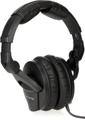
Actually, sometimes you should panic. I usually try to have an open mic onstage that isn’t going to the house speakers but rather to an open channel on the console that the engineer can PFL (pre-fader listen) with a pair of headphones. My favorite engineers always have a good pair of headphones around their neck.
If something really needs attention, someone in the band can talk into this microphone and, instead of it going through the PA, it’ll go right to the engineer’s ears. This is far more professional. If you don’t like the optics of an unmanned mic, then put it in front of somebody that doesn’t sing background vocals and tell the engineer that he needs to pay attention if someone is talking on that mic.
Of course, that is a challenge for the lead vocalist, but that’s when a panic switch such as the Pro Co Panic Button is exactly what you need. The lead singer’s mic goes into the Pro Co pedal directly, and then the outputs go into two channels on the snake. The first one goes to the PA, but the second goes to a channel that feeds only into the engineer’s headphones. When you step on the pedal, you are muting the main output so you can give feedback to the FOH operator without the crowd being any wiser.

If you are performing with in-ears onstage, you actually have some additional ways to improve your communication with the front of house. That same panic switch could also feed the performers’ headphones, so the vocalist can audibly call to double the length of the bridge or to ask for a lower key that goes a bit better with their laryngitis.
Likewise, the engineer can have a mic at the console that only feeds the performers’ ears. If they need the bass player to flip the ground on the direct box, they can easily ask them to do so. This arrangement of the band and the engineer being able to talk directly to each other during a show can really help smooth out a performance when things are going wrong.
While communication is mostly about establishing clear expectations, these little hardware additions can really help when a disaster happens. If you need to expand your array of onstage communications equipment, give your Sweetwater Sales Engineer a call at (800) 222-4700, and they can help you find the perfect piece of gear to bridge your challenges in any live performance.