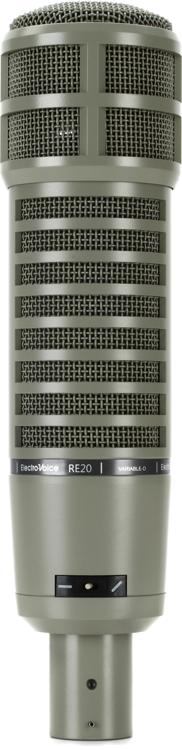
Q: I’m working with live Pro Tools multitrack recordings of my band, and there were two mics/tracks for the kick drum. One was from a Yamaha SubKick and the other was from a standard dynamic microphone (maybe an Electro-Voice RE-20, I can’t recall exactly). There is bleed in both mics. The snare shows up in both, and the floor tom is in the SubKick track.
I know it’s live and I have to live with a certain amount of bleed. But there are some spots where it would be helpful to be able to clean up some bleed. And, I may have to use drum replacement on the 1 to get the sound I want and the bleed is causing false triggers to the drum replacement plug-in.
Suggestions?
A: There are many things you can try. First, if you are doing drum replacement, most plug-ins have a “threshold” you can adjust to make the replacer ignore bleed while responding to the desired sounds. However, you are correct, the cleaner the track the better drum replacement will work.
Outside of drum replacement, you have a number of additional options:
1. Use a gate to automatically remove unwanted material. This worked for decades in “traditional” studios and will still work in today’s in-the-box environments.
2. Try EQ. You may be able to drop some frequencies where the bleed is most offensive while still allowing the kick drum to pass through unscathed — especially since you are blending two quite different-sounding tracks together.
3. Go in and cut out the unwanted material using track editing in your DAW. This is tedious, but arguably will give you the best results as you have the most flexible control. When you do this, be sure to link or group the two tracks together so you can edit them simultaneously.
4. Use automation to reduce the level of bleed between kick drum hits. As with manual track editing, this can be tedious, but it can also provide excellent results with, in some cases, more natural sounding results. Once again, grouping or linking the two tracks means you don’t have to do the work twice.
5. Many DAWs have a function that will strip out low-level material in between desired material in a track. In Pro Tools this is called “Strip Silence,” but other DAWs have similar functions.
6. A combinaton of these techniques — some manual editing, some gating, some automation may work the best.
7. We mention this last suggestion because we’re definitely guilty of overthinking and obsessing ourselves: try acceptance. In a live recording you will never get the isolation you would in a studio. Do you really need to clean the track, or in the context of a full mix is the bleed perfectly acceptable? One thing to check, though, is that the bleed from the snare drum, for example, is in phase with the main snare mic and the snare sound from the overheads. If the bleed on the kick track(s) is out of phase with one or more of the other drum kit mics, then cleaning it up may help the overall sound of the kit, not just the kick drum.