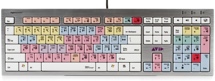
So you have Pro Tools. Have you figured out how to cut, copy, paste, play, record, and return to zero without ever touching the mouse? Or maybe you’ve mastered Command+F for fades or Command+E for separating clips. You’re feeling like a PT Ninja, right? But do you know what Control+Option+Command+Left Bracket does?
Well, just in case you haven’t made it all the way through all 61 pages of the Pro Tools Shortcuts Guide v12.7, here are a few shortcuts that will help you navigate PT more swiftly and efficiently. And you can amaze your friends with your “Mad Pro Tools skills.”
NOTE: Some Pro Tools recording shortcuts (marked below with an asterisk [*]) use the same key commands as certain Mac OS X shortcuts. If you want to retain use of these key commands in Pro Tools, those Mac OS X shortcuts must be disabled or remapped.
ADDITIONAL NOTE: In order for Mac users to use the following shortcuts that utilize the Function keys (F1-F19 on the top row of the Apple keyboard) you will have to hold the fn (Function) key (which is right below the F13 key on most keyboards and at the lower left on the Macbook built-in keyboard) to execute these.
Beginner
These shortcuts will help even the most novice Pro Tools user work more efficiently.
| Action | Mac | Windows |
|---|---|---|
| Save | Command+S | Ctrl+S |
| Start recording/punch in | Command+Spacebar, F12, or 3 (on numeric keypad)* | Ctrl+Spacebar, or F12, or 3 (on numeric keypad) |
| Stop record and discard recording take (not undoable) | Command+Period (.) | Ctrl+Period (.) |
| Set track to Record Safe | Command+Click on track Record Enable button | Ctrl+Click on track Record Enable button |
| Import Audio | Command+Shift+I | Ctrl+Shift+I |
| Open Fades dialog box for selected Clip | Command+F | Ctrl+F |
| Separates selected region | Command+E | Ctrl+E |
| Create group | Command+G | Ctrl+G |
| Heal Separation | Command+H | Ctrl+H |
Intermediate
Once you’ve mastered the beginner “baby steps” shortcuts, you’re ready for Level 2.
| Action | Mac | Windows |
|---|---|---|
| Horizontal Zoom | Command+ [ or ] | Ctrl+ [ or ] |
| Amplitude Zoom | Command+Option+ [ or ] | Ctrl+Option+ [ or ] |
| Increase or Decrease track height for any lane in the Edit window that has the cursor in it | Control+ ↑ ↓ | Start+ ↑ ↓ |
| Increase or Decrease track height for all tracks in the Edit window | Control+Option+ ↑ ↓ | Start+Option+ ↑ ↓ |
| Auto Input Monitoring/Input Only Monitoring for tracks in Record | Option+K | Alt+K |
| Bring up New Track dialog box | Command+Shift+N | Ctrl+Shift+N |
| Drop marker on the timeline as you record or play | Enter (on numeric keypad) | Enter (on numeric keypad) |
| Toggle Edit Window Modes | F1-F4 or Option+1 through 4 | F1-F4 or Alt+1 through 4 |
| Toggle Edit Window Tools | F5-F10 Or Command+1 through 6 | F5-F10 or Ctrl+1 through 6 |
| Consolidate Clip | Option+Shift+3 | Alt+Shift+3 |
Advanced
If you’ve ever seen an engineer skillfully hovering over the Pro Tools keyboard and watched with amazement as things happened on the screen faster than you could even conceive, then these are some of the shortcuts that they’re utilizing.
| Action | Mac | Windows |
|---|---|---|
| Import Session Data | Shift+Option+I | Shift+Alt+I |
| Reset zoom so entire song fits on the screen | Option+A | Alt+A |
| Open Tempo Operations window | Option+2 (on numeric keypad) | Alt+2 (on numeric keypad) |
| Return all waveform overviews to normal size | Control+Option+Command+ | Ctrl+Alt+Start+ |
| Bounce Track | Command+Option+Shift+B | Control+Alt+Shift+B |
| Bounce to Disk | Command+Option+B | Ctrl+Alt+B |
| Cascade inputs | Select the group of tracks you want to cascade inputs or outputs. Hold down Shift+Option+Command and select the input (or output) on first track. | Select the group of tracks you want to cascade inputs or outputs. Hold down Shift+Alt+Ctrl and select the input (or output) on first track. |
Did you know?
If you really want to amaze your friends, try doing these.
| Action | Mac | Windows |
|---|---|---|
| Half-speed playback | Shift+Spacebar | Shift+Spacebar |
| Half-speed record | Command+Shift+Spacebar, or Shift+F12* | Ctrl+Shift+Spacebar, or Shift+F12 |
If you’ve mastered all these and still want more, then here’s the link to Avid’s bible of Pro Tools shortcuts.