
Native Instruments Maschine+ Setup Guide
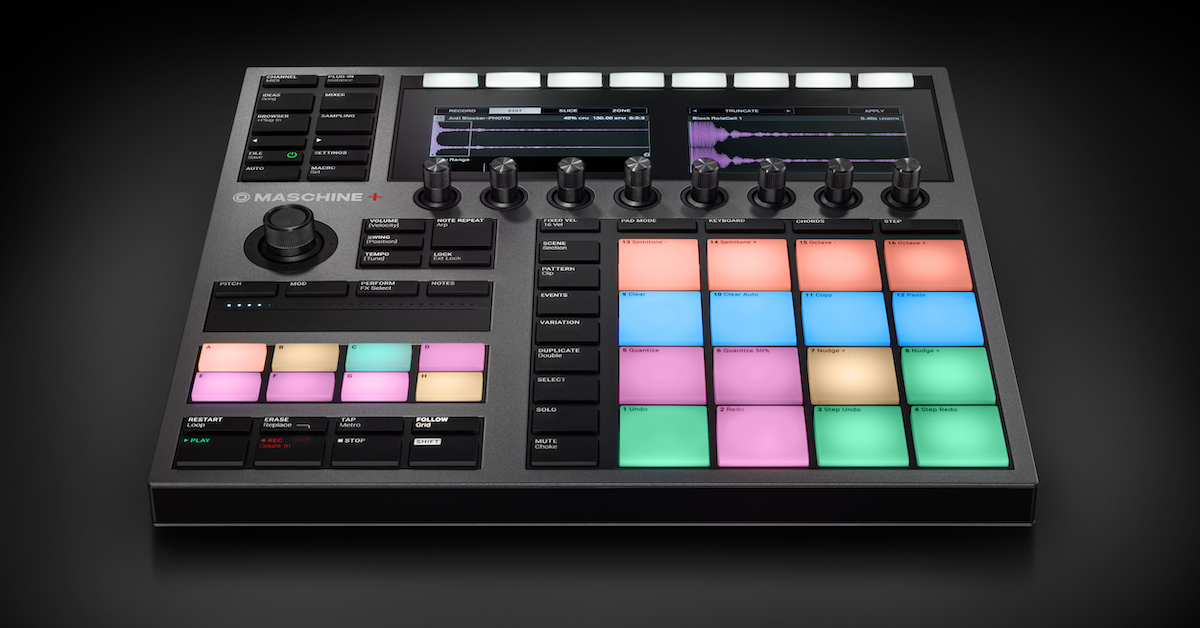
In this guide, we will show you how to get started with the Native Instruments Maschine+. Start by following the setup and configuration section, and then use the other sections to get started making beats and creating music.
Maschine+ Setup and Configuration
Maschine+ must be connected to Wi-Fi to register with Native Instruments and get started. Once you’ve registered and updated the device you can get started making music with Maschine+ right away with either the demo project or your own project from scratch. Maschine+ is a standalone music-making device, but watch the other relevant sections when using external gear or connecting Maschine+ to a computer.
Native Instruments: Boris Mezga takes you through the brand-new standalone MASCHINE+. Take a look at the best bits of our stage and studio superpower, from setting up, to the basic workflow, using external gear, recording audio, using Ableton Link, and more.
- 0:00 – Intro
- 0:45 – Hardware Overview
- 02:10 – Getting Set Up
- 02:48 – Basic Workflow
- 5:08 – Lock States
- 05:44 – Using External Gear
- 07:30 – Recording External Audio
- 08:39 – Using Ableton Link
- 09:07 – Connecting To A Computer
- 10:05 – Expandability & Updates
Maschine+ FAQ
Maschine+ is packed full of features designed to optimize your music-making experience. The standalone experience is new to Maschine, and Native Instruments has created a video to answer the community’s most popular questions.
Native Instruments Maschine+ Support
- Maschine+ Quickstart and Manual Downloads
- Notes on SD Cards for MASCHINE PLUS
- What Power Bank Should I Use with my MASCHINE PLUS?
- Which Audio & MIDI Devices Are Compatible with MASCHINE Plus via USB?
- Maschine+ Solution Wizard
Native Instruments: We’ve had a huge reaction to MASCHINE+, and plenty of questions about what’s possible. In this video, product specialist Boris Mezga answers some of the hottest questions about our new standalone production and performance instrument.
- 0:00 – Intro
- 0:31 – How many software instruments can I run?
- 2:27 – Is there a limit to the number of audio tracks?
- 4:30 – Is direct-to-disk streaming supported?
- 4:41 – Can I connect third party audio interfaces?
- 5:03 – Does MASCHINE+ require a steady internet connection to run?
- 5:23 – Does it support USB MIDI with external synths?
- 5:48 – How do I save groups, sounds, patterns, and samples in standalone mode?
- 6:31 – Can I open MASCHINE+ projects from my desktop, and vice versa?
- 7:22 – What is the new Clips functionality?
Getting Started with Maschine+
Once you’re set up and feel comfortable, it’s time to start making music! The Quickstart video below shows you how to get started making beats, but you can use their Maschine+ Quickstart pages for more information about each topic.
Native Instruments: Boris Mezga provides a quick overview of the MASCHINE+ basics and a tour of the Welcome+ project. After watching this video, you’ll be ready to explore MASCHINE+ with our Quickstart Guide.
Native Instruments Maschine+ Quickstart Pages
Native Instruments has created an interactive Quickstart web experience for Maschine+ to make getting started very easy. We found it particularly useful for those new to making music in the standalone Maschine+ environment. Click the buttons below to access each page of the Maschine+ Quickstart guide and start making music.

When you need help, Sweetwater has the answers!
Our knowledge base contains over 28,000 expertly written tech articles that will give you answers and help you get the most out of your gear. Our pro musicians and gear experts update content daily to keep you informed and on your way. Best of all, it’s totally FREE, and it’s just another reason that you get more at Sweetwater.com.

