
¡Obtenga asesoría en español!  Llámenos hoy a (800) 222-4701
(800) 222-4700 Talk to an expert!
Loading Cart
Your Cart Is Empty

See what's new at Sweetwater.

My Cart this.cartQty

macOS 12 Monterey: Compatibility Guide
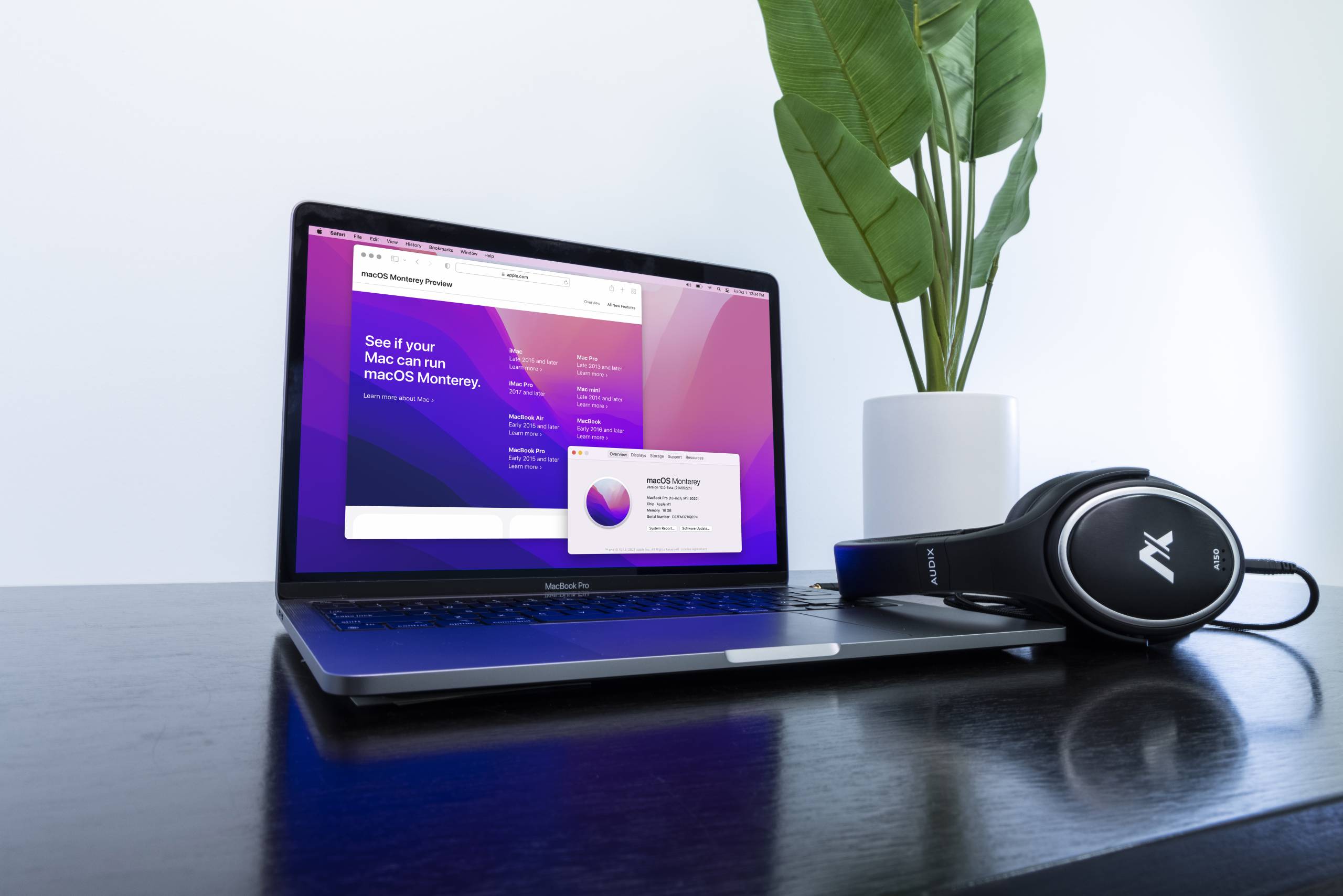
macOS 12 Monterey release date

Apple’s macOS 12 Monterey is the latest version of macOS and was announced for official public release on October 25. We are excited to start using the new software but, at the same time, are extremely cautious. Pro audio and music production users probably should not upgrade until all of their respective third-party software and hardware are officially supported by their respective manufacturers. When you do that, you’re making sure your computer environment stays working and intact, rather than running the risk of one software app not launching or a hardware device losing connectivity.

While updates are pushed to our mobile devices and computers all the time, upgrading macOS on a music or multimedia production computer is a big deal, and it should be done with caution. On one hand, the latest, greatest features are oh so appealing but, on the other hand, are potentially unverified and unsupported hardware/software configurations that compromise your workflow and ability to work.

Should I upgrade to macOS 12 Monterey?

Before macOS 11 Big Sur’s release in fall 2020, Apple released updates to “OS X” in chapters (10.8, 10.9, 10.10, 10.11, etc.). Now named “macOS,” the software has been released as macOS 11 Big Sur and now as macOS 12 Monterey. When a new version of macOS becomes available, the latest Macs start shipping with that version. Any recent Mac with compatible hardware specifications also has the option to upgrade.

When you upgrade macOS, you’re not just updating a single app or device driver; you’re updating the entire computer. That has the potential to cause some serious incompatibility issues with third-party software (DAWs, plug-ins, apps) and audio interfaces (drivers, software).


Should I Update to macOS 12 Monterey?


What to consider before upgrading macOS

Before upgrading macOS you’ll want to perform the following:

  1. Create a Time Machine backup of your Mac’s current state.
  2. Back up current projects, software licenses, and important files to another storage device.
  3. Check, double-check, and then triple-check that your third-party software and hardware are supported on macOS 12 Monterey.
 

MacOS 12 Monterey: Download and Install Guide


MacOS 12 Monterey: Audio Optimization Guide


MacOS 12 Monterey: Time Machine Backup Guide


MacOS 12 Monterey: Operating System Downgrade Guide


DAW and plug-in software

Software is a big deal for music makers, audio engineers, and those who work with multimedia production. What are you supposed to do if one of your most important apps or plug-ins isn’t working correctly? You try to reinstall it, but it just won’t install! Oh no!

When it comes to using the latest version of macOS, there is no way to trust that your software will work correctly unless it is officially supported by its manufacturer. That means digital audio workstations like Pro Tools and Studio One won’t be usable on that version of macOS until their respective creators have tested compatibility and made an official statement on the manufacturer’s product or support pages.

Audio and MIDI device drivers

External hardware devices like audio interfaces and MIDI controllers are especially affected by macOS upgrades. External hardware connects to your Mac with software drivers, and while some devices don’t require custom drivers to work, many, if not most, do. Class-compliant devices use native audio, MIDI, and display drivers to connect to Macs and PCs alike. Many devices require a custom software driver designed by the manufacturer. Control software such as  Focusrite Control (Focusrite), Universal Control (PreSonus), and Console (Universal Audio) are all examples of third-party driver software that are required for their respective devices to connect to your Mac and work correctly. Each of those companies also has class-compliant audio interfaces that do not require software drivers. They connect via native audio/MIDI drivers found on PCs, Macs, and even Android/iPad tablets.

Remember, 32-bit is not compatible

Apple’s macOS 10.14 Mojave was the final version to support 32-bit apps and plug-ins; macOS Catalina and all subsequent versions no longer support 32-bit software, and they cannot be installed. You’ll need to use an updated 64-bit version or find a compatible alternative. Learn more in Apple’s article about 32-bit app compatibility with macOS High Sierra 10.13.4 and later.

Which Macs can run macOS 12 Monterey?

Most recently released Macs are compatible with macOS 12 Monterey and have the ability to upgrade their version of macOS. If your Mac is not compatible, then it cannot upgrade to macOS 12 Monterey and will only be able to upgrade to the latest compatible version respective to its model. Locate your model identifier or part number to help specify its exact version. You can also use your Mac’s “About This Mac” feature on the Menu Bar to learn more about your specific Mac.

macOS 12 Monterey compatibility list

Like in years past, we’re excited about Monterey’s October 25 release and anticipate third-party hardware and software manufacturers will immediately begin testing and confirming compatibility status as soon as possible.

Software compatibility often involves next-gen products, and some software and hardware become no longer supported as new products are released. If this is an issue and compromises your system’s integrity, then staying on your current compatibility configuration is the best decision. If your needs are not hardware/software specific, consider using class-compliant devices that aren’t bound to third-party software/driver updates.

Accusonus
Fully Supported
Acon Digital
Read More Below
Acon states that their apps and plugins support macOS 10.9 and later, which would include macOS 12 Monterey.
Contact Acon Digital tech support at this link.
AIR
Fully Supported
All supported products are listed at this link.
AIR Music Tech | macOS 12 Monterey Compatibility
AKAI Professional
No Official Support
Akai Professional encourages all users to remain on their current OS until all necessary hardware and software products have been qualified for use with the macOS Monterey operating system. 
Akai Pro Support

Alesis
No Official Support
Alesis encourages all their users to remain on their current OS until all necessary hardware and software products have been qualified for use with the macOS Monterey operating system. 
Alesis | macOS 12 Monterey Compatibility
Antares
Fully Supported
Applied Acoustics System
Fully Supported
Arobas Music
No Official Support
Arturia
Fully Supported
Audient
Fully Supported
To ensure compatibility, please ensure that the latest drivers have been download. Please visit the links below for more information.
Audient Specifications & InformationMonterey and Silicon Compatibility
Audified
Fully Supported
Audified products are compatible. Please make sure you have downloaded the latest update
Audified Downloads
Audio Ease
Fully Supported
AudioEase plugins support macOS 12 Monterey. Check to confirm that your DAW is compatible with macOS 12 Monterey.
On macOS 12 Monterey all Audio Ease plug-ins require Pro Tools 2021.12 or up.
AudioEase macOS 12 MontereyAltiverb 7, Indoor, Speakerphone 2 and 360pan suite 3 work fine through Rosetta 2 emulation on Apple Silicon (M1).
The latest BarbaBatch, Snapper and Make a Test Tone feature native M1 support.
M1 Apple Silicon CPU compatibility
Audio Modeling
Fully Supported
All SWAM instruments are compatible with macOS 12 Monterey.
The newest versions of SWAM Solo Brass, Solo Strings and Solo Woodwinds run natively on Apple Silicon (M1) .
If you use Logic Pro or GarageBand, make sure to start them in Rosetta mode.
All SWAM instruments should be compatible with any host or DAW supporting VST / Audio Units / AAX formats.
Audio Modeling | Do SWAM instruments run on Silicon / M1 architecture?Audio Modeling Compatibility

Audionamix
No Official Support
AVID
Read More Below
Avid Pro Tools version 2021.12 and higher is compatible with macOS 12 Monterey.
Avid Pro Tools Operating System Compatibility Chart Avid Sibelius version 2022.3 and higher is compatible with macOS 12 Monterey.
Avid Sibelius Operating System Compatibility ChartFor Avid Media Composer compatibility information, please follow this link.
Avid Media Composer System Requirements

Behringer
Read More Below
U-Phoria UMC audio interfaces do not require a driver on macOS. They are class-compliant and therefore compatible with macOS 12 Monterey.
Behringer’s X32/M32 Edit app and X-Air/M-Air Edit app support macOS 12 Monterey.
More information at this link.
Best Service
Fully Supported
Best Service’s sound libraries and the Best Service Engine are compatible with macOS 12 Monterey. Best Service provides VST, AAX and AU plugins that are Apple Silicon (M1) native, and are compatible with Native Instruments Kontakt 6.6 and higher, which is in turn compatible with macOS 12 Monterey.
For the latest Best Service product updates, please follow this link.
Big Fish
No Official Support
Big Fish’s loop and sample libraries are used within third-party DAWs and so they should work with macOS 12 Monterey if they are running in a macOS 12 Monterey-compatible DAW.
The Big Fish Momentum plugin is available in AAX, VST and AU format, and should work within a macOS 12 Monterey-compatible DAW, but Big Fish does not provide official support for macOS 12.
Big Fish Momentum
Bitwig
Fully Supported
All support information will be updated on the Bitwig System Requirements page.
Blue Cat Audio
Fully Supported
The latest updates of all Blue Cat Audio plug-ins (except the Remote Control) are compatible with macOS 12 Monterey.
Make sure your DAW is compatible with macOS 12 Monterey.
MacOS 12 Monterey and Windows 11 Support
Boss
Read More Below
Many Boss products are compatible with macOS 12 Monterey. For a detailed list of products, follow these links:
Boss Compatibility With macOS Monterey (macOS 12) (Intel-Based)
Boss Compatibility With macOS Monterey (macOS 12) (Apple M1 Chip)
Casio
Fully Supported
Casio products are fully compatible on Monterey

Celemony
Fully Supported
Melodyne 5.2 runs native on Apple Silicon Macs.
Celemony Melodyne System Requirements: Technical Matters


Cherry Audio
Fully Supported
Cherry Audio instruments and effects now natively support Apple Silicon M1 processor computers. Check for updates to ensure you have the latest version.
There is a separate installer for the M1 version of Voltage Modular. Follow this link for more information.
Cherry Audio Apple Silicon M1 processor support
Cinesamples
Fully Supported
Cinesamples sound libraries run on Native Instruments Kontakt. They will be compatible with macOS 12 Monterey if they are run on the newest version of Native Instruments Kontakt that supports macOS 12 Monterey.
Cinesamples Product Compatibility & Version Chart
Cranborne Audio
Fully Supported
Cranborne Audio USB audio interfaces are class-compliant on macOS and do not require a custom driver to operate. Therefore Cranborne hardware is macOS 12 Monterey-compatible.

Cre8audio
Fully Supported
Cre8audio’s NiftyKEYZ provides MIDI over USB. its connection is class-compliant on macOS, meaning that no custom driver is required. Therefore NiftyKEYZ is compatible with macOS 12 Montery.

Cycling ’74
Fully Supported
Cycling 74′
Fully Supported
Cymatic Audio
Fully Supported
D16 Group
Limited Support
Please follow this link for the latest information concerning which d16 plugins and software are macOS 12 Monterey compatible.
– **MacOS12 Monterey Compatibility Chart**
Denon DJ
Fully Supported
EastWest
Fully Supported
EastWest software is compatible with the latest macOS 12 Monterey. Opus runs natively on Intel and Apple M1 CPUs. PLAY and SPACES II are Intel based and require Rosetta to run on an Apple M1 machine.
East West Software Updates
Elektron
Fully Supported
Overbridge 2.1 is compatible with macOS 12 Monterey and offers native Apple Silicon M1 support.
Electron | Resources for Overbridge
eMedia
Read More Below
eMedia reports that EarMaster is compatible with MacOS 10.10 or later.
eMedia EarMaster product page
Eventide
Fully Supported
All Eventide and Newfangled Audio plug-ins are compatible with macOS 12 Monterey.
AU, VST2, and VST3 plugins natively support M1 and Intel processors
AAX natively supports Intel, and M1 under Rosetta 2
– **Latest OS Compatibility Info**
FabFilter
Fully Supported
FabFilter products are compatible with macOS 10.12 or higher (including macOS 12 Monterey) with Intel or Apple Silicon (M1) processor on DAWs that are compatible with macOS 10.12
Download the latest updated plugins at this link
Fable Sounds
No Official Support
Focusrite
Read More Below
All current Focusrite products are compatible with macOS 12 Monterey. Please consult the following for details. Some discontinued products will not be made compatible.
Intel Compatibility
Focusrite product compatibility with macOS 12 “Monterey” on Intel-based systems
Apple Silicon Compatibility
Focusrite product compatibility with macOS 12 “Monterey” on Apple Silicon-based systems

FXPansion
No Official Support
Regarding BFD products, FXPansion encourages their users to remain on their current OS until all necessary software products have been qualified for use with the macOS Monterey operating system. 

GetGood Drums
Read More Below
GetGood Drums’ products are VST/AU/AAX plugins which should be compatible with macOS 12 Monterey when run inside a DAW that is itself macOS 12 Monterey-compatible.
GetGood Drums’ drum libraries run inside Native Instruments Kontakt and should be compatible when used with a version of Kontakt which is macOS 12-Monterey-compatible.

GForce
Read More Below
GForce report that Minimonsta and Oddity 2 will not work correctly on macOS Big Sur, but will work on macOS Monterey.
They report that all other GForce instruments work on Big Sur.
Information on their website is limited, so please contact GForce Technical Support with questions.
Heavyocity
Read More Below
Heavyocity provides sound libraries and instruments that run in Native Instruments Kontakt. Heavyocity products should be macOS 12 Monterey-compatible if they are run in a version of Kontakt which is macOS 12 Monterey-compatible.

iConnectivity
No Official Support
iConnectivity’s support information states that macOS 10.15 Catalina is the most recent version currently officially support.
What Operating Systems do iConnectivity interfaces work with?
IK Multimedia
Fully Supported
Ilio
Fully Supported
Ilio makes sound libraries which run within Spectrasonics products. Ilio libraries will work correctly with the latest versions of Spectrasonics products that are compatible with macOS 12 Monterey.
ILIO Product Frequently Asked Questions
Image Line
Fully Supported
FL Studio 20.8.4 and higher is fully supported on macOS 12 Monterey. For specifics on Apple Silicon and M1 support, follow this link:
FL Studio Apple Silicon ARM Processors – M1, M1 Pro, M1 Max Support
iZotope
Fully Supported
Most iZotope products are compatible with macOS 12 Monterey and Apple Silicon (M1 and higher). For For current macOS support, please see each iZotope product’s System Requirements page.
iZotope Compatibility with macOS 12 MontereyiZotope Compatibility with Apple silicon
Keith McMillen Instruments
Fully Supported
Keith McMillen editor apps are compatible with macOS 12 Monterey and will run on Apple Silicon (M1) under Rosetta.
Download the latest versions at this link.
Korg
Read More Below
Korg hardware and software products are generally compatible with macOS 12 Monterey on Intel and Apple Silicon (M1) in Rosetta 2 emulation mode. Support for Apple Silicon in native mode is undergoing evaluation.
Korg provides a highly detailed chart for all its supported products:

Korg Mac Compatibility Chart
If your system already has Korg’s macOS MIDI driver installed from previous years (prior to 2019), you must un-install it, which will enable connection using Apple’s built-in MIDI driver instead. Follow this link:

Instructions to un-install the legacy Korg Mac OS X MIDI driver
Kush Audio
Fully Supported
Lexicon
No Official Support
Line 6
Fully Supported
Current products are fully supported. Most products will work on Apple Silicon systems with the Rosetta 2 emulator. There are a few older products with audio drivers that will not be updated to support Macs with Silicon M1 chips. Details are at this link:
Line 6 macOS 11 Big Sur/Silicon M1 chip compatibility
Lynx
Fully Supported
Visit the Lynx website for instructions on installing their driver on macOS Monterey
Lynx | How to Install driver on macOS Big Sur or Monterey
M-Audio
Fully Supported
MakeMusic
Fully Supported
Finale v27, v26.3.1 and current Garritan products are compatible with macOS 12 Monterey. Finale v27.2 runs natively on Apple silicon with macOS 12 Monterey. Previous versions of Finale will run under the Rosetta 2 emulation mode. 
macOS 12 Monterey and Finale Notation and Garritan Products
McDSP
Fully Supported
McDSP plugins are compatible with macOS 12 Monterey.
The newest versions of McDSP plugins run native on Apple Silicon (M1).
– **McDSP Plug-In Support Page**
Minnetonka
No Official Support
Minnetonka products are not currently supported for use with macOS 10.16 Big Sur (or higher) or the Apple M1 processor

MODARTT
No Official Support
Modartt’s FAQ for Pianoteq states that it is compatible with macOS 11 Big Sur. Contact Modartt tech support for more information.
Modartt FAQ
MOTU
Fully Supported
Please carefully read the compatibility information below before you upgrade your Intel or Apple Silicon Mac to macOS 12 Monterey.
MOTU and macOS Monterey
MusicLab
Fully Supported
MusicLab products are compatible with macOS 12 Monterey and Apple Silicon (M1) in native mode.

Native Instruments
Read More Below
Native Instruments macOS 12 (Monterey) Compatibility StatementNative Instruments reports compatibility for all the products listed at the link above with regard to Macs with Intel processors running Monterey.
For Apple Silicon (M1) Macs, Native Instruments reports that all of their products are supported via Rosetta 2 emulation.
Native Instruments Kontakt 6 is natively compatible with Apple Silicon (M1) Macs.
However, Native Instruments states that their products are not yet compatible with the MacBook M1 Max / Pro / Ultra or Macs with M2 processors.
This information was last updated by Sweetwater on August 5, 2022.
Read Native Instrument’s latest update: Apple Silicon (M1 / M2) Compatibility News

Neuratron
No Official Support
Nord
No Official Support
Nord provides Nord Sound Manager, Nord Sample Editor, Nord Drum Manager and other apps. The latest systen requirements state Mac OS X 10.10 Yosemite or later. No USB driver is required for macOS.

Novation
Read More Below
Most Novation products are compatible with macOS 12 Monterey. Follow the links below for detailed information regarding support for Novation’s products:
– **Novation product compatibility with macOS Monterey (12) on Intel-based systems**- **Novation product compatibility with macOS Monterey (12) on Apple Silicon**
Nugen Audio
Fully Supported
Nugen Audio plugins do not natively support Apple Silicon (M1) but can be run using the Rosetta 2 emulation environment.
Nugen Audio Frequently Asked Questions
Numark
Limited Support
Most products are compatible with macOS 12 Monterey on Intel and M1. Please check the following link for the latest information.
Numark | macOS 12 Monterey Compatibility
Output
No Official Support
Output’s software products are not supported on macOS 12 Monterey in an official capacity. Output recommends that you do not update to macOS Monterey to avoid any issues with your Output products.
Output is still working to provide native support for Apple Silicon (M1).
Output macOS Monterey & M1 Compatibility
Overloud
Fully Supported
The latest version of all Gem AU and VST plug-ins and standalone apps are Apple Silicon (M1)-compatible and macOS 12 Monterey-compatible.
All Gem plug-ins are now Apple Silicon compatible! Free Upgrade
PG Music
Fully Supported
Band-in-a-Box for Mac is compatible with the Intel and Apple Silicon (M1) chips and works on Snow Leopard (OS 10.6.8) to Monterey (OS 12.x) inclusive. (Note: Band-in-a-Box DAW Plugin requires OS 10.7 or higher.)
– **System requirements**
Pioneer DJ
Fully Supported
Verification has been completed. Please visit the **macOS Monterey 12 compatibility chart** for more information.
Polyverse
No Official Support
Positive Grid
No Official Support
BIAS series software is not yet officially supported on macOS 12 Monterey. Positive Grid recommends holding off on updating while they work to ensure compatibility.
Positive Grid Windows 11 & macOS 12 Update

PreSonus
Fully Supported
Pyware
No Official Support
Pyware has not announced support for macOS 12 Monterey. Their recommended system is macOS 10.14 (Mojave).
Pyware 3D System Requirements
Reason Studios
Fully Supported
Reason 12.2.5 is macOS 12 Monterey compatible, and Apple Silicon (M1) compatible under Rosetta 2 emulation.
– **macOS Monterey compatibility statement**

RME
Fully Supported
Roland
Read More Below
Many Roland products are now compatible with macOS 12 Monterey on both Intel and Apple Silicon (M1 and higher). Please consult the following links for details.
Roland Compatibility with macOS 12 Monterey (Intel-Based)Roland Compatibility with macOS 12 Monterey (Apple M1 Chip)
Sensory Percussion
Fully Supported
Serato
Fully Supported
These products are compatible with macOS 12 Mojave:
• Serato DJ Pro 2.5.7 and higher
• Serato DJ Lite 1.5.7 and higher
• Serato Studio 1.6.4 and higher
• Serato Sample 1.4 and higher
Hardware drivers have limited support. 
Learn more on Serato’s support page:
macOS 12 Monterey – now supported (Serato software status)
Slate Digital
Fully Supported
Virtual Recording Studio, Virtual Microphone System, and Plugins are compatible with macOS 12 Monterey.
Newest, up-to-date Slate Digital installers
Slate Media Technology
Read More Below
Raven touch screen products: Slate Media Technology has not yet provided information about compatibility with macOS 12 Monterey or Apple Silicon (M1). Please contact their Tech Support at the link below.
Slate Media Technology Support Page
Softube
Fully Supported
Softube products are AU and VST3 plugins which will be supported within a DAW that is macOS Monterey compatible. For details visit this link:
Softube Support System Requirements
Solid State Logic
Limited Support
Most Solid State Logic products are now compatible with macOS 12 Monterey on Intel and M1 under Rosetta 2, and some products are compatible with Monterey on M1 in native mode. Please consult the following link for the latest details.
Solid State Logic Windows and macOS Compatibility
Sonarworks
Limited Support
SoundID Reference is compatible with macOS 12 Monterey.
Reference 4 and SoundID Listen are not currently compatible.


Sonnox
Read More Below
Most Sonnox software products are compatible with macOS 12 Monterey. The Oxford Restore Bundle (DeBuzzer, DeClicker, DeNoiser) is not supported at this time.
Please refer to the following for the most up to date information:
– **macOS 12 Monterey Compatibility (Intel)**- **Apple Silicon (M1) Compatibility**
Sonoma Wire Works
No Official Support
Contact Sonoma Wire Works at the link below for the latest product updates and drivers.
Sonoma Wire Works Important Announcement
Sonuscore
Fully Supported
Sonuscore sound libraries work within the Native Instruments Kontakt environment. They will be compatible with macOS 12 Monterey if run on a compatible version of Kontakt.

Soundtoys
Fully Supported
Soundtoys plugins will run on any DAW that supports AU and VST 2 plugins on macOS 12 Monterey.
Soundtoys is preparing VST 3 versions of their plugins. Special circumstances apply to running Cubase 12 on macOS on Apple Silicon (M1). Please consult the following links.
Soundtoys 5 CompatibilityApple Silicon Compatibility
Source Audio
Fully Supported
The Neuro Desktop Editor is supported for macOS 12 Monterey.

Spectrasonics
Fully Supported
Omnisphere 2, Keyscape, Trilian and Stylus RMX are natively supported on both M1 and Intel Mac computers on macOS 12 Monterey.

Spectrasonics Mac OS Compatibility
In left-hand navigation, under “General” select “Compatibility”, “Mac OS Compatibility” is the first option on the page.

Steinberg
Read More Below
Most all current versions of Steinberg products are compatible with macOS 12 Monterey, but there may be specific circumstances you need to be aware of.
Follow this link to locate the specific compatibility information for your software or hardware product:
– **macOS Monterey product compatibility**
Cubase 12 and Nuendo 12 provide partial support for native mode on Apple Silicon (M1) processors, but at this time they run in Rosetta 2 emulation mode for best compatibility. For configuration instructions, read the article at this link:

Steinberg Cubase 12 / Nuendo 12: Using the native Apple silicon version
Steven Slate Audio
No Official Support
For information about the VSX Headphone System, follow this link:
System Requirements & Supported Digital Audio Workstations
Steven Slate Drums
Read More Below
VST plugins will generally be compatible when run under a DAW that is compatible with macOS 12 Monterey.
For specific questions, we encourage you to contact Steven Slate Drums support at this link.

Strymon
No Official Support
Strymon devices communicate with a host computer using MIDI data over 5-pin DIN MIDI cables. You can connect them to a PC or Mac using a MIDI-to-USB adaptor.
Strymon provides firmware update, librarian and impulse manager apps for Windows and Mac, but they have not provided information about Windows 11 or macOS 12 Monterey compatibility.
– **Strymon Downloads**
Studiologic
Fully Supported
Sugar Bytes
Fully Supported
All Sugar Bytes plug-ins are available as 64-bit versions for Windows and Mac (Intel and Apple Silicon M1).

Synchro Arts
Read More Below
The latest versions of Revoice Pro 4, VocAlign Ultra and VocAlign Project 5 are compatible with macOS 12 Monterey.
Titan is not compatible with macOS 12 Monterey.
Current products will work under Rosetta on Mac computers with Apple silicon
If you are using Logic Pro X on a Mac computer with Apple Silicon, the VocAlign plug-ins will only work in real time mode, as Audio Units plug-ins.
If you want to use the Audio Units (ARA) version of the plug-in, you will need to run Logic Pro X in Rosetta mode.
macOS 12 Monterey compatibility information for Synchro Arts products
Synthogy
Fully Supported
The newest version of Synthogy Ivory II software provides compatibility with macOS 12 Monterey and Apple Silicon (M1). Follow this link to download the latest updates.
Synthogy Macintosh / OS X
Tascam
Read More Below
Currently supported Tascam products that are compatible with macOS 12 Monterey are listed at this link:
Updated Information about macOS Monterey
TC-Helicon
Read More Below
TC-Helicon does not provide information on compatibility regarding their VoiceSupport app for macOS.
TC-Helicon devices with USB MIDI and audio are class-compliant on macOS and do not require a custom driver. Therefore they should be compatible with macOS 12 Monterey.

Toontrack
Fully Supported
All current Toontrack products are compatible with macOS 12 Monterey. Toontrack recommends confirming that the DAW that you use is compatible before upgrading.
Is Toontrack Software Supported on macOS 12 Monterey?
Tracktion
Read More Below
Waveform Pro and other Tracktion products are compatible with macOS 10.11 (El Capitan) or later, on Intel or Apple Silicon. They do not provide specific information about macOS 12 Monterey.

u-he
Fully Supported
u-he provides plugins in AU, VST and AAX formats. Current versions for macOS come as 64-bit versions with native support for Apple Silicon M1 processors. Each product page lists detailed minimum requirements. Please check these before purchase.
u-he | Which operating systems do u-he products support?
Universal Audio
Read More Below
The Luna app is compatible with macOS 12 Monterey.
UAD products using Thunderbolt are compatible with macOS 12 Monterey. Older Apollo FireWire devices are incompatible, but they can be upgraded to Thunderbolt.
The current version of UAD software provides native Apple Silicon (M1) support for UAD-2 DSP plug-ins and Apollo Console.
UAD Spark (UADx) plug-ins automatically run in native Apple silicon mode in DAWs that support native mode.
All other UA software currently runs under Apple’s Rosetta emulation.
For the latest information please see:
UAD Software Compatibility with macOS 12 MontereyApple Silicon M1 & M2 Compatibility Info
UVI
Fully Supported
UVI products are now fully supported on macOS 12 Monterey (on both Intel and ARM-based M1 Macs).

Vengeance-Sound
Fully Supported
Vienna Symphonic Library
Fully Supported
VSL products are compatible with macOS 12 Monterey on Intel and run on Apple Silicon (M1) under Rosetta 2 emulation. VSL sound libraries used as plugins will work correctly providing the DAW is compatible with macOS 12 Monterey.
VSL is developing native support for Apple Silicon (M1).
Vienna Symphonic Library: Is VSL software compatible with macOS 12 (Monterey/Apple Silicon M1)?
Vir2
Fully Supported
Vir2 sound libraries run within the Native Instruments Kontakt environment and will be compatible when run on a macOS 12 Monterey-compatible version of Kontakt.

Waldorf
No Official Support
WaveArts
Fully Supported
WaveArts VST3, AU and AAX plugins are compatible with macOS 12 Monterey and Apple Silicon (M1).
What are Wave Arts plug-in requirements?
WaveMachine Labs
Read More Below
Drumagog products are plugins in VST, AU and AAX formats. Therefore they should be compatible on macOS 12 Monterey when run in a Monterey-compatible DAW.
Drumagog System Requirements
Waves
Fully Supported
Native M1 Compatibility with ARM Silicon computers. See full list of supported DAWs:
System RequirementsApple M1 Support for Waves Plugins
XLN Audio
Fully Supported
The newest versions of all XLN Audio products are compatible with macOS 12 Monterey and have native support for Apple Silicon (M1).
Update your XLN Audio products through our Online Installer
Yamaha
Read More Below
Most Yamaha products are compatible with macOS 12 Monterey. Yamaha provides a detailed chart with compatibility information regarding macOS 12 Montery on Intel and Apple Silicon (M1). Follow this link for details.
Yamaha macOS Monterey (12) Compatibility information
Zoom
Read More Below
Zoom presents macOS 12 Monterey compatibility information on a product-by-product basis. Most current products are fully supported. Please look up your product at the following link:
Zoom Compatibility & Optimization
ZPlane
Fully Supported
The newest versions of ZPlane products are now Apple Silicon (M1, M1 Pro, and M1 Max) native, and support macOS 12 Monterey.

zPlane Blog Product Announcements
Zynaptiq
Read More Below
Zynaptiq has provided software updates for macOS 12 Monterey for many of their products. Follow this link and search for the newest compatible updates.
Zynaptiq News

When you need help, Sweetwater has the answers!

Our knowledge base contains over 28,000 expertly written tech articles that will give you answers and help you get the most out of your gear. Our pro musicians and gear experts update content daily to keep you informed and on your way. Best of all, it’s totally FREE, and it’s just another reason that you get more at Sweetwater.com.


Click here for 28,000 answers to your tech questions Knowledge Base

Hundreds of Deals in the DealZone

Offer applies only to single-receipt qualifying purchases. Select manufacturers may require that only the manufacturer’s products qualify towards the minimum purchase amount needed to be eligible for promotional financing. Otherwise, an invoice that meets the minimum purchase amount and contains at least one qualifying manufacturer product is eligible for promotional financing. No interest will be charged on promo purchase balance, and equal monthly payments are required on promo purchase until it is paid in full. The payments equal the amount financed divided by the number of months in the promo period, rounded up to the next whole dollar. These payments may be higher than the payments that would be required if this purchase was a non-promo purchase. During the last month(s) of the promo period the required monthly payment may be reduced due to the prior months’ rounding. Regular account terms apply to non-promo purchases. New Accounts as of 07/31/2025: Purchase APR is 34.99%. Penalty APR is 39.99%. Min Interest Charge is $2. Existing cardholders: See your credit card agreement terms. Subject to credit approval.

Offer applies only to single-receipt qualifying purchases. No interest will be charged on the promo balance if you pay it off, in full, within the promo period. If you do not, interest will be charged on the promo balance from the purchase date. The required minimum monthly payments may or may not pay off the promo balance before the end of the promo period, depending on purchase amount, promo length and payment allocation. Regular account terms apply to non-promo purchases and, after promo period ends, to the promo balance. New Accounts as of 07/31/2025: Purchase APR is 34.99%. Penalty APR is 39.99%. Min Interest Charge is $2. Existing cardholders: See your credit card agreement terms. Subject to credit approval.

The estimated required monthly payment shown which excludes taxes and delivery equals the amount financed divided by the number of months in the promo period, rounded up to the next cent. During the last month(s) of the promo period the required monthly payment may be reduced due to this rounding. These payments apply only with the financing offer shown. If you make these payments by the due date each month, you should pay off this amount financed within the promo period, if it is the only balance you are paying off. If you have other balances on your account, this payment will be added to any other minimum monthly payments.

Applies only to select items from this manufacturer. Ask your Sweetwater Sales Engineer for more details.