
Korg Nu:tekt NTS-2+ Quickstart Guide
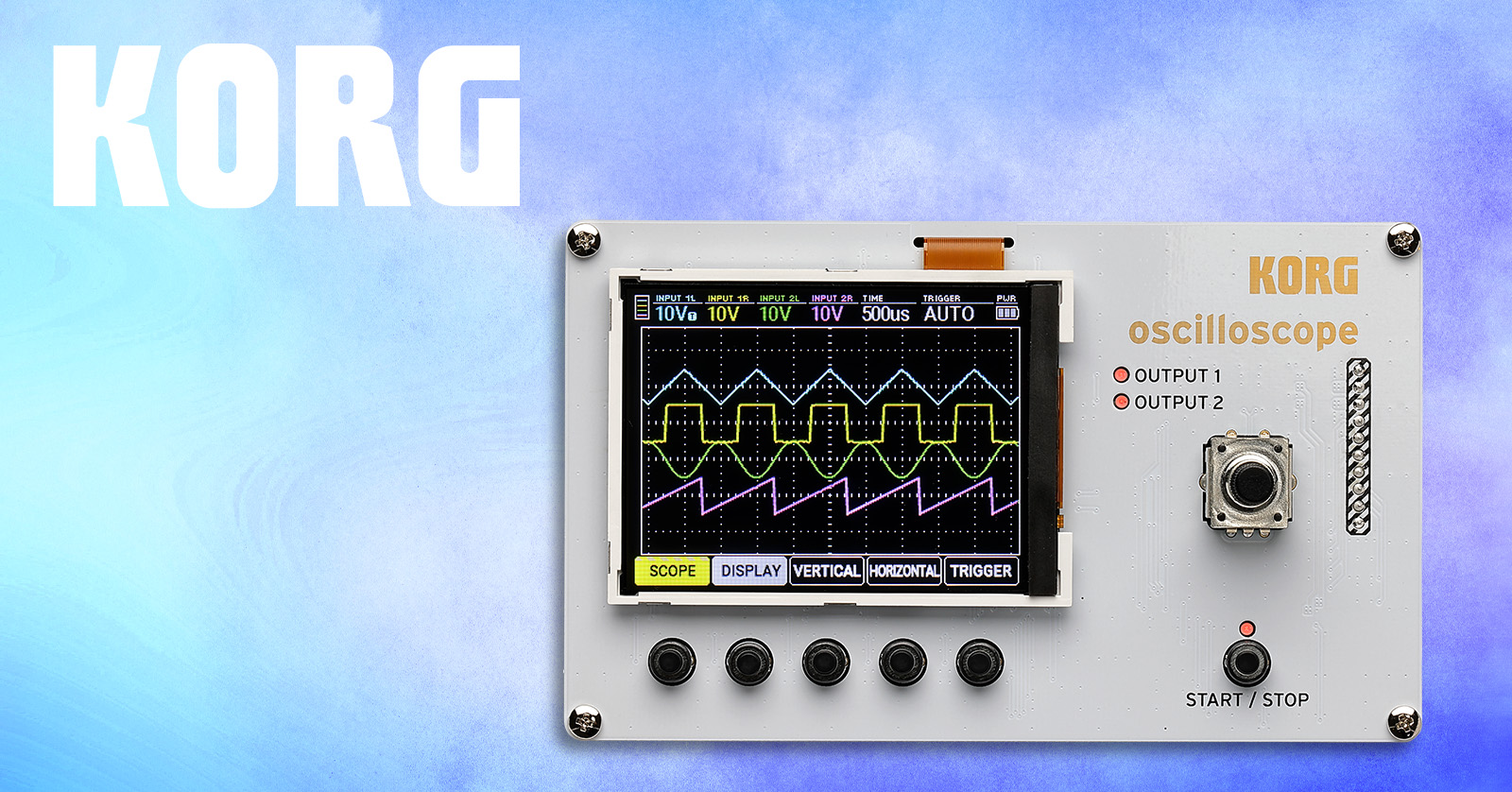
The Korg Nu:tekt NTS-2+ comprises the Korg Nu:tekt NTS-2 Oscilloscope kit and the book Patch & Tweak with Korg by Kim Bjorn. Let’s help you get started assembling the kit so you can plunge into the book and learn more about synthesis.
- Register Your Purchase with Korg
- Assemble the Nu:tekt NTS-2
- Powering the Nu:tekt NTS-2
- Nu:tekt NTS-2 Connections and Controls
- It’s Time to Read the Book
Register Your Purchase with Korg
Before you start assembling your kit, register your purchase with Korg to receive the full warranty. Keep your Sweetwater invoice handy; you’ll need to provide some information during the registration process.
- Go to the Korg account login page. Enter your Korg account information. Create a new account if you don’t already have one.
- Korg will send you an account confirmation email. Check your spam folder if you don’t see it in your inbox!
- Once you’re logged in, click Register a Product. On the next page, enter the necessary information, including the serial number, the purchase date, and the place of purchase (Sweetwater).
- Click Save to finish the registration process.
Download the Nu:tekt NTS-2 Assembly Guide and Owner’s Manual.
Korg also provides a USB-MIDI driver for Windows 10.
Assemble the Nu:tekt NTS-2
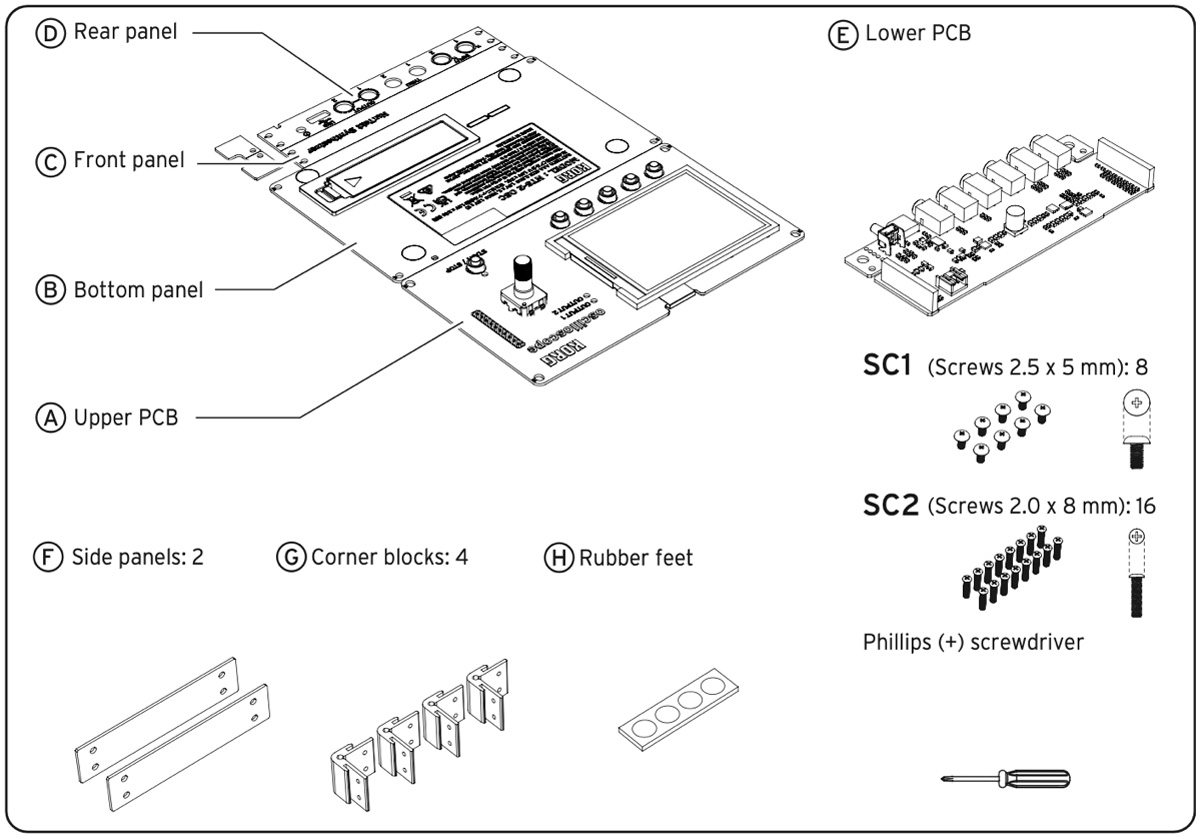
Korg Nu:tekt NTS-2 parts diagram
Korg says assembly takes less than 20 minutes and requires no soldering. A small screwdriver is included.
Here’s Korg’s instruction video:
Learn more in the Nu:tekt NTS-2 Assembly Guide.
Powering the Nu:tekt NTS-2
The unit can be battery powered, using two AAA batteries, or powered over USB. You can use a USB-C cable to connect to your computer and power the unit that way, or you can connect a USB power supply of at least 5V DC 550 mA.
Learn more in the Nu:tekt NTS-2 Owner’s Manual: Making connections and turning on power.
Nu:tekt NTS-2 Connections and Controls
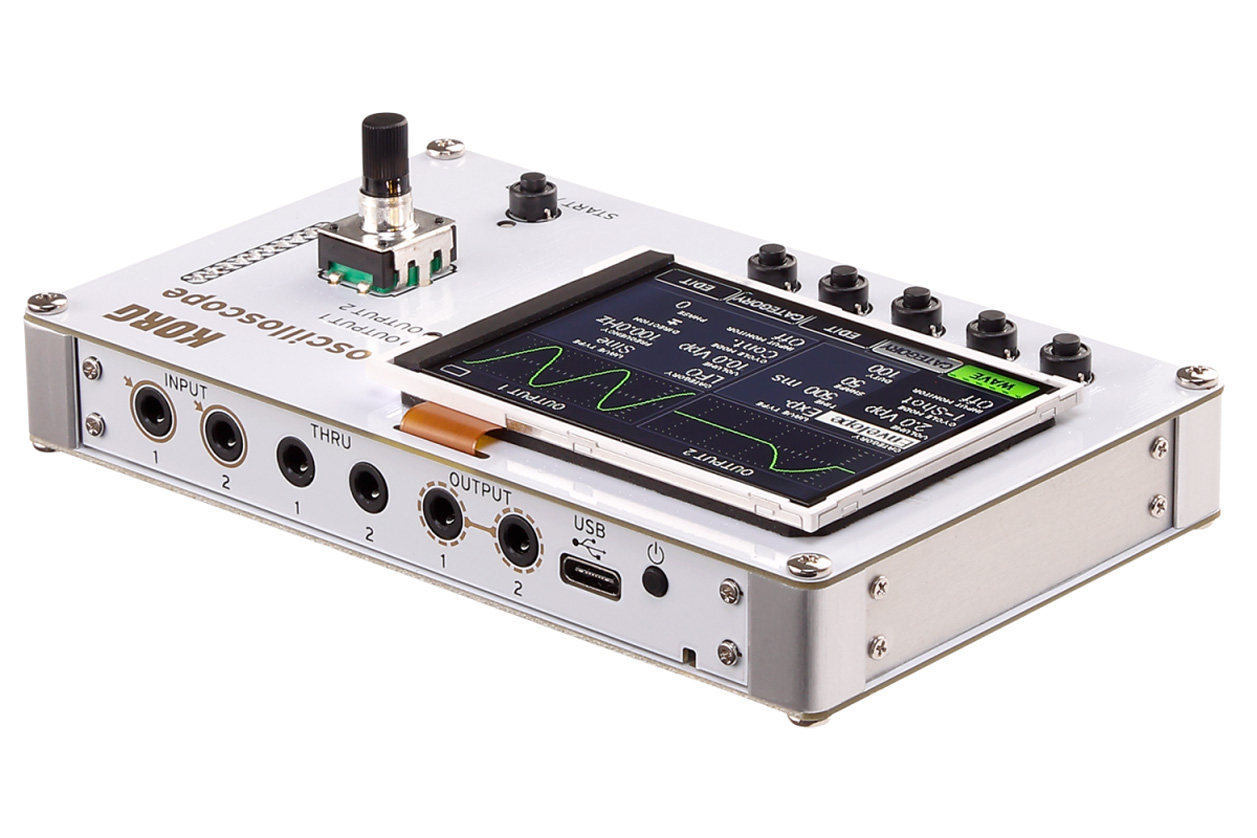
Korg Nu:tekt NTS-2 Connections
- Input 1 and 2. Connect a 1/8-inch TRS stereo cable or a 1/8-inch TS mono cable to input the signals you wish to measure.
- Thru 1 and 2. Connect a 1/8-inch TRS stereo cable or a 1/8-inch TS mono cable to pass through the signals from the inputs. This lets you route the audio to further processing or to a mixer to connect to speakers or headphones so you can listen to the audio.
- Output. This is for outputting the function generator signals (audio waveforms generated by the NTS-2). Connect 1/8-inch TS mono cables.
- USB-C. Power the unit by connecting a USB-C cable to your computer or to an external USB power supply.
- Power Switch.
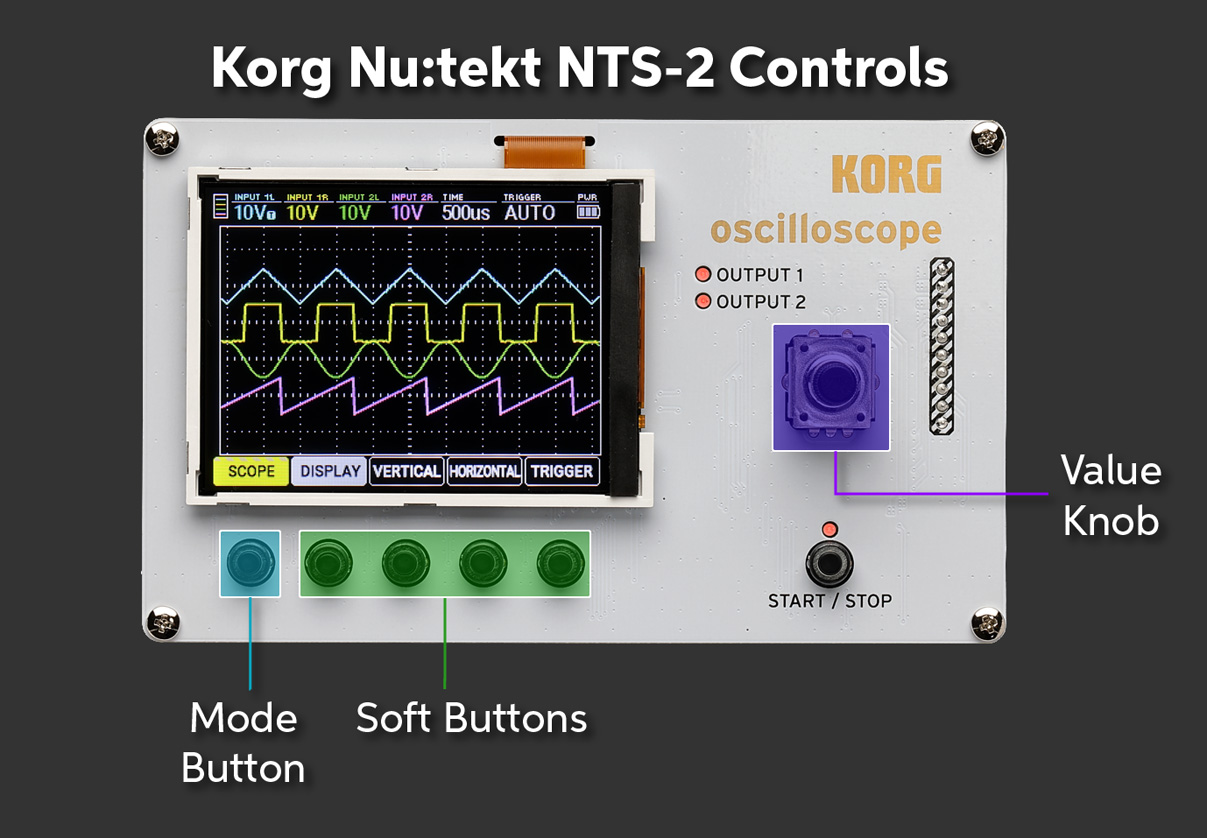
Korg Nu:tekt NTS-2 Controls
- Mode Button. Pressing this button switches through four modes of operation, plus the global settings mode.
- SCOPE. Oscilloscope
- WAVE. Function generator
- FFT. Spectrum analyzer
- TUNER. Tuner
- GLOBAL. Global device settings
- Soft Buttons (1 through 4). The function of each of these buttons changes with the Mode selected. The display screen provides a label for each button.
- Start/Stop. Starts and stops signal measurement
- Value Knob. Press to select a submenu and turn to edit the selected parameter.
Learn more in the Nu:tekt NTS-2 Owner’s Manual.
It’s Time to Read the Book
Now that you’re all set up, we hope you enjoy learning about synthesis with the included book, Patch & Tweak with Korg.
Here are some Sweetwater videos to provide additional resources.
Related Content
When you need help, Sweetwater has the answers!
Our knowledge base contains over 28,000 expertly written tech articles that will give you answers and help you get the most out of your gear. Our pro musicians and gear experts update content daily to keep you informed and on your way. Best of all, it’s totally FREE, and it’s just another reason that you get more at Sweetwater.com.

