
How to tell if you have an Intel-based Mac or a Mac with Apple silicon
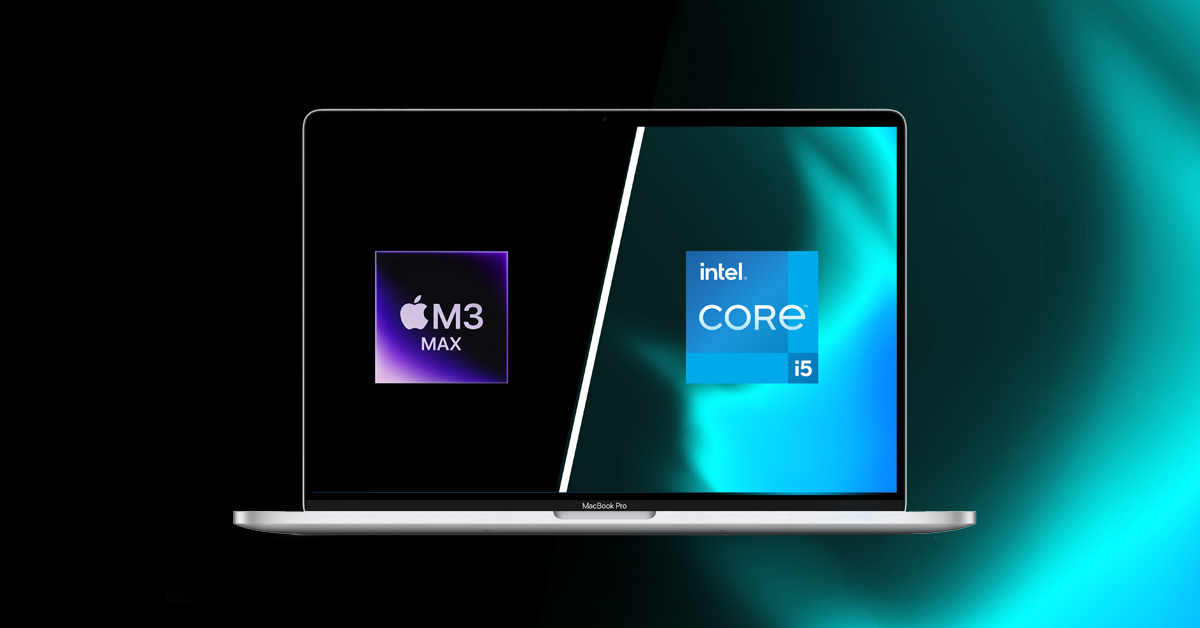
In 2020, Apple announced that they were transitioning the Mac platform from being based on the Intel central processor (CPU) to the Apple Arm-based system-on-a-chip (SoC), which they refer to as Apple silicon. The first Mac with an Apple M1 chip was released in late 2020. The new Mac with Apple silicon computers enable a level of system integration that provides a great deal more computing power, and that’s of interest to content creators working in pro audio, music, and video.
In 2023, Apple discontinued the last models of Mac with an Intel processor. From that point forward, all new Mac computers use an Apple silicon chip.
You need to know whether the Mac you are using is an Intel-based Mac or a Mac with Apple silicon, as configuration and troubleshooting procedures and software compatibility are different between the two. Here’s how to find out.
Is Yours an Intel-based Mac or a Mac with Apple silicon?
On your Mac, pull down the Apple icon in the upper-left corner of your screen. Choose About This Mac.
If the window shows an item labeled Chip, you have a Mac with Apple silicon.
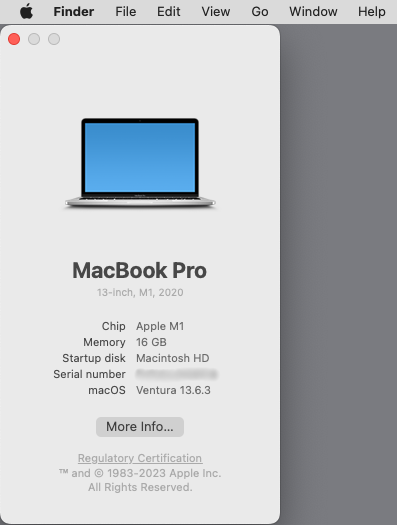
Identifying a Mac with Apple silicon
Since 2020, Apple has released a series of Apple silicon chips for Mac: the M1, M2, M3, M4, etc.
The MacBook Neo line has a chip called the A18 Pro, and it is also considered a Mac with Apple silicon.
If the window shows an item labeled Processor, you have an Intel-based Mac.
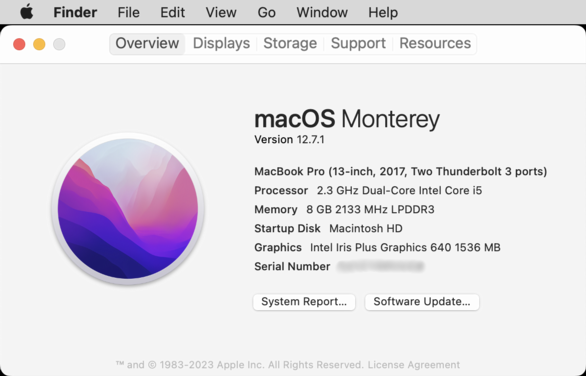
Identifying an Intel-based Mac
The window will specify the name of the Intel processor.
Learn more about specific models in the Apple support article Mac computers with Apple silicon.
Related Articles
When you need help, Sweetwater has the answers!
Our knowledge base contains over 28,000 expertly written tech articles that will give you answers and help you get the most out of your gear. Our pro musicians and gear experts update content daily to keep you informed and on your way. Best of all, it’s totally FREE, and it’s just another reason that you get more at Sweetwater.com.

