

How to Tell if I have an x86 or Arm Processor in Windows
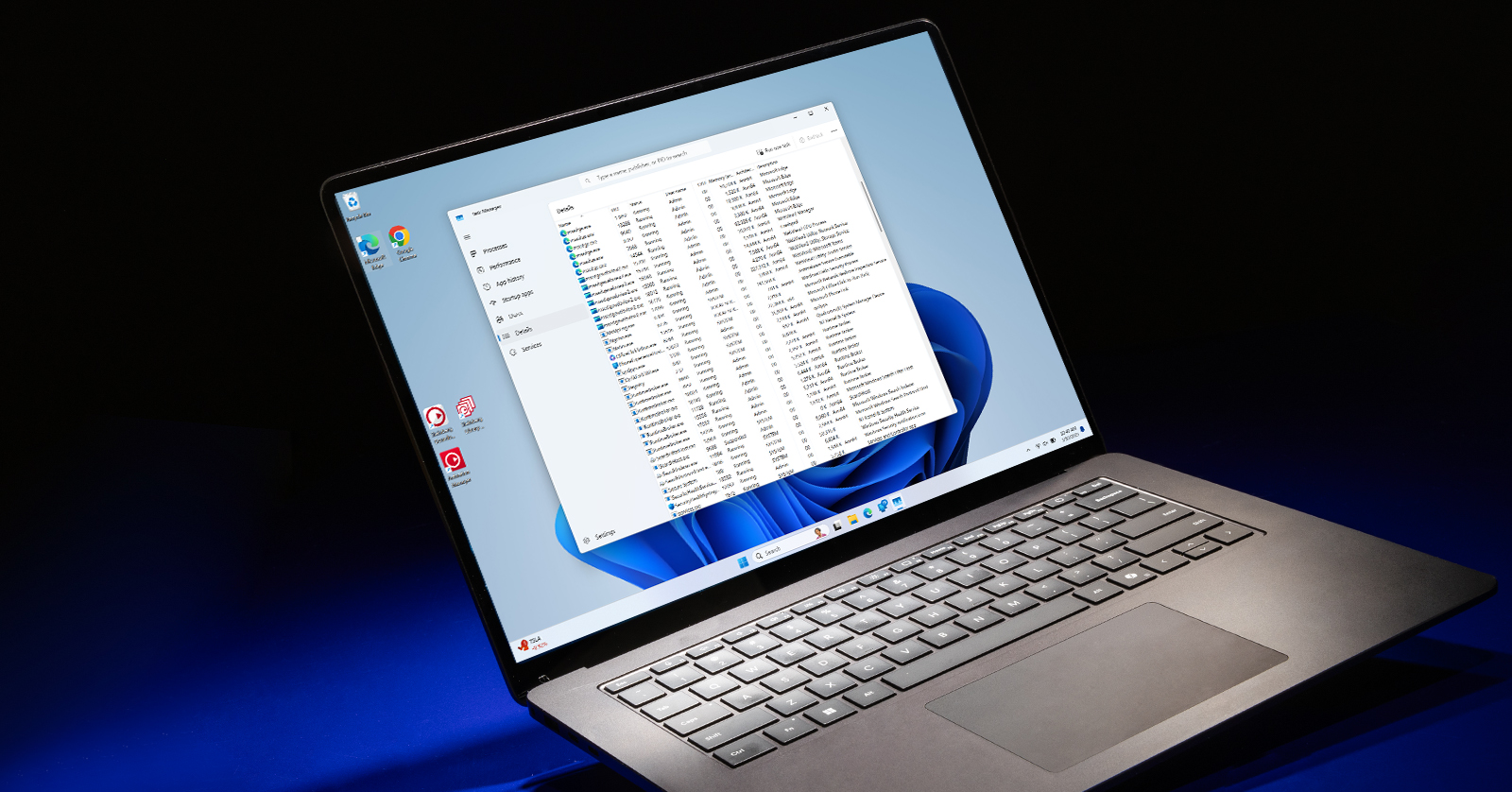
With the release of Windows 11, Windows on Arm (WoA) has become more prevalent. Although it still isn’t a part of every PC, it’s important to know if your computer is running the x86/64 version of Windows or if it’s running Windows on Arm.
Manufacturers are still developing Arm-compatible software, so this guide will show you different ways to check whether your PC is running Windows on Arm.
Is the Software Emulated or Arm Native?
If your computer has Windows on Arm, any software you run might be Arm Native or running on Windows emulation. This is important to know because if software is emulated, you may run into glitches, and you will need to check to see if there’s an Arm Native or Windows emulated version of the software you’re using.
- Go to Task Manager.
- Click Details (List icon) and look at the Architecture.
How to Check if You Have a Windows on Arm or an x86 PC
There are a few ways to check if you have a Windows on Arm or an x86-based PC.
- Check the hardware specifications on the computer manufacturer’s website or the store page where you bought your computer.
- Computers with Snapdragon X series chips, including the Snapdragon X Elite and the X Plus, will often be Windows on Arm.
If you don’t own one of the computers listed above, then there are a few ways to check if your computer is running Windows on Arm. Some methods can be complicated, so the easiest way is to check About This PC and System Information to verify if your computer has Windows on Arm.
About This PC
- Go to the taskbar, begin typing About, and click About your PC.
- Click System Summary on the left side of the window, then look for System Type. You’ll see x86, x64, or ARM.
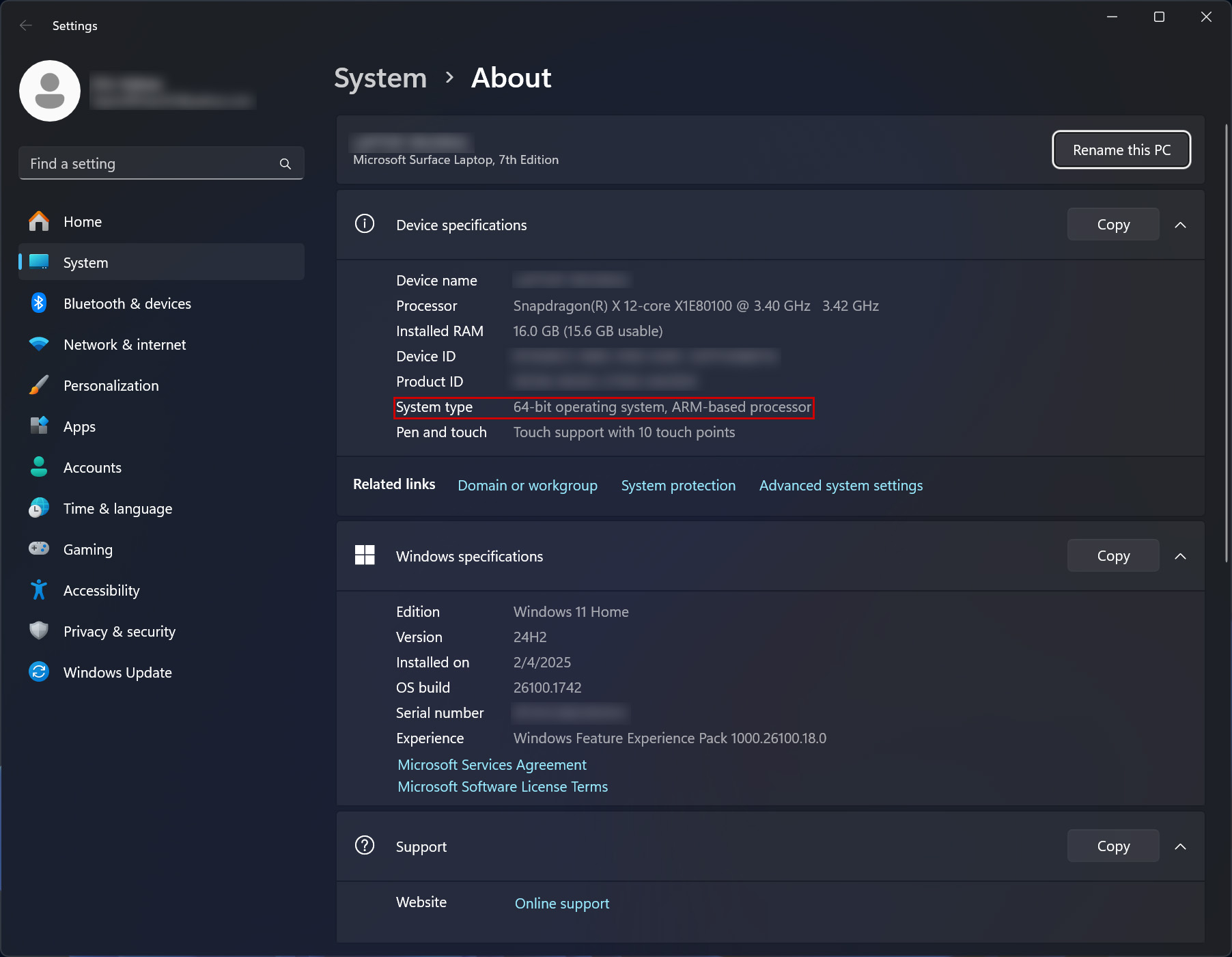
Look at the System Type in About This PC
System Information
- Go to the taskbar, begin typing System, and click System Information.
- Click System Summary on the left side of the window, then look for System Type. You’ll see x86, x64, or ARM.
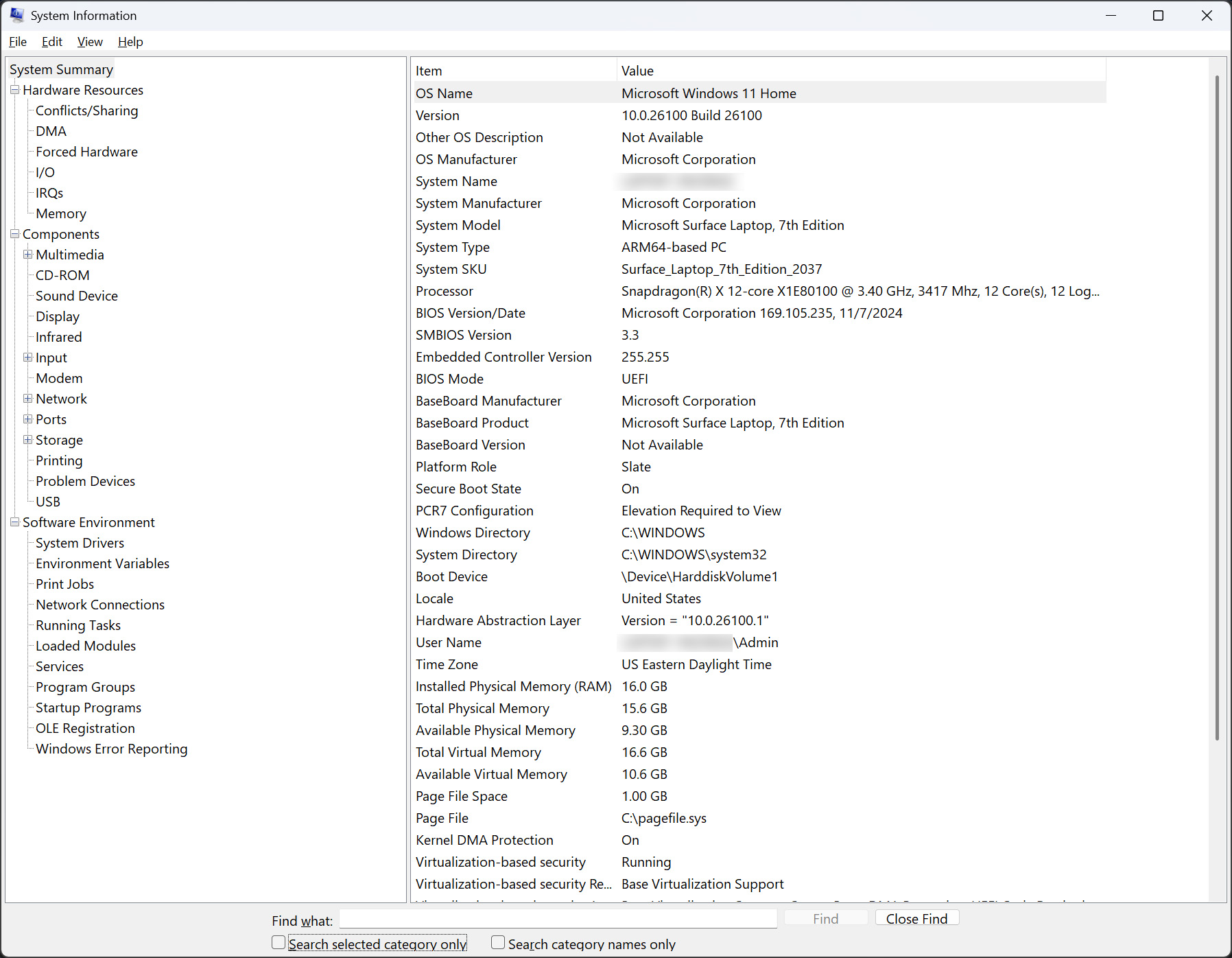
Look at the System Type in System Information
Related Articles
When you need help, Sweetwater has the answers!
Our knowledge base contains over 28,000 expertly written tech articles that will give you answers and help you get the most out of your gear. Our pro musicians and gear experts update content daily to keep you informed and on your way. Best of all, it’s totally FREE, and it’s just another reason that you get more at Sweetwater.com.

