

Legendary mix engineer/producer Bob Clearmountain, known around the world for his astounding work with such artists as Bruce Springsteen, Bryan Adams, David Bowie, and the Rolling Stones, came to Sweetwater recently to debut his own plug-in: Clearmountain’s Domain. This plug-in offers users access to the sounds that made Clearmountain one of the greatest mixers of our generation. His work has influenced and inspired many of today’s finest engineers.
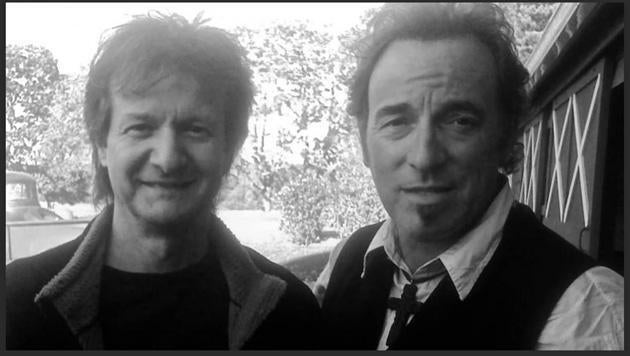
Bob Clearmountain with the Boss, Bruce Springsteen
From the glorious snare at the top of Bruce Springsteen’s “Born in the USA” and “Hungry Heart” to Bryan Adams’s “Run to You” and “Heaven” to “Rock the Casbah” by the Clash and all the way to his recent work with the Rolling Stones, the Doobie Brothers, David Bowie, Don Felder, and Toto, Bob’s signature sounds have graced our airwaves for decades.
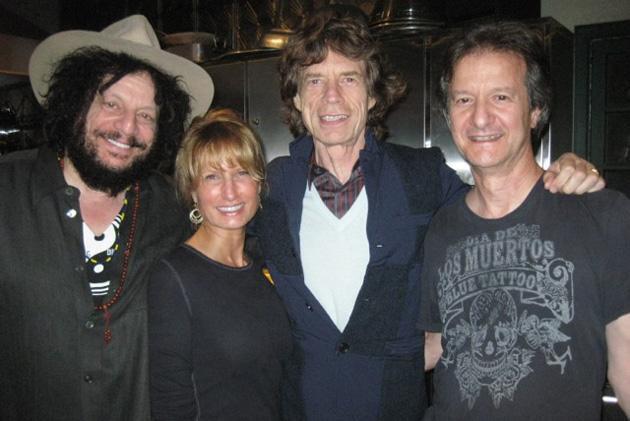
Bob Clearmountain (right) with (left to right) Don Was, Betty Bennett (Apogee), and Mick Jagger
And now you can borrow from Clearmountain’s toolbox without trying to duplicate all his amazing studio hardware. It’s called Clearmountain’s Domain, and this plug-in replicates the cohesive space, expansive dimension, and rich atmosphere that are Bob’s trademark. “It’s where your mix lives,” claims Bob, “it creates an environment for your mix.” It takes Bob’s personalized signal chain — a complex array of delay, reverb, pitch shifting, EQ, and de-essing — and conveniently puts it all in your DAW.
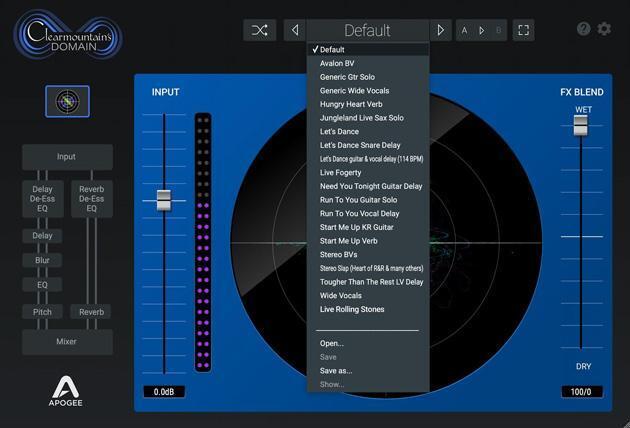
Take a look at these presets. See any hit songs that you recognize? “Let’s Dance.” “Hungry Heart.” “Start Me Up.” Want those sounds for your mixes? Now they can be yours.
The processing inside of this plug-in is insane: Delays in the left and right channels crossfeed into one another while being routed through an echo chamber. De-essers and EQs fine-tune the effect. Harmonizers add a natural-sounding blur to the ambience. And everything is sent to a virtual large-format console. Creating this hit-making monstrosity is a breeze in the analog world — all you need is a patchbay and loads of expensive outboard gear. But it’s not so easy in the computer realm (both Bob and Sweetwater Studios staff engineer Bobby Dellarocco claimed that it’s impossible to duplicate with regular plug-ins — they tried!). But now — thanks to Clearmountain’s Domain — the sound of countless hit records is available in a single plug-in.
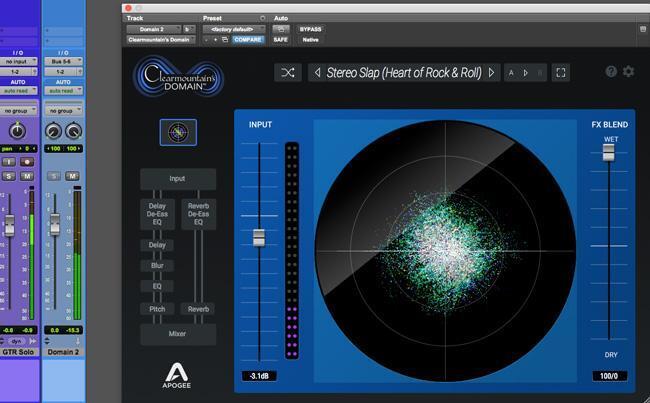
Clearmountain’s Domain also includes impulse responses of Bob’s favorite acoustic spaces, including a stairwell, a couple of bathrooms, an empty concrete room that doubles as an echo chamber, and more. You also get an incredible array of presets based on Bob’s most famous mixes, including David Bowie’s “Let’s Dance,” the Rolling Stones’ “Start Me Up,” Bruce Springsteen’s “Hungry Heart,” Bryan Adams’s “Run to You,” and INXS’s “Need You Tonight.” There are no hidden tricks — every parameter is available to you. You can use the presets as a starting point, reverse engineer Bob’s signal chain to understand his methodology, or go beyond the presets and experiment. No matter how you use it, we’re sure you’ll agree that it sounds amazing, imparting sounds you can’t get anywhere else.
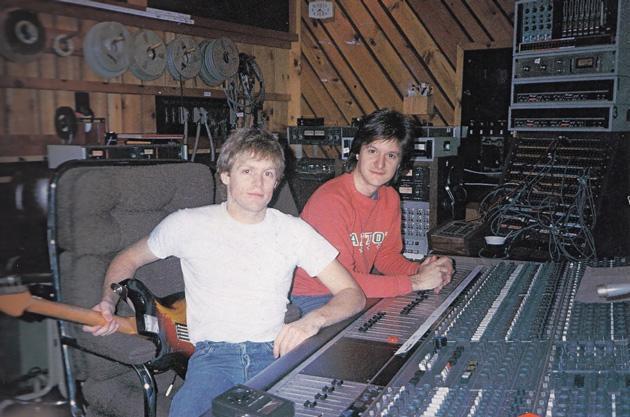
A young Bob Clearmountain (right) with Bryan Adams at the Power Station
What Does Clearmountain’s Domain Sound Like?
I’m glad you asked. Take a listen to this song that Bob tracked and mixed here at Sweetwater using Apogee hardware and all Apogee plug-ins.
“Winning with Sweetwater” – written and produced by Theron “Neff-U” Feemster
Below are some solo’d clips of the vocals, guitars, and drums from this song showing off the sound of the Clearmountain’s Domain plug-in. The clips start off dry and then we add the Clearmountain’s Domain processing so you can hear the before and after.
Lead Vocals
Background Vocals
Solo Guitar (guitar track was recorded with delay pedal)
Rhythm Guitar
High Guitar
Drums
They sound amazing, right? Want to play with them in the original multitrack session or try it out on your own tracks? Well you can.
Try Your Hand at Mixing Bob Clearmountain Tracks
Want to hone your mixing skills? Well, you’re in luck! Here’s a link to download the 24/48K raw tracks and mix session of “Winning with Sweetwater” written and performed by acclaimed songwriter/producer/composer Theron “Neff-U” Feemster (Michael Jackson, Mary J. Blige, Dr. Dre, Justin Bieber). Download this 1.2G file and you’ll get the installers for trial versions of all the Apogee plug-ins and Bob’s mix session. Open it up and see how Bob constructs a mix. Take it from me, it’s very enlightening.
This is a rare opportunity to get “under the hood” of a Clearmountain mix, by the man who wrote the book on modern mixing.
Click here to download Bob’s mix in a Pro Tools multitrack session.
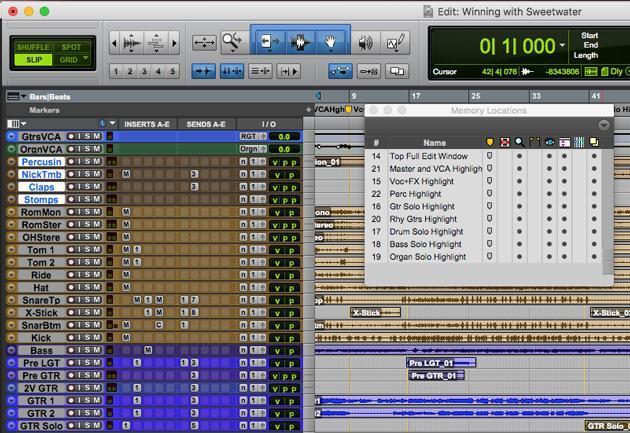
We added Memory Locations that will highlight just those tracks and the associated plug-ins that you’re hearing.
Mix Session Q&A with Bob
Bob Clearmountain is clearly a mixing virtuoso — a true master of his craft. But like most master-level practitioners, his methods are his own, derived from years of experience, and might confuse or confound those with less experience. His mixes always sound fantastic, but when we opened this mix session, we had a few questions about some of his techniques and wondered why he does things the way he does. Here are his replies:
Why did you use VCAs and not subgroups with processing on the subgroups?
I’m used to VCA-type grouping on my SSL, and it’s a bit easier to set up in the box than subgroups — selecting buses, Solo Safe, and whatnot.
Why did you group the kick, snare, and hi-hat separately from toms and overheads?
I use separate VCA controls on toms and overheads, so I can ride tom fills. This is especially important when the fills end in a crash cymbal.
Why is the master bus fader set at -10.5dB instead of 0dB?
When I’m mixing on my SSL, I’ll take care to keep the master fader somewhere around 0dB, as this is the best practice on an analog console. In a DAW, there’s no advantage to maintaining the master fader at 0dB, so I use it to set the 2-bus level output of the session. In this case, I used it to optimize the level going into the Apogee ModComp that I used as a bus compressor.
How did the Apogee ModComp stack up against your hardware compressor?
I lean heavily on my SSL bus compressor — it’s on pretty much from the beginning of a mix, and I mix into it. With the ModComp, it’s the first time I’ve heard a stereo bus compressor that comes anywhere near the SSL. In fact, it’s better because it’s more versatile and really easy to set up.
Why are there tracks with assignments to aux sends that never have any level sent to them? I checked the Automation window and never saw the fader level move.
It’s a workflow thing — I like to work fast! On my SSL, I set up an aux send for each reverb or delay on every channel of a mix, so it’s there if I need it. For the sake of efficiency, I organize in-the-box sessions the same way.