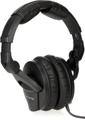
Headphones are as ubiquitous in the studio as microphones — they are essential to audio production. Whether you’re working solo with a single set of headphones or need to outfit an entire room of musicians with individual headphone mixes, this article will explain the best way to go about it.
- Headphones in the Studio
- Single Headphone Amplifiers
- Multiple Headphone Amplifiers
- Sweetwater PSA: Protect Your Hearing
Headphones in the Studio
While it’s entirely possible to record without using headphones, doing so is far from ideal and is often more trouble than it’s worth. For the best results, you’ll want to use headphones while tracking so that the sound from your speaker(s) isn’t captured by your mic(s). Moreover, it’s standard practice to create what is known as a headphone mix (also known as a “monitor mix,” “cue mix,” or an “artist mix”) for each performer to contain their preferred blend of tracks.
The control software for most audio interfaces will allow you to generate a headphone mix, which is then routed to the interface’s headphone output. Audio interfaces with multiple headphone outputs often allow you to build individual headphone mixes for each output. This enables more than one individual performer to hear a discrete customized mix.
Headphone mixes can also be created by using an external mixer, which allows the performer to customize their mix of tracks (pre-fader) or stems. Using pre-fader signals is important as it allows the engineer to manipulate the main mix without changing the volume of the individual headphone mixes.
Single Headphone Amplifiers
The headphone amplifier built into most audio interfaces varies in quality from adequate to excellent. However, if you want top-notch sound, then it’s recommended you invest in a standalone headphone amplifier. This is especially true if you’re mixing on headphones. Similar to a high-end set of studio monitors, a top-quality headphone amplifier, such as the 1-channel Rupert Neve Designs RNHP, will ensure you hear every detail of your mix with the utmost clarity. If you’re unhappy with the sound quality you’re getting from your audio interface, then the SPL Phonitor One D combines a headphone amplifier with high-quality D/A conversion. Want a top-level headphone-mixing experience? Try the SPL Phonitor 2 — it boasts outstanding headphone amplification and gives you loudspeaker emulation with crossfeed, spatial processing, and more.
Multiple Headphone Amplifiers
Fundamentally, multichannel headphone amplifiers are designed to split a single stereo mix into multiple outputs, thus enabling several individual performers to hear themselves, the other musicians, and the main mix. A basic unit like the Behringer HA8000 V2 8-channel headphone mixing/distribution amplifier enables you to provide an identical monitor mix to eight individual performers, with a dedicated volume control for each. But, as we discussed previously, not every performer will benefit from hearing the same mix. That’s why more advanced devices, such as the ART HeadAmp6Pro 6-channel headphone amplifier, include, among other features, a mix control to provide each performer with a “more me” option. This feature ensures that each performer can hear themselves above the rest of the band. The PreSonus HP60 6-channel headphone amplifier takes this concept one step further, offering per-channel mixing between three stereo audio streams: Mix A, Mix B, and external stereo input. The latter is designed to give individual performers “more me” functionality with trim control.
Headphone Distribution Systems
One of the biggest issues with standard multichannel headphone amplifiers is that they put each performer’s mix in the hands of the engineer. This leaves performers constantly hitting the talkback button and asking, “Can you turn me up in the headphones?” Or, worse yet, the musicians start turning up the amplifiers, leaning into the microphones, or hitting the drums harder so they can hear themselves — this not only affects their performance but also throws the main mix completely off.
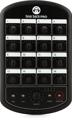
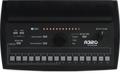
The solution to this problem is a headphone distribution system from such brand series as the Behringer Powerplay, Hear Technologies Hear Back, or Aviom. These systems give each performer a mixer, enabling them to build their own custom mix without affecting the main mix or what’s being heard by the other performers.
Most headphone distribution systems consist of a hub with multiple channel inputs. Stems from the main mix are sent to the hub and then routed to the performers’ personal mixers, typically via Ethernet. The performers are then able to craft full headphone mixes for themselves. This allows bass players to turn themselves and the drums up to stay in the pocket. And lead vocalists can turn themselves up while turning background vocals down to help them maintain pitch.
Sweetwater PSA: Protect Your Hearing
A word of warning: when you’re wearing headphones, especially for long periods of time, be aware of your listening level. Safe yet effective listening levels are within the 70dB–85dB range. Maintaining safe levels is always important to safeguard your hearing against noise-induced damage. That said, protecting your hearing is even more important when wearing headphones because headphone drivers are less than an inch from your ears. Earbud drivers are even closer to your eardrums.
Be vigilant — even cautious — about your listening levels. And if you feel the urge to crank up the volume, then take a break instead. Not only will this protect your ears, but it will also combat listening fatigue. Working with fatigued ears is a surefire recipe for disaster.
Give Your Sweetwater Sales Engineer a Call Today!
Have questions about headphones, headphone amplifiers, or headphone distribution systems? Give your Sweetwater Sales Engineer a call at (800) 222-4700. We’ll be happy to share our expert knowledge with you!