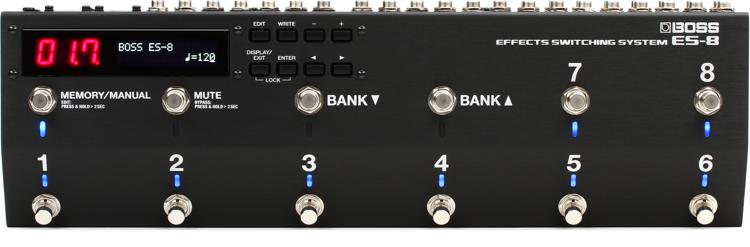
Exciting news for guitarists and bassists who use the Boss ES-8 Effects Switching System to manage their pedals and control their amps and stage systems! Boss has released Version 2 firmware for the ES-8. The update adds important new features, and also includes support for the new ES-8 Editor app for Mac and PC.
New Firmware 2 features:
- Separate — separate loops for the left and right outputs or loop 8.
- Loop On/Off Screen (Play Screen) Indications Changed — easier to see the status of all effects loops on one screen.
- “Patch MIDI” added as an Assign Target — allows not only switching patches but transmitting MIDI messages at the desired timing.
- Link Function — chain together two ES-8s and use them in synchronization.
- New Patch and System parameters — a number of new parameters are available per patch or as system parameters.
- Bypass status display — when bypassed, the display indicates “byP.”
- Various other new functions.
- ES-8 Editor Support — But perhaps the biggest change in Version 2 is support for the new, free ES-8 Editor. (See below.)
Requirements for updating your ES-8:
- ES-8
- USB-to-MIDI interface
- MIDI cable
- MacOS or OS X or Windows computer
- Standard MIDI File player (free Windows and Mac SMF players are available on the same page as the Firmware 2.0 download)
ES-8 Editor for Mac and PC
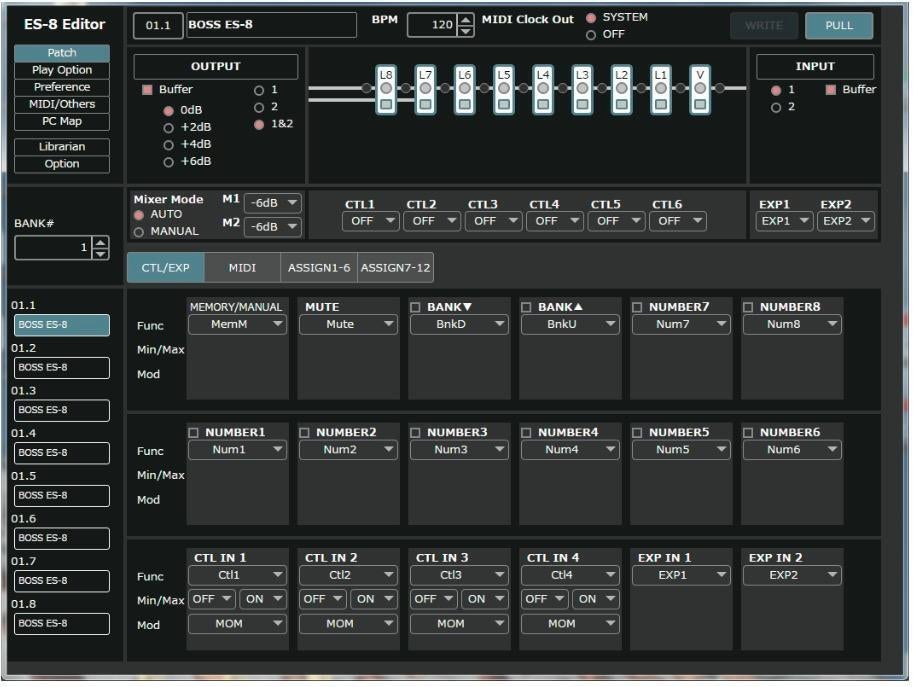
The new ES-8 Editor is compatible with MacOS 10.12, OS X 10.10 and 10.11, and Windows 7, 8, 8.1, and 10 computers. A MIDI interface supported by your computer/operating system and two MIDI cables are required. The ES-8 Editor provides an easy, efficient, powerful graphic interface with the following functionality:
- Editing the ES-8’s Patch, CTL/EXP, Play Option, Preference, MIDI Setting, PC Map, and Others parameters.
- Managing the ES-8’s patches.
- Backing up all of the ES-8’s patches.
ES-8 Firmware Version 2.0 is a free, downloadable update. The ES-8 Editor is also free and downloadable.