You work hard to craft a great guitar tone. But whether you’re playing through a tube amp, an amp-in-the-box pedalboard, or a multi-effects modeler, once you plug into the church sound console, what comes through the front-of-house (FOH) speakers or your stage monitors likely will sound different. Maybe it’s thinner, shriller, or boomier, with no clarity. You’re buried in the mix.
Aargh!
It’s easy to blame the audio technician or your IEMs, but there are legitimate reasons why your tone sounds different at home, in your IEMs, and in the FOH at live service levels. This article is a bit of a geeky dive, but it will help you avoid disappointment, frustration, and — worse yet — bad tone.
- Check Your Gear
- Crafting Tones That Translate
- The IEM Factor
- Differences from Miking an Amp
- Great Tone at the Console
- Great Tone in the FOH Speakers
- Additional Tricks & Techniques
Check Your Gear
If you plug in at church and your guitar tone instantly sounds different than it did at home, then start by reviewing and evaluating your gear. Let’s begin with a quick list of things to check.
- Are you playing the same guitar with the same strings?
- Did the microphone on your amp get moved?
- Were your guitar, amp, or pedalboard settings accidentally altered?
- Is there a long cable run that might be changing your tone? To find the right cable for your needs, check out “Best Guitar Cable for You.”
- Is the battery for your active guitar pickup fully charged?
- Are your wireless units affecting your tone or signal strength?
- Is single-coil-pickup noise, poor shielding interference, or a ground hum forcing the audio engineer to modify your sound?
- Are your IEMs properly cleaned and working?
- Are you losing articulation when you roll back your guitar volume? (Adding a treble-bleed mod or a Greasebucket circuit can help. A Sweetwater guitar technician can explain and install either for you.)
- Are open room mics too loud in your IEM mix and washing out your tone?
With these items checked off, you can roll up your sleeves and begin the real detective work.
Crafting Tones That Translate
It’s important to finalize your tone through the right speakers, from the right location, at the right volume, and with the right arrangement. Here’s why.
The Right Speakers
All speakers contribute differently to your tone, from computer monitors and headphones to IEMs, FRFR speakers, guitar amps, and floor wedges. Some deliberately spice up what you hear, but that sweetened goodness disappears when the audience listens to the FOH front fills and arrays. Dial in your tone referencing the same speakers you’ll be listening to during the live set.
The Right Location
Your listening location in relation to the FOH speakers makes a huge difference. If you’re behind or beside them, then you’ll hear something less distinct than the congregation experiences in the center of the auditorium. Dialing in your tone from these locations will not produce the inspirational sound you seek. Finalize your tone while listening from the FOH sweet spot.
The Right Volume
Human ears perceive sound differently as volume levels change. A tonally balanced mix at 96 decibels sounds very different at 82 decibels.
If you create a tone at lower volume levels and increase the level during the service, then the audible clarity from the mids will become far less dominant. The highs may become harsh, the lows may get louder and muddier, and the warm mids may disappear.
The opposite is also true. If a tone created at high levels is played back at low levels, then the mids will overshadow the lows and highs. Finalize your patches at live FOH levels.
The Right Arrangement
Your tone may sound different when played with other instruments.
Audio engineers blend instruments into a unified whole while allowing every musician to shine. But if an instrument veers into another instrument’s sonic lane, then the audio engineer must choose what to promote or reduce.
For example, if the bass guitar, electric guitar, keyboard, acoustic guitar, and kick drum all contribute significant lower and midrange frequencies, then the result may sound like it’s wading through mud. In the urgency of the moment, the audio engineer may reach for the highpass filter and cut out significant guitar low and low-mid frequencies. You’ll sound thin and wispy if too much is trimmed. You won’t cut through the mix. Even worse, your entire channel volume may get reduced so that little is heard.
The solution is to create better arrangements. Each instrument should shine without hiding anyone else. Otherwise, a bass-heavy guitar tone that interferes with the kick drum or bass guitar may get turned down or EQed out. Instead, differentiate yourself by playing higher on the neck or using compatible but contrasting rhythms. If the keys are arpeggiating, try playing diamonds in the same octave or stabs in a higher octave. Giving your audio engineer a clean palette of compatible instrument parts avoids the need to trim tone or cut volume to make everything fit.
Plan parts in the context of what the other team musicians actually play. YouTube tutorials and practice tracks provide great inspiration. But if your bandmates play something different, then the tonal blend won’t be the same and may require adjustment. Besides, professionally recorded stems are usually studio polished. They’ll blend with your tone differently than your team’s live instruments. If you don’t adapt, then the audio engineer will need to modify your sound.
Alternatively, consider practicing at home with virtual practice tracks from your team. Many consoles facilitate recording to a DAW or an onboard recording device. Likewise, some personal IEM mixers allow you to record your IEM mix for review and personal preparation later. Hopefully this will make your parts blend better.
A related technique is to use a snapshot setting on a multi-effects pedalboard that reduces your tone in frequency ranges you share with another instrument. You’ll be able to toggle that frequency in or out to avoid competition.
For example, suppose you’re backing a vocalist whose sweet spot is around 2.5kHz. If you cannot modify the arrangement, then create a snapshot that pulls out a few decibels in that 2.5kHz frequency range while bumping you up other frequencies. When the vocalist isn’t singing, toggle off the snapshot to stand out more. This helpful technique gets you out of the way without losing volume but keeps your guitar up front for intros, turnarounds, and solos. You don’t have to worry about the audio engineer making difficult calls in which your tone comes out the loser.
Finalize your tonal content in the context of the actual live arrangement.
The IEM Factor
IEM Gremlins
A poor in-ear mix can impact your tone. If your channel is too loud, then you may inadvertently play with less attack. Similarly, you may overplay and attack too strongly, also resulting in poor tone, if you channel is too quiet.
Another tone culprit is IEM bleed. If your IEMs lack a good seal in your ear canals, then room noise can overwhelm your IEM mix with low-frequency mush. Custom-molded IEMs can help. Reach out to your Sweetwater Sales Engineer at (800) 222-4700 to learn more.
Check with the audio engineer to ensure that your channel is being routed to the IEM system pre-EQ rather than post. This way, if your sound needs to be adjusted to better fit in with the FOH sound, then it won’t negatively impact what you hear in your IEMs.
Flattening IEM Saved Settings
The equalization settings on your IEM mixer may be throwing things off. Because most IEM mixers default to the previous user’s settings, you may be hearing a considerably altered sound, especially if other people share the same IEM mixer week to week. It’s safest to start with everything flattened (all the EQ boost/cut knobs set to zero) then adjust as needed.
For example, a Behringer Powerplay P16-HQ has an EQ on every channel plus a global EQ. That’s a lot of equalization potential! On models such as this, start by flattening the EQ on every channel as well as at the global level. Disable any additional onboard effects, including reverb, compression, and so on — you can always add these later. Check the limiter level to ensure you’re not squashing the life out of the music.
Pro Tip: Quickly flatten a personal IEM mix by creating a “do not touch” preset template that has everything flattened and panned to center. Open that preset, do a “Save As” to your actual preset channel, and then mix away.
Differences from Miking an Amp
The Sweet Spot
If the tone heard at the console differs from the tone of your amp, then check the microphone angle and its position in relation to the amp speaker’s cone cap and the amp grille. Watch this mic-placement video for tips.
The Right Mic
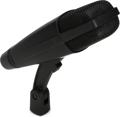
Microphones color amp tone. Select a microphone that shapes the tone to your liking. Many engineers reach for a Shure SM57 dynamic mic for its ability to grab an amp’s bright tone. Others prefer a Sennheiser MD 421-II dynamic mic to get the warmth. A condenser mic such as the Earthworks SR117 captures the accurate, unaltered tone of your amp. Sweetwater engineers also reach for the Soyuz 1973, Shure 545SD, and the Beyerdynamic M 88.
Check out Lynn Fuston’s “21 Guitar Amp Mics” shootout article with sound samples and hear for yourself which microphone best captures your preferred tone.
Mic #2
Some pros recommend adding a second microphone. One mic can capture warmth while another mic captures the articulation. You’ve likely heard the classic combination of a Royer R-121 ribbon and Shure SM57 dynamic mic on many recordings. If your console allows and you have enough available channels on your monitor mixer, then you can create your preferred blend of the two mics. Otherwise, use the blend created at the console.
Stage Volume
If your stage amp is too loud for the room, then your channel will likely be lowered on the FOH console to avoid spikes. This may result in you getting lost in the mix.
Great Tone at the Console
The audio engineer’s job is to blend all the instruments into a mix for the best congregational experience. Matching the guitar tone you created to what is heard in the house will not likely be a high priority. So, when you provide a clean, usable tone that requires little adjustment, you simplify and improve the engineer’s workflow. That’s greatly appreciated and may earn a little special attention.
For a point of reference, offer your engineer the chance to listen to the tone you’re trying to convey. Ask if there are any adjustments you can make to your settings that will blend better in the mix.
Remember that, in the rush of getting everything ready for a service, the console’s EQ and effects settings on your guitar channel may have been grandfathered in from a previous service. So, ask the engineer to deactivate all FOH EQ and effects on your channel on the console to see whether the tone improves. Adjustments for the room and other instruments may still be needed, but starting with a clean slate might be an eye-opening experience for everyone!
Also, ask the audio engineer about your channel’s gain level or any feedback issues. If there’s not enough headroom, then there may not be enough oomph for you to take your place in the mix. If the audio engineer is fighting harsh spikes or feedback from your amp or instrument mic, then your channel may end up being turned down or EQed to the point that the tone suffers. Adjusting the level that you’re sending to the console or putting a noise gate on your channel may help.
Great Tone in the FOH Speakers
IEM Sound vs. Room Sound
Once the audio engineer adjusts your tone for the room on the FOH console, your channel will likely sound different from your IEMs. That’s to be expected; the tone from your gear may need to be shaped to match the room’s speakers and ambience. You can address that difference in a couple of ways.
- The easier way is to have your audio engineer send your unmodified, pre-EQ signal to the in-ear system. This way, you’ll hear the pristine signal you want, and the audio engineer is free to dial in your FOH tone without affecting what you hear in your IEMs. If your IEM feed sounds too dry, then have the audio engineer add EQ, reverb, and compression to your IEM channel on the console, or you can add it yourself on your personal IEM mixer (if it has that capability).
- If your sound console cannot output your signal pre-EQ, then consider sending two separate signals to the sound console. Have the audio engineer route a flat signal to your IEMs. The second signal is for FOH. The audio engineer can EQ that channel without impacting your IEM signal. Multi-effects pedals such as the Fender Tone Master Pro, Neural DSP Quad Cortex, and Line 6 Helix allow multiple output configurations.
It’s Alive!
The natural reverb of your auditorium or sanctuary can swallow up your carefully crafted clarity.
For these situations, minimize any reverb and delay that’s being added to your channel at the sound console. It may be helpful to create a dry patch for your guitar on your rig for the room then add reverb to taste in your IEM channel with either the console or your IEM mixer if it has this feature.
In his video “How the Pros Use Modelers Live,” guitar influencer John Nathan Cordy suggests linking wet effects to a foot controller. “Set up a delay and reverb mix on one expression pedal so that you can have it not all baked into the preset.” He adds, “I really like quite wet sounds at home, and for live, I dial them back.” His technique allows you to fade in just the right amount of reverb and delay to match the room.
When dialing in your tone at home, John also recommends making the tone a bit dark so it’s less likely to become shrill or piercing when playing at concert level during the set.
Differences in Stereo
If you design your sound in stereo and the FOH is mono, then your stereo channel will be summed into a single mono channel. This process may affect your tone. Unless you need the stereo channel for streaming or remixing, you may get more accurate results by designing your tone in mono.
If your FOH is stereo and the stereo channels are hard panned left and right, then a significant part of the congregation will only hear the speaker that’s closest to them. This may result in an anemic mono sound, especially if you designed the patch with dual amps, one amp on the left and the other on the right. Instead, pan your amps more narrowly (10–2) so everyone hears more of a blend.
Have the audio engineer verify the phase settings on your stereo channels. Even if they’re set correctly, flip the polarity back and forth on one channel while listening in mono just to make sure.
Additional Tricks & Techniques
Once you’ve identified and addressed what’s affecting your tone, if more work remains, then consider these techniques.
End of the Chain EQ
Add an EQ pedal at the end of your guitar effects chain that’s specifically for FOH adjustment. Many gigging guitarists use this simple trick to adjust their tone per venue without having to modify their entire rig. To accomplish this without affecting your monitor, send two feeds to the board. Route the monitor feed before you insert the global EQ and send the FOH after the global EQ. Some EQ pedals have recallable settings you can store for playing in different rooms.
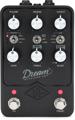
Popular parametric EQ pedal options for this role include the BOSS GE-7, the JHS Haunting Mids, the Empress Effects ParaEQ MKII, and the Behringer EQ700. Place this pedal at end of your guitar chain (usually set in a frown pattern), deactivate it while crafting your tone, and adjust the settings while listening at live FOH levels from the congregation’s location.
Widen Your Sound with Dual Cabs
Multi-effects pedals such as the Line 6 Helix and the Neural DSP Quad Cortex make using dual cabs easy. Pedalboard users may reach for dual-cab tones with the IK Multimedia ToneX One, an IR loader, or two amp-sim pedals. If running stereo, then slightly pan each amp to opposite sides (10–2). You can expand the perceived width with a slight delay. If you’re running a live amp on the platform, then you can add a second amp or even use a three-amp wet/dry/wet approach.
Inject Your Source
Add input from your multi-effects unit directly into your IEM feed so the FOH engineer can optimize your regular channel signal without affecting what you hear in the IEMs. These personal monitor mixers have aux-in capability: Allen & Heath ME-1, Klang kontroller, Hear Technologies Hear Back Pro, Digital Audio Labs Livemix CS-Solo, Digital Audio Labs Livemix CS-Duo, and PreSonus EarMix 16M.
Before the Snake
Some low-cost personal monitor mixers blend a monitor signal from the sound console with your instrument, amp mic, or pedal signal. These are typically placed between your pedalboard/amp/amp mic and your output to the sound console/snake. Your pre-mixed monitor channel from the sound console is fed to the box, as well, allowing you to blend the sound of the band with your own level in your IEMs. Options include Rolls PM500se (mono mic input), Rolls PM351 (mono mic and mono instrument inputs), Rolls PM59 (dual blendable mic inputs for stereo rigs), Rolls PM61 (mono mic input and a 4-band EQ), and ART MyMonitorII (mono mic and mono instrument inputs).
A Separate IEM Approach
The powerful Movek myMix personal monitor mixer uniquely allows you to combine two XLR inputs (group both for stereo) and output instrument cables to the sound console/snake. Multiple units connect to each other via a network cable (including PoE), so each musician can create their own personal mix — with full-mix and individual-channel SD recording capability! IEM and FOH mixing are entirely separated, so there’s no possibility of the sound console impacting the IEM mix.
Get a Little Help from Your Friends at Sweetwater
With all these possibilities, sometimes it’s helpful to simplify matters by asking for a little help. Reach out to your knowledgeable Sweetwater Sales Engineer at (800) 222-4700. Our experts are pros at helping you preserve your inspiring tone as you invite your congregation to engage.