

How do I update the firmware on my Fishman TriplePlay wireless guitar controller?
To update the firmware on your Fishman TriplePlay, follow the steps below:
-
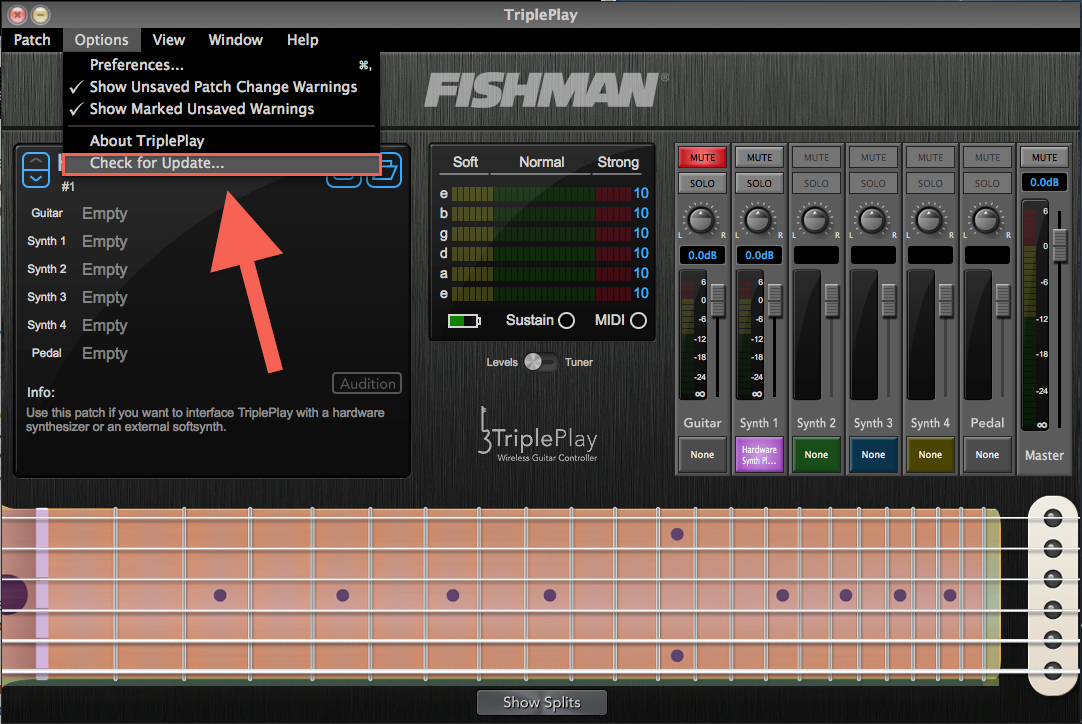
First, make sure you’re running the latest version of the TriplePlay software. If you don’t already have the software installed, you can download the software by logging in to your Fishman Account. If you do already have the software installed, you can download the update from the Options menu within the application.
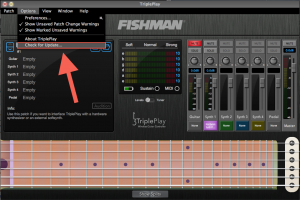
- Once you have the latest version of the TriplePlay software installed, plug your TriplePlay receiver into your computer and turn on the wireless controller. Make sure they are properly paired. If you need to learn how to do this, please refer to the included Intro Guide.
-
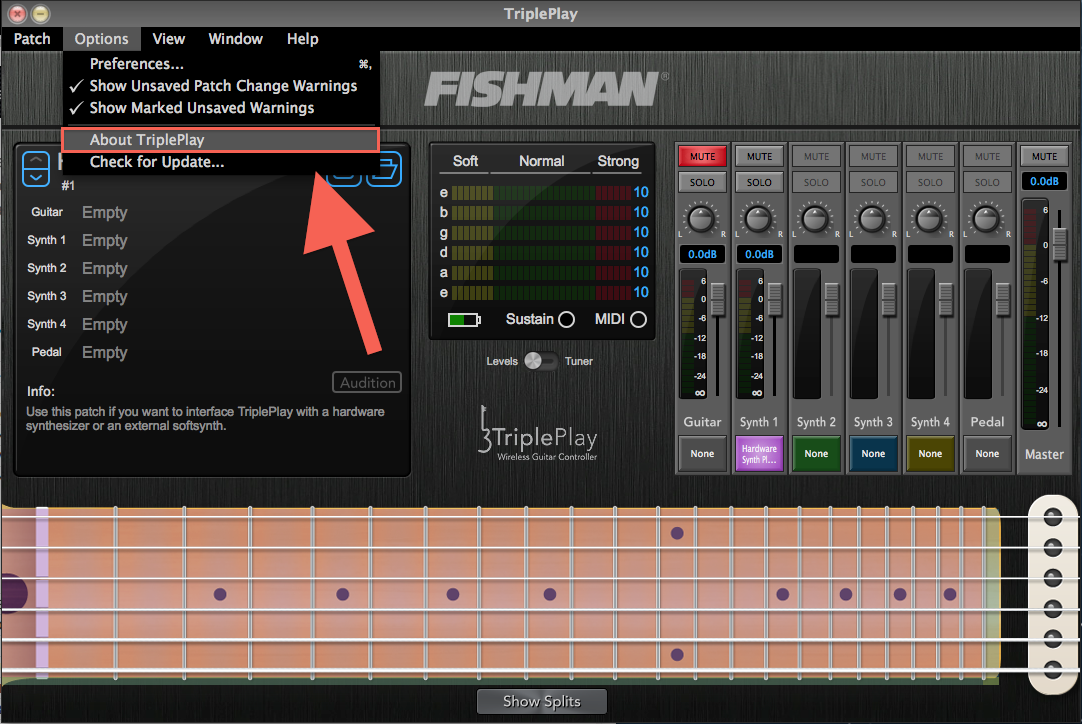
While holding down the Control key (CTRL) on your keyboard (on either Mac or PC), open the Options menu in the TriplePlay application and choose About Triple Play.
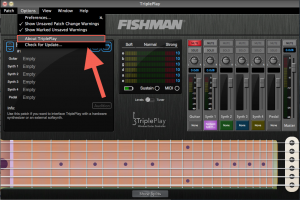
-
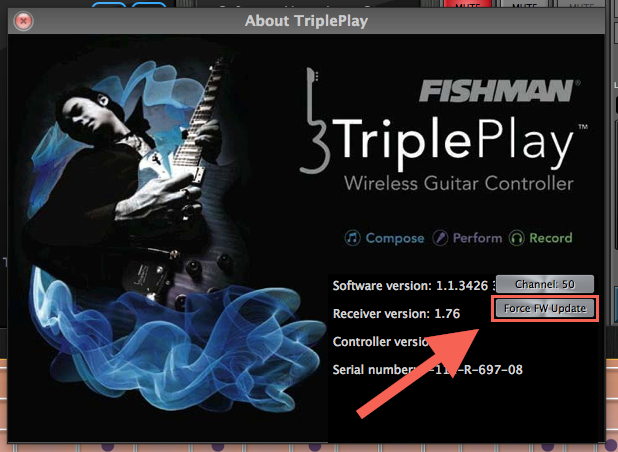
You will see a button labeled Force FW Update. Click on that button and the firmware update process will begin.
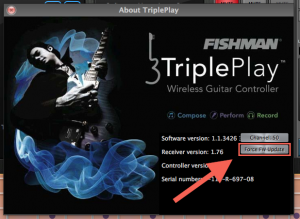
-
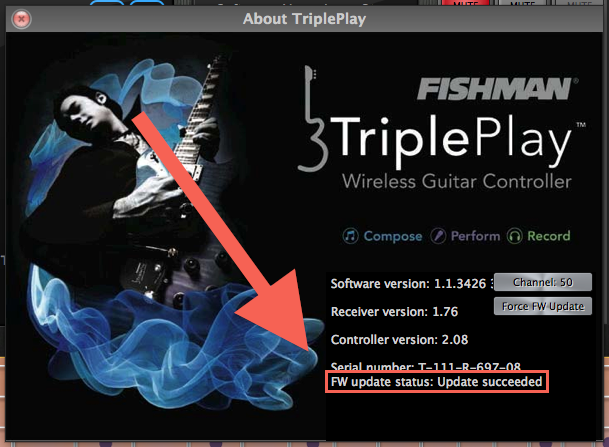
Wait until FW update status says “Update succeeded.”

- That’s it!
When you need help, Sweetwater has the answers!
Our knowledge base contains over 28,000 expertly written tech articles that will give you answers and help you get the most out of your gear. Our pro musicians and gear experts update content daily to keep you informed and on your way. Best of all, it’s totally FREE, and it’s just another reason that you get more at Sweetwater.com.

