Avid’s flagship S6 control surface platform borrows the best from the System 5 and ICON series and puts over 20 years of console innovation to the test. Between its revolutionary modular construction, its full EUCON implementation, and its ergonomic layout, the S6 breaks new ground without letting go of any of the control surface features you’ve come to expect from Avid. Whether you’re looking for a modest 8-fader editing controller or a full-size rig with dozens of channel strips and detailed visual metering, you’ll get all of the hands-on control you need from your Avid S6 system! Call your Sweetwater Sales Engineer today at (800) 222-4700 to build your custom S6 configuration.
- Customizable, expandable modular surface
- Visual feedback & professional metering
- EUCON control for Pro Tools, Logic & more
- Ergonomic, intelligent layout
- Tilting 12.1″ multi-touch touchscreen
- Control up to 8 workstations at once
Future-proof Modular Design
One of the things that immediately sets the Avid S6 apart from other major control surfaces is its modular design. Not only does this allow you to create custom layouts to meet your current needs, it also lets you buy small and expand your system (both horizontally and vertically) as your needs increase.
The EUCON Advantage
If you’ve ever needed to control multiple DAWs at once, then the Avid S6 is the control surface you’ve been dreaming of. Built to take full advantage of the EUCON Ethernet protocol, the Avid S6 lets you command up to eight DAWs at once, including Pro Tools, Digital Performer, Logic, and more.
Intuitive and Ergonomic
No more standing up to reach that far-flung fader. The Avid S6 puts every knob, button, and fader within easy reach, significantly increasing your workflow. Not only that, but its general compact layout (including a master section that’s only about a foot wide) lets you access the parameters you need, without leaving the sweet spot.
MODULAR DESIGN: The Key to a Flexible Control Surface Layout
Each Avid S6 control surface system is built from a series of networkable control modules, which work together to provide you with the options, workflow, and overall layout that your work demands. They all start with a Master Touch Module and a Master Automation Module, a Fader Module, a Process Module, one or two Knob Modules, and an optional Display Module.
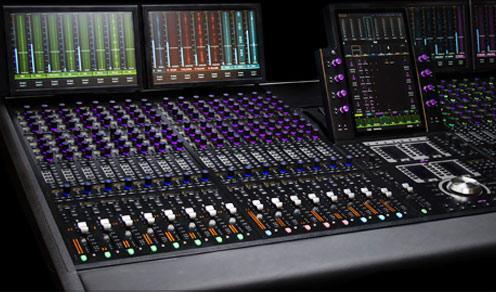
Your Sales Engineer can help you with all of your S6 configuration needs!
Master Touch Module
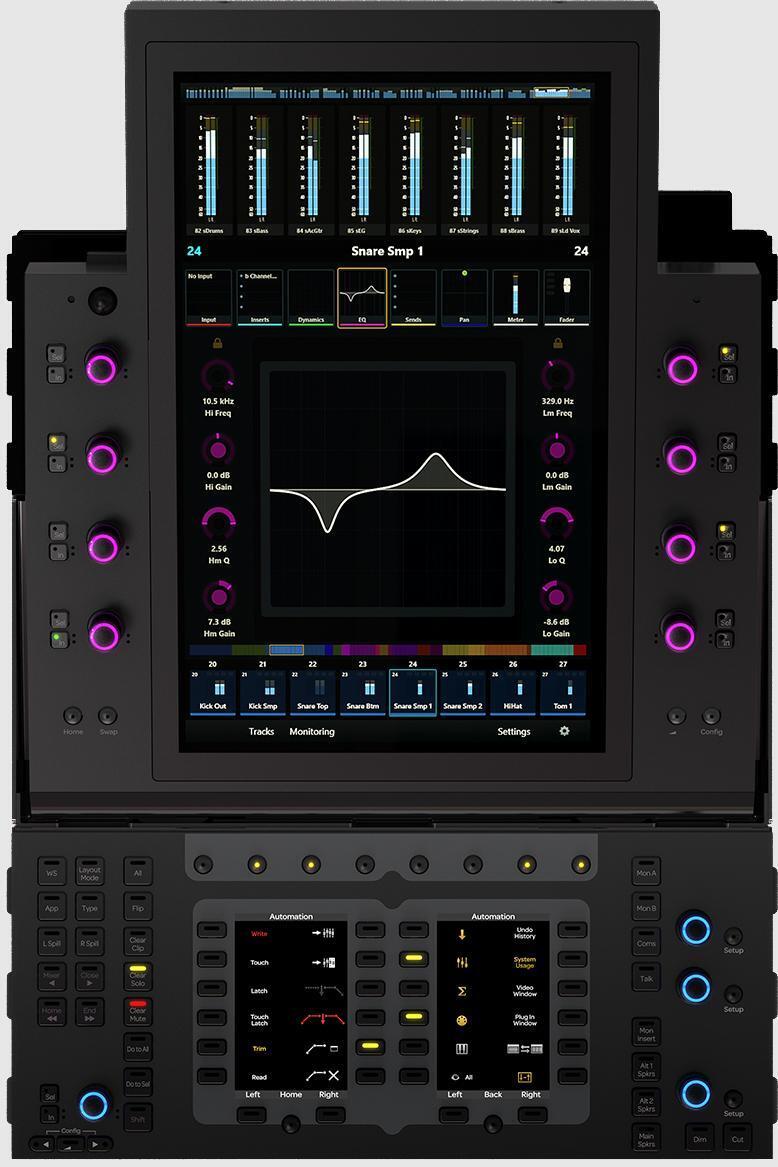
The S6 M10 Master Touch Module and M40 Master Touch Module are identical in nearly every respect. Both provide you with a tilting 12.1″ multi-touch touchscreen surrounded by eight rotary encoders. There’s no way to overstate how useful this touchscreen is, both for manipulating large numbers of tracks and for diving into specific track settings. Two additional displays surrounded with soft buttons provide you with instant access to the menu commands and shortcuts you need to have on hand. The master section also includes a number of dedicated buttons for controlling the S6’s XMON talkback and communications system, which comes standard with any S6 console.
Master Automation Module
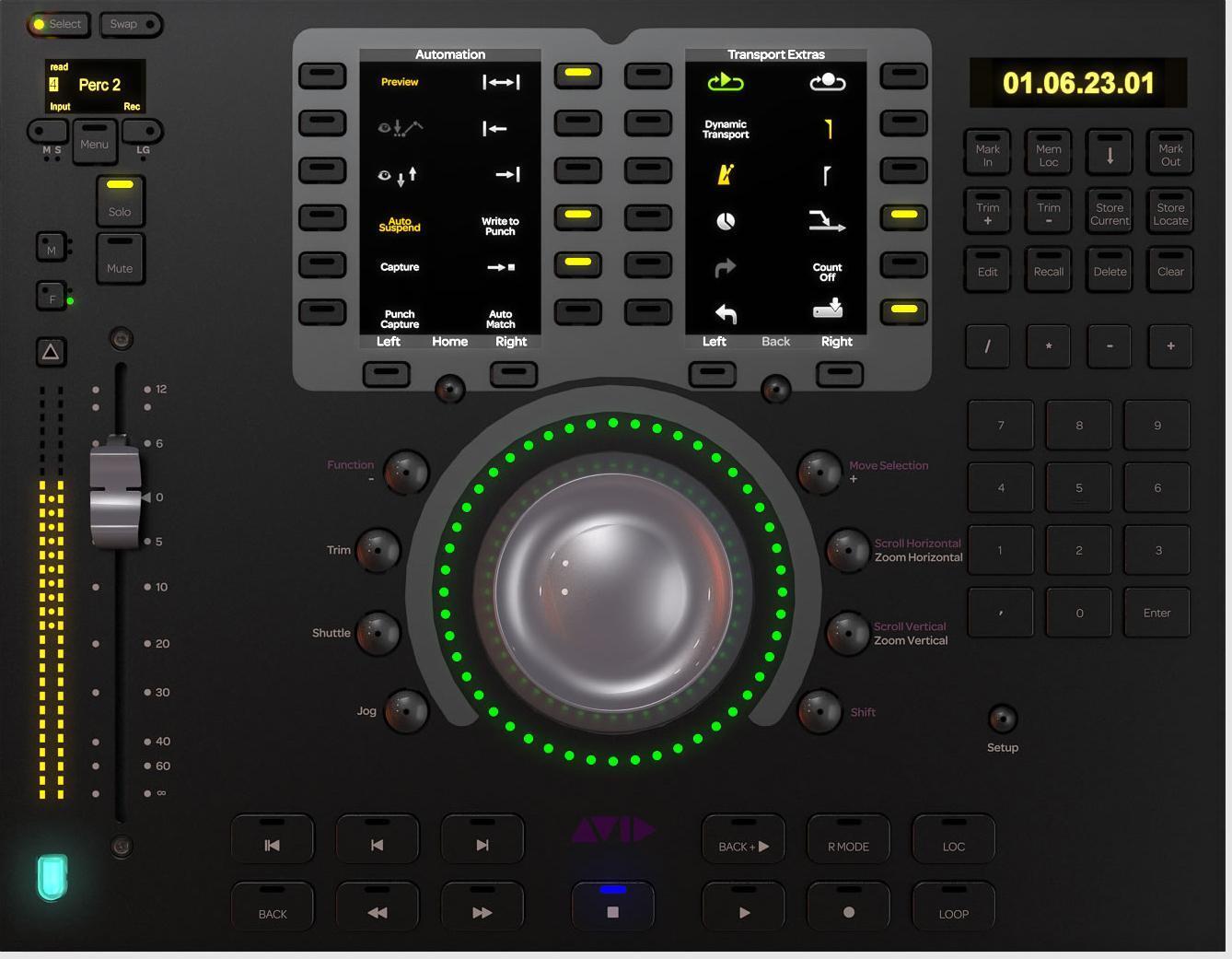
The Master Automation Module includes a full transport control section, complete with the best-feeling shuttle/jog wheel you’re likely to ever come across. On top of that, the Master Automation Module gives you a focus fader, automation control, two additional shortcut displays with soft buttons, a numeric keypad, and a ton of useful navigation controls. Despite being extremely compact (both the Master Automation Module and the Master Touch Module are only about a foot wide) the Master Automation Module is so easy to get around you’ll be blown away by how much faster and easier it makes automation
M10 and M40
The difference between the M10 and M40 Master Touch Modules mostly has to do with processing and networking power.
M10
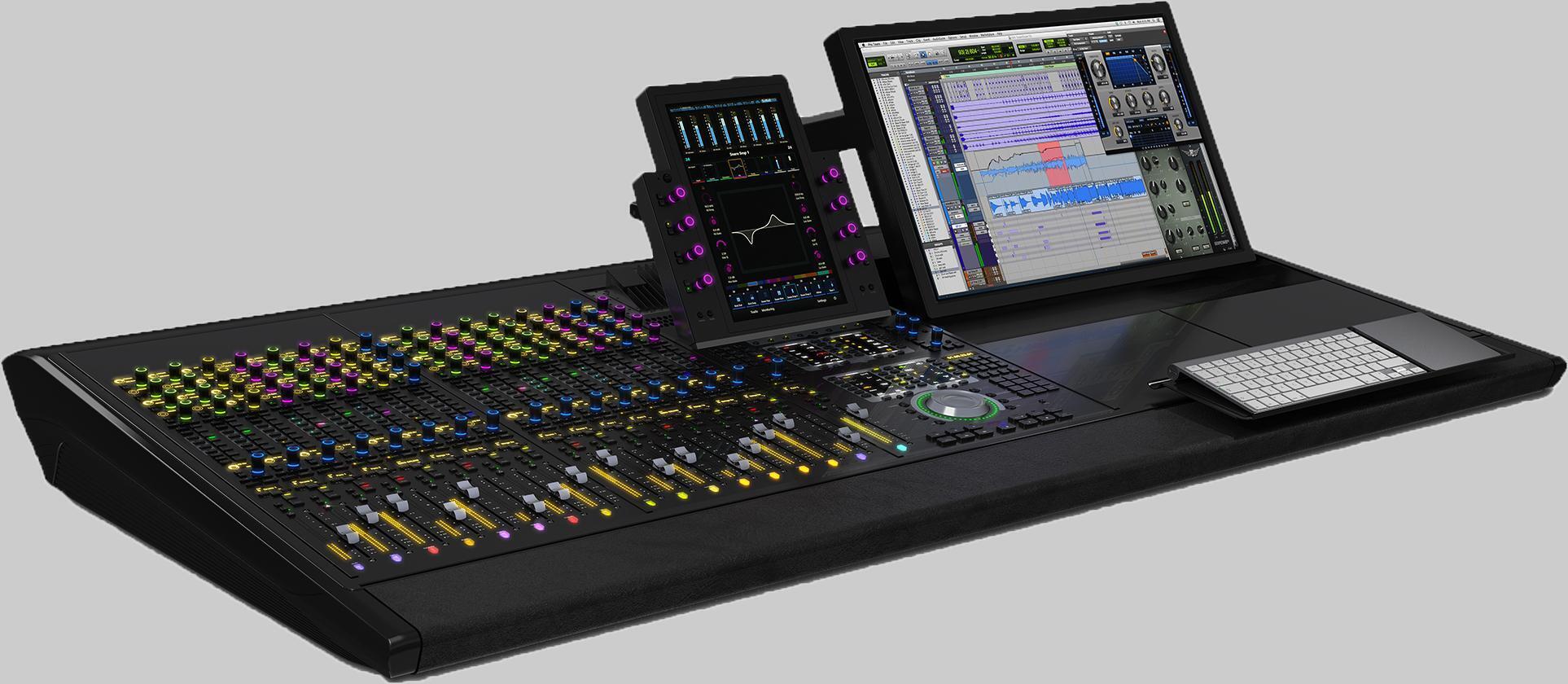
- Up to 9 modules
- Up to 24 faders
- 5 knobs per channel
- Control 2 simultaneous workstations
- No Display Module support
- 8-, 16-, and 24-fader configurations
M40
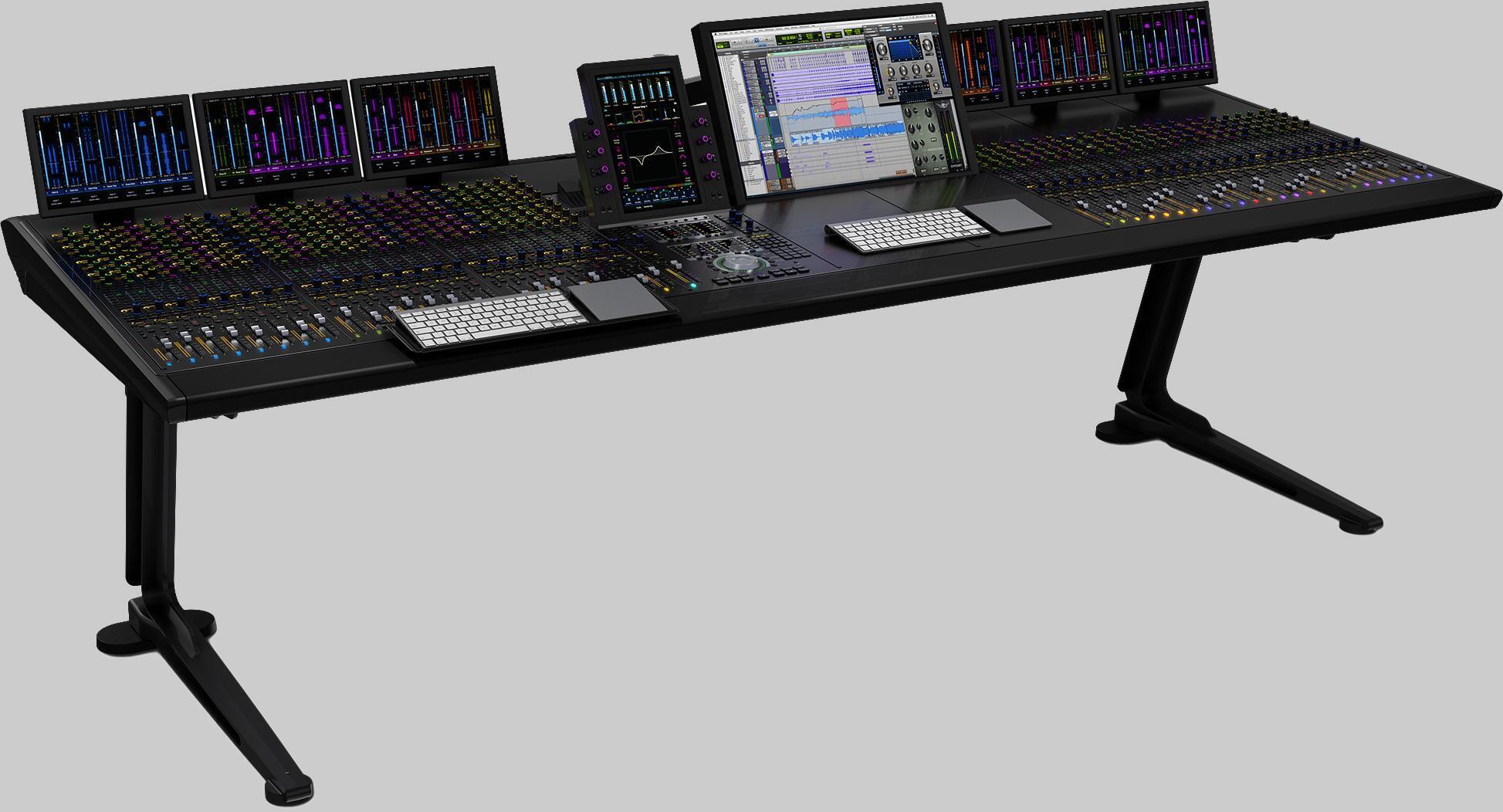
- Up to 41 modules
- Up to 64 faders
- 5 or 9 knobs per channel
- Control 8 simultaneous workstations
- Support for Display Modules
- Fully configurable
Fader Module
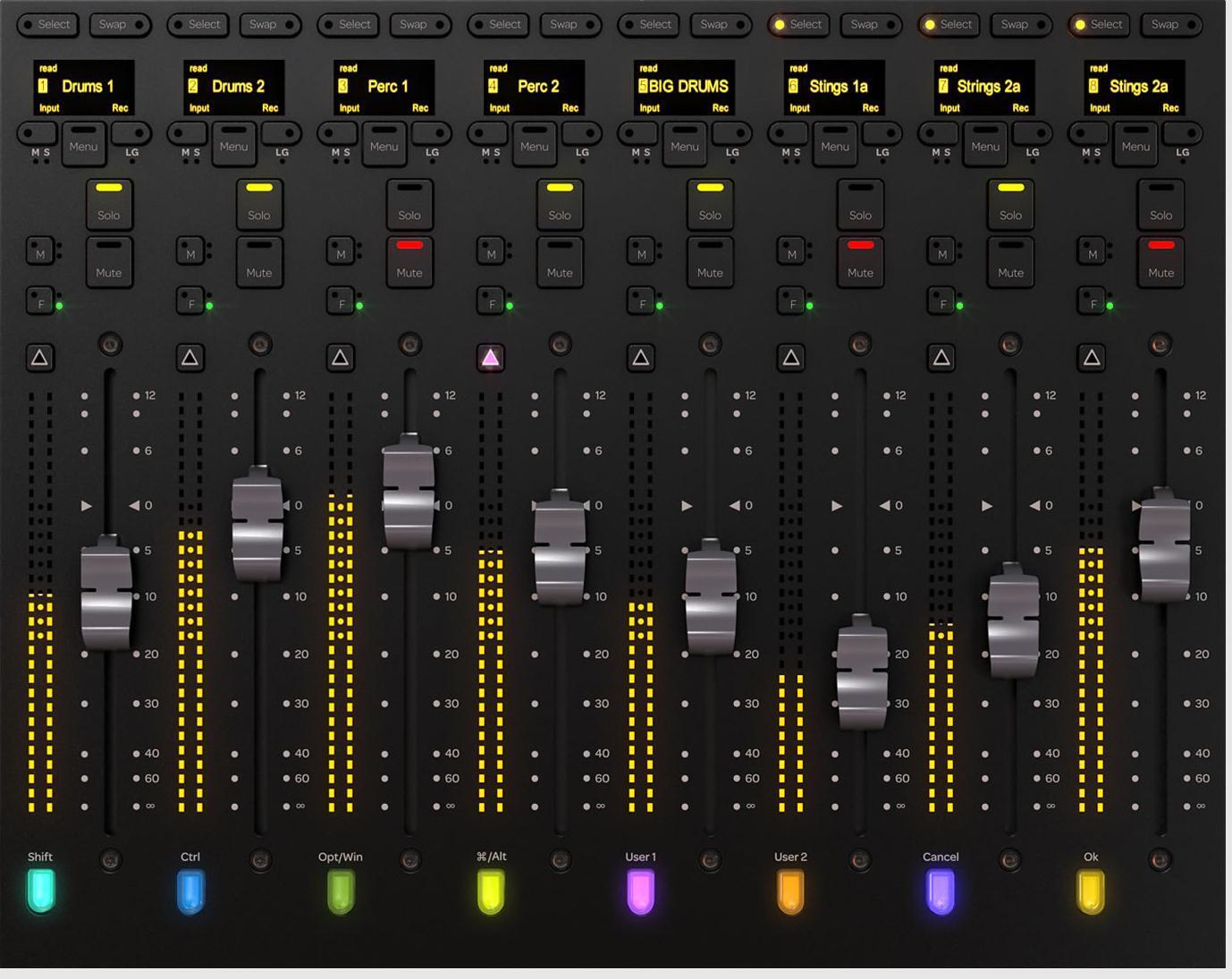
Avid packed a lot into the S6 Fader Module! In addition to eight long-throw, brushless, motorized faders (similar to the System 5’s), the Fader Module provides you with individual 32-part LED meters per channel, complete with gain reduction metering. Bright LEDs also mark each channel’s mute, solo, and other dedicated control buttons. Eight high-resolution OLED displays provide you with track names as well as contextual menu setup options. Plus, a set of eight hot keys along the bottom not only put useful shortcuts at your fingertips, but also light up with each track’s color!
Process Module
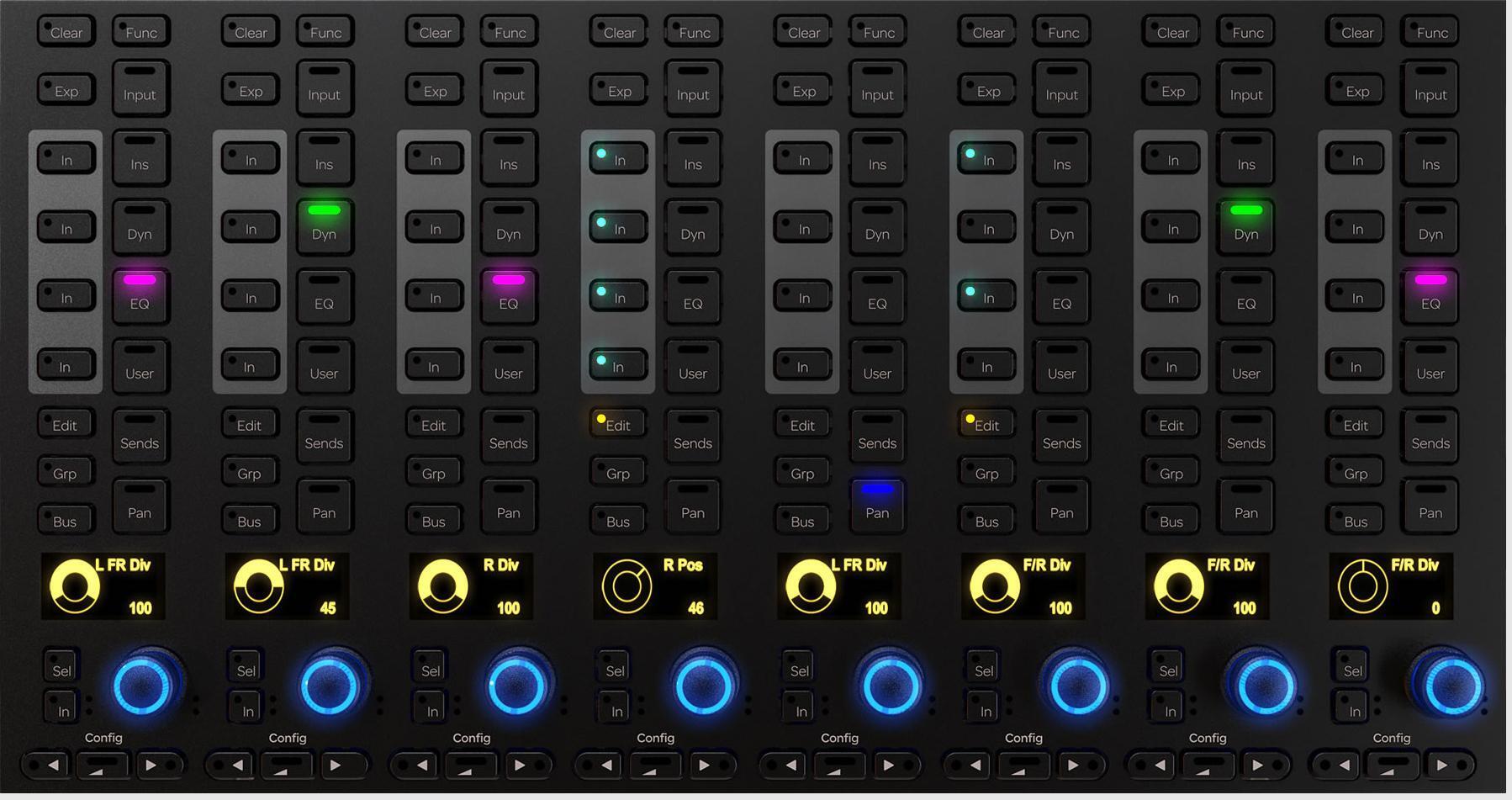
Every 8-channel Fader Module is accompanied by at least a Process Module and a Knob Module. Process Modules let you select what each channel’s knobs control, ranging from EQ and dynamics parameters to input gain, sends, and panning. Eight multicolor knobs, each accompanied by an OLED display put a variety of useful controls within a finger’s span of the track faders, and 22 selectable function switches per channel make creating the perfect setup almost too easy.
Knob Module

Taking its cues from the Process Module, each Knob Module provides you with four additional multicolor encoders and 32-OLED reference displays per channel. This makes dialing in effects and processors right from the console incredibly easy. What’s more, if you’re running an S6 M40 system mounted into a deep chassis, then you can easily add a second set of Knob Modules to your channels, providing you with a total of nine knobs per fader.
Display Module
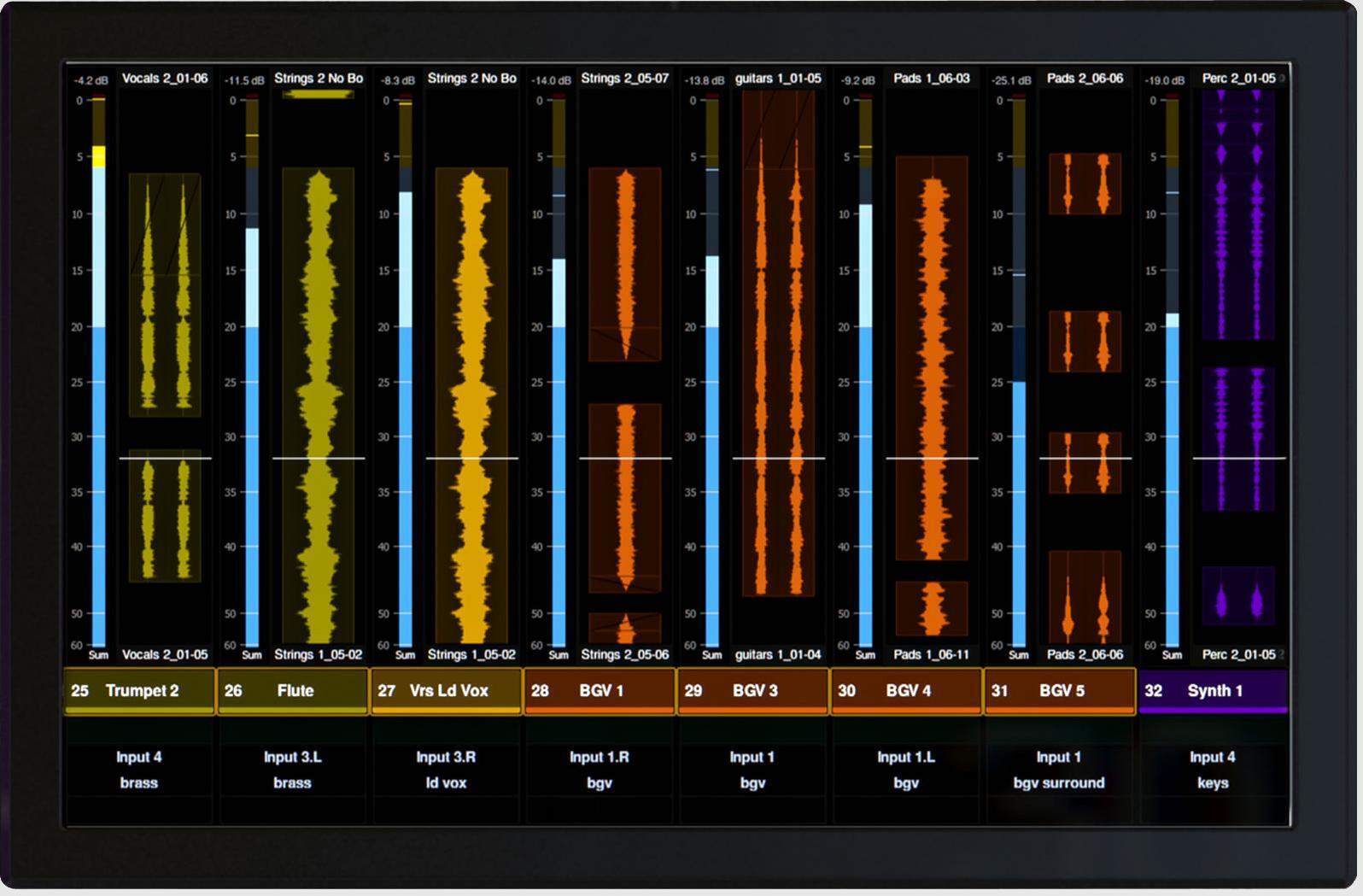
These amazing 8-channel high-resolution TFT displays might just change your perspective on mixing. Based on the fact that there’s already a 32-segment meter built into each fader, you can probably guess that the S6 Display Module does a whole lot more than merely provide metering. In fact, the extremely clear graphic displays can provide you with channel names, clip names (both current and upcoming), routing configuration info, DAW affiliation, and even full-length vertically scrolling Pro Tools waveforms — a super-handy feature when you’re editing. (Remember, the S6 Display Module is only compatible with the M40 Master Touch Module.)
Accessories
You could hardly call the S6 a customizable system if you couldn’t add a producer desk, a VESA mount, and a set of speaker stands for your studio monitors. Empty slots in your chassis (if you have any) even come covered with blank panels. Avid clearly paid close attention to user feedback from their longtime console users, when it comes to the sliding keyboard tray and the sliding script tray. These accessories are easy to place where you want them, so you’re never tethered down to one part of the board.

- Blank Panels
- VESA Arm
- Producer’s Desk
- L-R Sliding Keyboard Tray
- Sliding Script Tray
- Speaker Stands
- Leg Kit
Your Complete Avid S6 Control Surface System
Ready to take the next step? Your Sweetwater Sales Engineer is ready to make finding and purchasing the right Avid S6 control surface as simple as possible. They’ll work with you and your in-house Avid representative to configure the system that best meets your needs.
Here is a list of questions you’ll want to consider:
- How many total faders do I need?
- Do I need flexible, hi-res metering options?
- How many Display Modules do I need?
- Do I want a Producer’s Desk or other accessories?
- Will I want to expand this system in the future?