




Endlessly Adaptable Control for the Studio, Stage, and Beyond

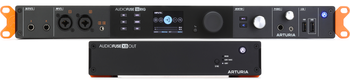
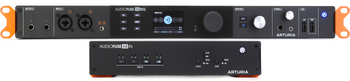
When Arturia debuted the AudioFuse Studio interface, the company established a mammoth new precedent in audio recording and management, boasting an extensive set of diverse connectivity and control options without compromising quality or clarity. Now, the AudioFuse 16Rig enters the ring to up the ante on multimode audio, MIDI, and USB interfacing, impressing engineering experts at Sweetwater with its powerful, versatile, matrix-style modularity. From complex routing, surround and immersive audio monitoring, and re-amping to multi-instrumental, simultaneous I/O recording and live support, the AudioFuse 16Rig is your setup’s next central nervous system. Armed with a 16-in/12-out array of analog connections, dual ADAT I/O pairs, a Word Clock I/O, two combo jacks, and multipurpose headphone outputs, alongside USB and 5-pin DIN MIDI support, as well as dedicated USB-A hubs and onboard DSP mixers, the AudioFuse 16Rig can be instantly re-routed with unmatched flexibility. For maximum creative support and experimental opportunities, you can even run the interface as a standalone unit — no DAW required. Did we mention the included AudioFuse Creative Suite of plug-ins?
Related Videos: AudioFuse 16Rig USB Audio Interface
Extensive connectivity for unmatched flexibility
A complex system of premier analog circuitry resides at the core of the AudioFuse 16Rig, accommodating synths, guitars, basses, vocals, and virtually any other audio source. Its 16 analog TRS line-level inputs ensure you always have your essentials in a recording-ready state. Meanwhile, the front panel allows for occasional gear, thanks to the mirrored inputs for the first four channels. Channels One and Two feature combo line, instrument, and XLR jacks, while channels Three and Four can be used as a stereo 1/8-inch input, with every channel painlessly managed from the front panel. A dedicated Phones section provides both 1/4- and 1/8-inch ports for your headphones, with output ranges able to be toggled in 50-Ohm increments to guarantee your eardrums and gear stay intact when monitoring in the studio or on the stage.
Versatile output control for re-amping and more
Even the output connectors hold more than meets the eye. Of its 12 analog outputs, channels Three through Ten are DC-coupled, enabling you to use them for controlling adjacent Eurorack modules and other expressive devices within your rig, all with exacting precision. The front-mounted 1/4-inch ports for channels Three and Four boast additional functionality that elevates your creative opportunities well beyond standard mirroring. Using the included AudioFuse Control Center software from Arturia, these can be used to re-amp appropriate devices; configure individually output distinct audio sources as supplementary headphone outputs via Altphones; or, using the Directthru option, link output channels One and Two directly to the input sources running to channels Three and Four. Directthru lets you simultaneously record directly into a DAW and out to an amp or external machine, allowing for zero-latency capture of everything in a single pass, thanks to its analog circuitry.


Standalone MIDI and audio mixing — no computer required
If you’re interested in a DAW-less jam or don’t want the added element of bringing a computer out for live or studio performances, Arturia has you covered. Not only can the AudioFuse 16Rig function as an audio mixer without a connected DAW or computer, but it can also serve the same utility to route and manage MIDI signals from and through itself and external devices, thanks to a powerful internal clock and Word Clock I/O for seamless syncing. Its 5-pin DIN MIDI in, out, and thru ports, as well as the USB-MIDI support, support interfacing with any Class Compliant MIDI devices, including complete MIDI control over the audio mixer. This functionality means faders, rotary encoders, and further interfacing controls on your MIDI device can be configured, saved, and recalled as a preset with the AudioFuse Control Center software, then toggled later directly from the interface, giving you full control without a computer present.
Digital malleability and uncompromising clarity
Arturia’s never content to leave a territory uncharted, and the AudioFuse 16Rig is no exception. Premier 24-bit AD/DA converters from ESS and Cirrus Logic preserve signal integrity and audio quality from virtually any source. Two sets of ADAT I/O mean up to 16 total channels can be managed with blazing quality, and the Word Clock lets you sync in any master/slave configuration with other devices at 96kHz without sacrificing channel capacity. For slimmer arrangements that don’t need simultaneous use of all 16 channels, the AudioFuse 16Rig will run at an archive-quality 192kHz. Each of the USB-A hub ports can also be used for direct management with your DAW, including dongles, software keys, or drives, as well as charging external devices that could be further utilized within your setup.
Matrix routing and AudioFuse Control Center
With the interface’s full-color display, you can control virtually anything within the machine, from preset recall and digitally-recallable preamps to real-time feedback and mixer management. One of the AudioFuse 16Rig’s most impressive features is also the only one that can’t currently be controlled via the front-panel display. However, this was a smart call, considering the level of detail made available: the Routing Matrix. Any analog or digital source can be sent, split, re-routed, or duplicated for any destination, including Monitor, Phones, both ADAT arrays, the Main Mixer, the Cue Mixer, Auxiliary Sends, and even analog outs. This versatility morphs the interface into an incredibly musical tool, making painless work of dynamic routing opportunities for endlessly creative simultaneous use of analog, digital, hardware, and software sound sources. What’s more, the eight onboard preset slots save the entire state of the machine, including its analog components, meaning that while you may not be able to access the Routing Matrix from the display screen (though it can be controlled with MIDI), you can recall a preset in its place that has your desired configuration ready to go.


Immersive audio monitoring
Arturia’s AudioFuse 16Rig 2.0 update introduces immersive audio monitoring and a host of user-requested quality-of-life enhancements. With this update, you can control up to 16 speakers using any combination of line or ADAT outputs, allowing you to confidently handle surround formats like 5.1 and 7.1, as well as immersive formats such as 7.1.4 and 9.1.6. The update also offers precision volume control for all immersive speakers in your setup, level matching, up to 20ms of time alignment, and comprehensive bass management.
This impressive update enables you to mute and solo groups of speakers with a single button. Alternatively, you can use the hardware’s front panel or the AudioFuse Control Center software to access Mute, Dim, Ref, and BM controls. It also includes a pink-noise generator and up to 20ms of delay to keep on-screen video perfectly synced.
The AudioFuse 16Rig 2.0 update features an auto-restart function, allowing you to turn the unit on and off using a master rack switch. Popup messages on the AudioFuse 16Rig’s hardware display help you keep track of important level changes, warnings, and more; a monitor knob lock feature prevents accidental volume adjustments when using external mixers or controllers. Additionally, a quick reference level reset feature enables you to instantly return to a calibrated level. You can also route your cue mix to multiple outputs simultaneously. Finally, this essential update provides greater flexibility when synchronizing modular and other synthesizers.
Arturia AudioFuse 16Rig Features:
- Comprehensive interface features an all-analog design with ESS and Cirrus Logic 24-bit AD/DA converters for consistent signal preservation and unwavering clarity
- 16-in/12-out design includes periodic, front-mounted I/O to keep essentials recording-ready without sacrificing connectivity for special instances of use
- Front-mounted combo jacks accommodate line-level, instrument, and XLR inputs that mirror channels 1 and 2
- Input for channels 3 and 4 can be accessed via 1/8-inch auxiliary stereo input at the front and managed from the panel for further stereo refinement
- 12 multimode analog outputs include 8 DC-coupled TRS outputs to control synth modules, expression devices, and more
- Outputs for channels 3 and 4 can be used for Re-amp, Altphones, and Directthru functions for immensely augmented recording and playback flexibility
- Standalone design allows you to manage audio sources, as well as Class Compliant MIDI devices through USB or 5-pin DIN for uncompromising control without the need for a computer
- 2 ADAT I/O pairs accommodate up to 16 total channels at 96kHz recording quality, with room for archive-grade 192kHz quality without using every channel
- Word Clock ensures virtually any master/slave sync configuration will keep things locked in step
- Monitor section’s speaker-icon button offers 3 assignable functions: dimming that won’t overwrite your established reference level; mono checking; and A/B stereo switching
- Included Arturia AudioFuse Control Center software provides deep control of Main and Cue Mixers, MIDI management, Routing Matrix, and preset design
- Entire interface can be controlled via MIDI, including mixer levels and routing management with a Class Compliant controller
- Routing Matrix is used for controlling any analog and digital destination across Monitor, Phones, ADAT, Main Mix, Cue Mix, and Auxiliary sends
- Included USB-A to USB-C cable, USB-C to USB-C cable, PSU, registration card, and removable rack ears guarantee compatibility with nearly any rack or desktop arrangement
- 16-channel immersive audio monitoring with volume control, level matching, time alignment, bass management, and group monitor tools
- Pink-noise generator for setup and calibration
- Apply up to 20ms of delay to keep on-screen video perfectly synced
- Auto restart after power cut accommodates master on/off rack switches
- Monitor knob lock prevents accidental volume adjustments
- Quick reference level reset instantly returns to a calibrated level
- Enables routing cue mixes to multiple outputs simultaneously

