

Sweetwater Welcomes Turtle AV

OWC Thunderbolt 4 Dock

Thunderbolt 4 Connection Dock with 96W Host Computer Charging Power, 4 USB Type-C Ports, 3 USB Type-A Ports, Gigabit Ethernet Connectivity, and Analog Audio In/Out Port
Share
Item ID: OWCTB4Dock
OWC Thunderbolt 4 Dock
Price:$229 and 99 cents
$39.00 suggested monthly payments with 6 month financing‡ 36 month financing available* with $399.00 minimum purchase on one invoice.

In Stock!

Add to Cart
Sales engineer photo
Ask An Expert

Our expertly trained Sales Engineers are ready to help!

What is a Sales Engineer?
OWC Thunderbolt 4 Dock
In Stock!
Price:$229 and 99 cents
Add to Cart
Add to list
Skip to Description
Most Popular Accessories & Related Items
Back to navigation

This article was Written By

Our Product Research Team

Get to know them!

Unlock the Potential of Thunderbolt 4

Whether you're an audio producer, videographer, photography guru, or multi-talented content creator, you need a decent connection interface to keep your workstation up and running. When ultra-fast connection speeds are a must, the Thunderbolt 4 dock is your key to the kingdom. With the ability to charge your device, display multiple monitors, and provide Ethernet, this dock is a must-have computer companion. Its Thunderbolt 4 connectivity makes it a perfect pairing for TB4-equipped Mac and Windows computer systems, not to mention the utmost in modern-era data transfer speeds. If you own multiple drives, the Thunderbolt 4 Dock will handle them with no problem: additional OWC Dock Ejector software will safely prep every connected drive for disconnection once your working session is over. Sweetwater techies strive to keep their workflow efficient — with a Thunderbolt 4 Dock on-site, maximizing peak productivity is as easy as pie.

Note: The OWC Thunderbolt 4 Dock is compatible for use with Thunderbolt 4-equipped Mac and Windows computer systems. Contact your Sweetwater Sales Engineer with any questions.

Hard-lined Thunderbolt 4 workflow efficiency

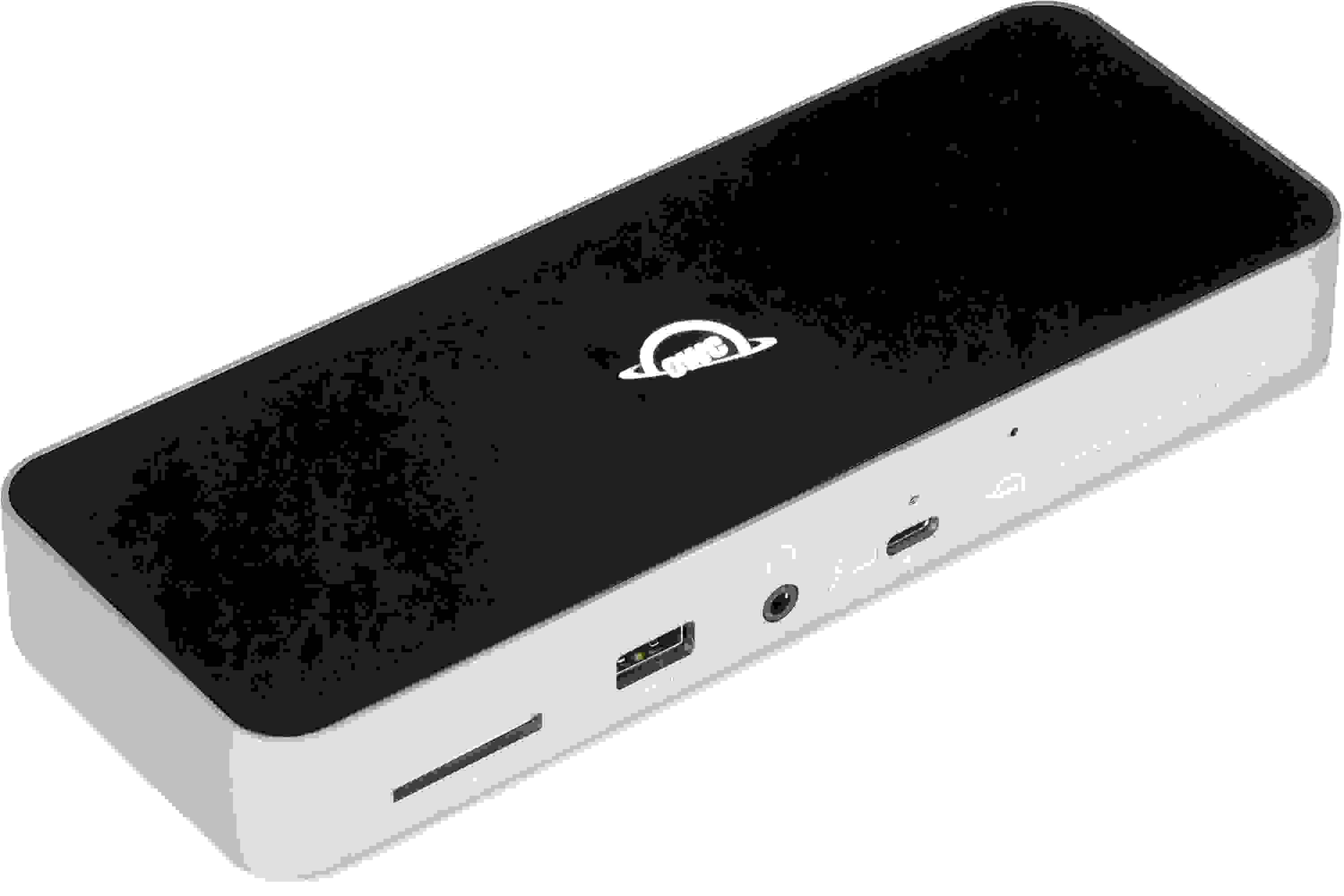
Boasting Thunderbolt 4 connectivity, the Thunderbolt 4 Dock expands connectivity speeds and potential tenfold. Equipped for any project setup, the front panel offers a USB-C Thunderbolt 4 display port, a standard USB-A port, a 3.5mm audio jack, and an SD card reader for quick access to your device's essentials. On the flip side, the Thunderbolt 4 Dock features 3 USB-A ports, three USB-C Thunderbolt connections, and a DC 20V input.

OWC: facilitating technological efficiency since 1988

Technology is a fundamental asset to every producer, musician, and performer. OWC has devoted the last 30 years to providing a granular and helpful approach to this necessity. Through countless hours of research, design, and construction, the company offers an inventory of specifically built SSDs, memory, docks, batteries, and other computing accessories to help users achieve seamless technological operation. At the same time, OWC provides top-notch support and expertise, giving you less time to worry about the specifics and, in turn, more opportunities to get to work. With a complementary commitment to reasonable prices, OWC is a vital step to add efficiency, affordability, and reliability to your workflow.

OWC Thunderbolt 4 Dock Features:

  • Thunderbolt 4 device dock for expansive device connectivity
  • 96W host computer charging power keeps your device up and running amid heavy workloads
  • Connect up to 2 x 4K displays — alternatively, connect 1 x 5K display
  • Onboard SD card reader
  • Built-in OWC Dock Ejector safely prepares multiple drives for disconnection
  • 3.5mm headphone jack provides clear playback audio from your device
  • 4 USB Type-A ports and 4 USB Type-C Thunderbolt 4 ports offer an expanse of connection possibilities
  • Included Thunderbolt cable for instant setup
  • Compatible with Thunderbolt 4-equipped Mac and Windows computer systems

Warranty Info

Sweetwater's FREE 2-Year Total Confidence Coverage Warranty

Extra peace of mind at no extra cost.

  • Save money with FREE parts and labor
  • Get back to making music with the industry's fastest turnaround time
  • Fix it the first time with our award-winning, factory-certified Service Department
Learn More about Total Confidence Coverage
Back to navigation

Tech Specs

  • Type: Dock
  • Number of Ports: 11
  • Powered: Active
  • Connection Type: Thunderbolt 4
  • Thunderbolt: 4 x USB-C (Thunderbolt 4)
  • USB: 3 x USB Type A 3.2, 1 x Type A 2.0
  • Data I/O: 1 x Gigabit Ethernet
  • Other I/O: 1 x 1/8" (Audio)
  • Storage: 1 x SD Card Slot
  • Power Source: 20V DC power supply (included)
  • Manufacturer Part Number: OWCTB4DOCK

What Makes Our Sales Engineers Great?

Sweetwater Sales Engineers are a world-class team of experts dedicated to you. Hand selected from across the globe, each brings a wealth of experience and expertise in the world of music gear to provide you with unparalleled service completely free of charge. Friendly relationships, real trust, and the right gear are only a call or a click away!

Back to navigation

Reviews

Solid component
I use this dock to connect my four DAC's to my Roon server on a MacBook Pro. Unlike my similarly-priced Caldigit E5, which kept dropping my audio zones, forcing me to continually reboot it, the OWC detects all my devices and holds the connection whether they or the MacBook are turned off or on. You can tell it's a solid piece of kit by its solid build and LED light. Plus it's got plenty of ports to grow with. Highly recommended.
Music background: Audiophile
midi
worked immediately with keyboards I now have no need for MIO I will just use this MIO does not work with midi
OWC Thunderbolt 4 Dock Review
Hey Mike:
Overall, I'm happy with my new OWC Thunderbolt 4 Dock.

I did notice however, that if I connect my Berhringer XR-18 USB cable directly into the USB Thunderbolt port of the OWC Dock, and enable Ableton Live-12, I get a blinking microphone symbol on the upper menu bar of my MacBook Pro.
This blinking microphone symbol turns to a solid on if I connect the Berhringer XR-18 USB cable directly to my MacBook Pro Thunderbolt port with Ableton Live 12 enabled.

It's like Ableton Live-12 doesn't like the OWC Thunderbolt 4 Dock......am I doing something wrong?

Your professional help will be appreciated!
Scott Christiansen
Music background: Drummer- 50 years plus