

Keyboard Month: Expert Picks & Hot Deals

Behringer X-Touch Universal Control Surface

USB/MIDI Controller with 9 Touch-sensitive Motor Faders, 8 Rotary Encoders, and 92 Illuminated Buttons
Share
Item ID: XTouch
Behringer X-Touch Universal Control Surface
Price:$419 and 00 cents
$70.00 suggested monthly payment§ with 6 month special financing‡

Backordered - More On The Way!

This item requires extra delivery time from Behringer. Order today to reserve yours now, risk-free, or contact us for more information. Estimated June 2026.

Notify me when in stock
Add to Cart
Sales engineer photo
Ask An Expert

Our expertly trained Sales Engineers are ready to help!

What is a Sales Engineer?
Sweetwater Gear Exchange

Have one to sell?
Check out Sweetwater's Gear Exchange!
Learn More

Complete Your Order
Product Image - This Item - Behringer X-Touch Universal Control Surface
Behringer X-Touch Universal Control Surface
$419.00
+
+
=
Buy all:
OR
Behringer X-Touch Universal Control Surface
Backordered - More On The Way! Notify me
Price:$419 and 00 cents
Add to Cart
Add to list
Skip to Description
Most Popular Accessories & Related Items
Back to navigation

This article was Written By

Our Product Research Team

Get to know them!

Amazing Controller for Studio or Live Sound

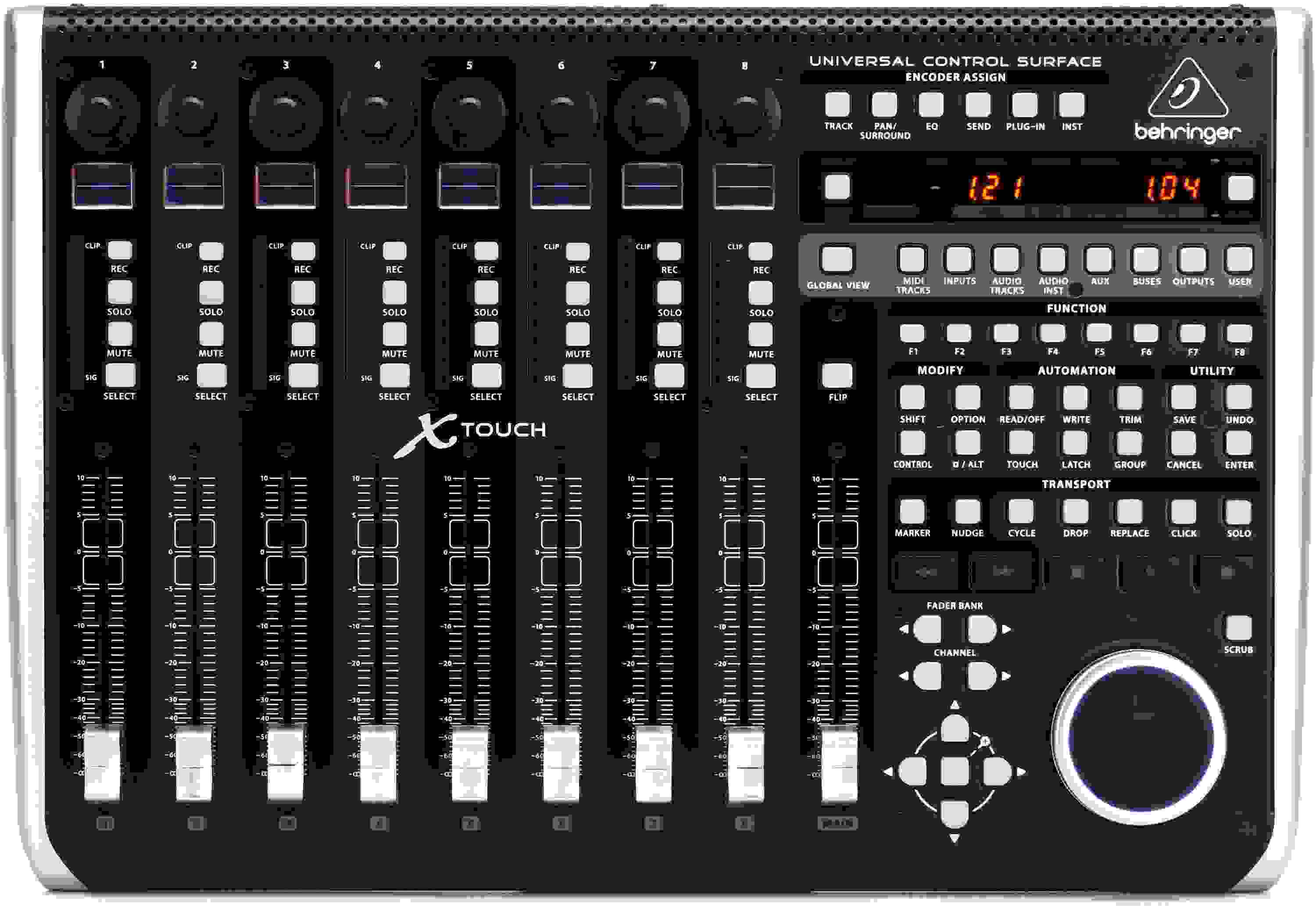
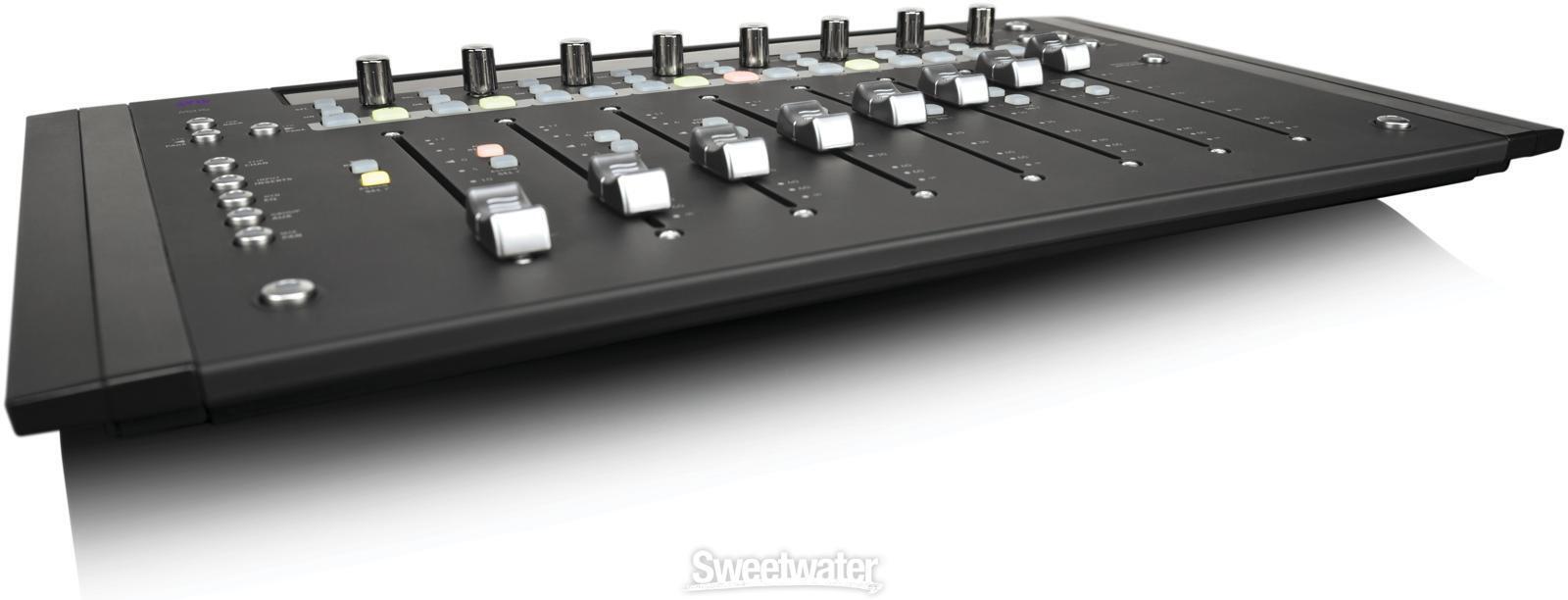
The Behringer X-Touch is the perfect way to control your DAW in your studio, and it's an amazing way to control your X32 digital mixer remotely, too. An integrated Ethernet interface lets you connect to and control any of Behringer's X32 series mixers. Engineers at Sweetwater know that nothing beats the fast workflow of a comprehensive control surface. With 100mm motorized faders, digital scribble strips, color-coded LEDs and displays, and much more, the Behringer X-Touch is simply an outstanding USB/MIDI control surface for practically any application.

Supports HUI and Mackie Control for near-universal compatibility

You need a control surface that allows you to make high-precision changes to your DAW, instruments, and effects with a minimum of hassle. The X-Touch supports HUI and Mackie Control protocols to work with virtually any professional audio production software imaginable. As soon as you take the X-Touch out of its box, you can plug into a spare USB port and start tweaking — no setup required!
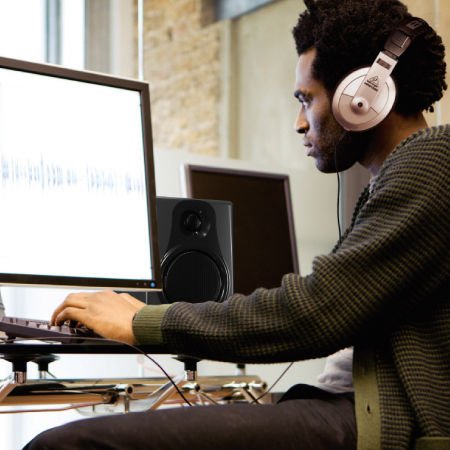
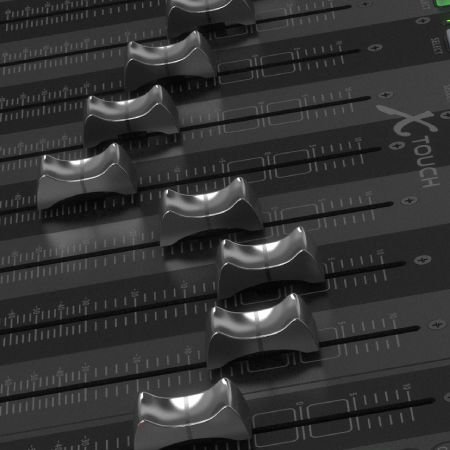
Touch-sensitive motorized faders allow for precise, dynamic control

Getting your hands on faders has always been the preferred way to mix. That's why the X-Touch boasts nine fully automated and touch-sensitive 100mm motorized faders that respond to your every movement with amazing accuracy. With the X-Touch control surface, all the automation you write is reflected in the movements of each fader in real time, in perfect sync with your DAW. You'll never have to adjust faders to match their on-screen values in your DAW, giving you the feel of mixing through a real console.

Easy to find any parameter — and tweak it fast

The X-Touch's eight rotary controls with LED-collars, in addition to its 92 illuminated buttons and eight LCD scribble strips, give you immediate visual feedback of your parameters. Just by looking at the X-Touch, you'll know if a channel is muted or soloed or where your levels are as you make changes during recording or mixing. You'll be able to navigate to any track you need in seconds, even when you're working with high track counts. With the X-Touch, you'll be able to arm multiple tracks and adjust panning at the same time. Try doing that with a keyboard and mouse!
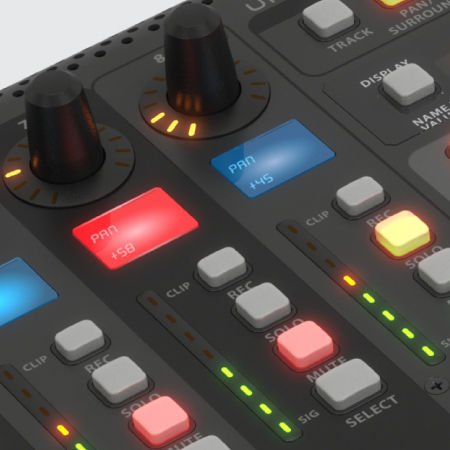
Behringer X-Touch Features:

  • Comprehensive control surface for your DAW or X32 series digital mixer
  • Touch-sensitive 100mm motorized faders allow for precise, dynamic control
  • Mackie Control and HUI modes for seamless integration with a plethora of music production software
  • Rotary controls with LED-collars and illuminated buttons for on-the-fly adjustments
  • Smooth jog wheel makes it easy to navigate your session or other creative control
  • Color-coded LCD scribble strips make it easy to identify any track
  • Ethernet interface for Real-time Protocol MIDI and X32 series remote control
  • Pre-configured control elements for instant operation out of the box
  • USB and 5-pin MIDI integration for interfacing with more devices
  • 2-port USB hub for connecting external devices such as keyboard controllers and dongles
  • Dual footswitch connectors and foot controller input provide external remote control
Resources

Warranty Info

Sweetwater's FREE 2-Year Total Confidence Coverage Warranty

Extra peace of mind at no extra cost.

  • Save money with FREE parts and labor
  • Get back to making music with the industry's fastest turnaround time
  • Fix it the first time with our award-winning, factory-certified Service Department
Learn More about Total Confidence Coverage
Back to navigation

Tech Specs

  • Type: DAW remote controller
  • Faders: 9 x 100mm (Motorized)
  • Transport Controls: Yes
  • Encoders/Pots: 8 x Rotary with LEDs
  • Soft Keys: 92 key function illuminated buttons
  • Analog Inputs: 2 x 1/4" (footswitch), 1 x 1/4" (external controller)
  • Computer Connectivity: 2 x USB Type A, 1 x USB Type B
  • MIDI I/O: In/Out/USB
  • Data I/O: 1 x Ethernet remote jack
  • OS Requirements - Mac: OS X 10.7 or later
  • OS Requirements - PC: Windows 7 or later
  • Height: 3.9"
  • Width: 17.8"
  • Depth: 11.9"
  • Manufacturer Part Number: 0808-AAD86-US1

What Makes Our Sales Engineers Great?

Sweetwater Sales Engineers are a world-class team of experts dedicated to you. Hand selected from across the globe, each brings a wealth of experience and expertise in the world of music gear to provide you with unparalleled service completely free of charge. Friendly relationships, real trust, and the right gear are only a call or a click away!

Back to navigation

Reviews

Home studio
Tremendo controlador me siento muy complacido
Music background: Cantante música cristiana
Solid integration with Logic Pro and a great value
I came from the Pro Tools world and used a variety of their control surfaces including the Digi002 and later the Artist Transport & Mix. The Artist Series (discontinued, but still supported via Avid EuControl software) worked with Logic Pro, but the integration with Logic was lacking, and the Mix was starting to exhibit mechanical problems, so I was in the market for a new control surface.

I did weeks of research and considered every control surface out there, regardless of price. My requirements included: at least 8 motorized faders; electronic scribble strips; easy to read silkscreens; good build quality; tight integration with Logic; lots of buttons/knobs (vs. menu-diving); no need for special drivers; programmability, and a broad community of users.

The X-Touch has been around for a very long time, especially in this age of rapid technological advancement; it's still on Sweetwater's active product list, so that was worth noting.

To boil it down, I finally pulled the trigger and purchased an X-Touch. It met all of my aforementioned requirements, and I am generally quite pleased.

On the minus side, here's what I find lacking in the product:
* Scribble strip displays are difficult to read when using darker colors (I built a stand to angle the unit towards me which helps somewhat)
* Scribble strip colors are limited, and approximations of the many more colors available in Logic Pro.
* The main shuttle/jog wheel is a bit flimsy
* Documentation is very poor (thank goodness for YouTube)
* Occasional rare disconnects from DAW (although it's improved since connecting via Ethernet)

Some additional pleasantries include:
* Full programmability of the Function keys and other buttons
* External footswitch and controller pedal connections (I use mine for Record control, and CC MIDI controller)
* Expandability
* Very reasonable price given the overall quality
* Very readable silkscreening

In all, I believe this is the best controller currently available for Logic Pro if you have similar requirements.

(In my photo, I show my custom labeling for the Function keys.)
Music background: Musician, Recording Engineer, Producer
Wonderful
I got this to replace my X-Touch One controller, and my mixing workflow is now much better with more faders.
Music background: Independent Music Producer
Love this thing!
I love the X-Touch! I own a number of MIDI devices, but the X-Touch is my first control surface. I use this with my Behringer XR18 and Studio One, and it works brilliantly between both of them. I have 1 button access to switch between the DAW and the mixer, and I can control all the vital functions I need for either stage performance or working in the studio. I can also customize the buttons if I need to enable a function.

The faders are more quiet than I would have expected, and their resolution is awesome. The jog wheel is a very nice feature which lets me focus on a track at a detailed level. The buttons feel durable and of good quality. The unit is sturdy and has a solid feel. It is a little heavier than I expected.

When working with Studio One (my DAW of choice), I can navigate through my 40+ tracks, zoom in and out, change plug-in settings, change the mix, queue up specific areas that need work, begin recording, playback specific tracks (or everything), save my work, etc... without ever touching the mouse! This will speed up my workflow for sure.

When working with the XR18, I can set the gain on each channel, change mix volumes and panning (of course), change bus outputs for each channel, tweak EQ settings, assign effects to channels, ring out the monitors, etc... and my hands don't have to leave the X-Touch. I love using this much more than the iPad, the Android app, or X-Air Edit. I definitely like being able to control multiple fader values at the same time. And the visual feedback immediately lets me know what is where at a glance. Very nice.

All in all, I am very happy with Sweetwater and the X-Touch!
Music background: Musician and vocalist
Behringer X-Touch Works great With Sonar Platinum
After doing a lot of research on Control Surfaces I finally decided on the X-Touch and I wasn't
disappointed when I receive my Purchase from Sweetwater. The quality was much better than expected,
and it's size was perfect for the space in my home studio. The faders are very responsive and controls have a nice feel to them. You get a lot of functionality for the $.
Getting the X-Touch to work with Cakewalk Sonar was by watching the videos listed below, downloading the Overlay, printing and cutting it out (the mapping on the X-Touch is not laid out for Sonar so the overlay is essential). The key to getting the most functionality from the X-Touch is through the Mackie
Control plugin within Sonar.(see photo) With this dialog open press F1 for Help and there you will find detailed info on using the X-Touch to control EQ, and other plugins. This Help file can also be found at
C:Program Files/Cakewalk/Shared Surfaces/Mackie Control
After doing all this I can say that the X-Touch is working very well and I'm very happy that I decided to go for it, hope this helps other Sonar users.

YouTube videos:
X Touch One with Sonar or Cakewalk
Making the X-Touch work with Cakewalk Sonar Pt#1
Making the X-Touch work with Cakewalk Sonar Pt#2
Music background: Looking to get into music production for film and TV