
Sweetwater Welcomes Turtle AV

Soundcraft Ui24R 24-channel Remote-controlled Digital Mixer
24-channel Rackmount Digital Mixer with Remote Control and Multitrack USB Recording
Share
Item ID: Ui24R
Soundcraft Ui24R 24-channel Remote-controlled Digital Mixer
$217.35 Price Drop!
Lowest price in 90 days
Price:$1,281 and 65 cents
Save $217.35 (14%) Original price, crossed out: $1,499 and 00 cents
Special Financing - Ends Aug 2, 2026. $36/month with 36 month financing*

Or we have a Certified Open Box model for just $1,153 and 49 cents! Learn more
In Stock!

Add to Cart
Sales engineer photo
Ask An Expert

Our expertly trained Sales Engineers are ready to help!

What is a Sales Engineer?
Complete Your Order
Product Image - This Item - Soundcraft Ui24R 24-channel Remote-controlled Digital Mixer
Soundcraft Ui24R 24-channel Remote-controlled Digital Mixer
$1,281.65
+
+
=
Buy all:
OR
Soundcraft Ui24R 24-channel Remote-controlled Digital Mixer
In Stock!
Price:$1,281 and 65 cents
Add to Cart
Add to list
Skip to Description
Most Popular Accessories & Related Items
Back to navigation

This article was Written By

Our Product Research Team

Get to know them!

Space-saving Digital Mixer with Multitrack Recording

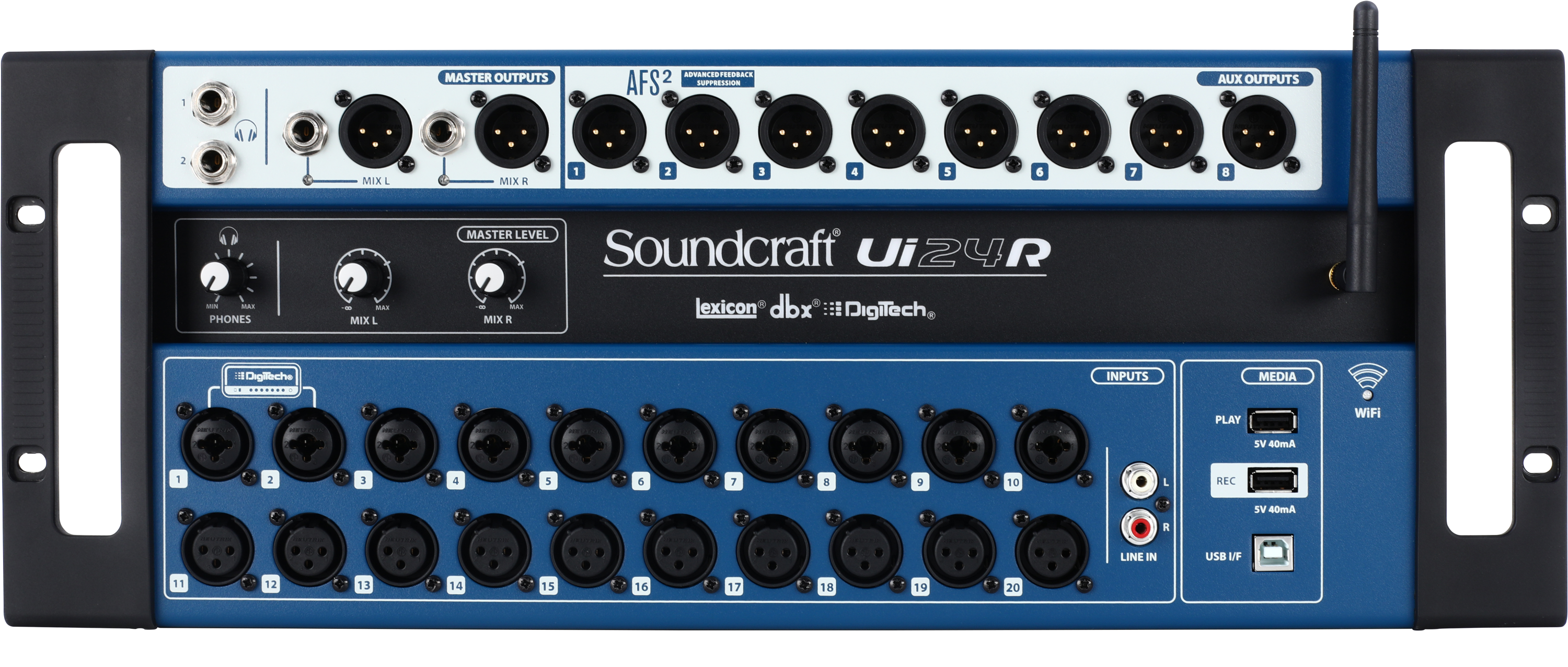
Achieve flexible I/O, great sound quality, and convenient wireless control with the Soundcraft Ui24R. This 24-channel rackmount digital mixer packs 20 Studer-designed microphone preamps and processing from Lexicon, dbx, and DigiTech. Take command of the Ui24R with up to 10 devices over Ethernet or Wi-Fi. Mix from anywhere in the venue using your smart device. Place the Ui24R onstage and use it as a stagebox. Capture a full multitrack recording onto a USB drive. Or connect the Ui24R to your DAW and use it as a USB audio interface. The Soundcraft Ui24R rackmount digital mixer is a powerful asset, both onstage and in the studio.

Take control of this digital mixer with any device

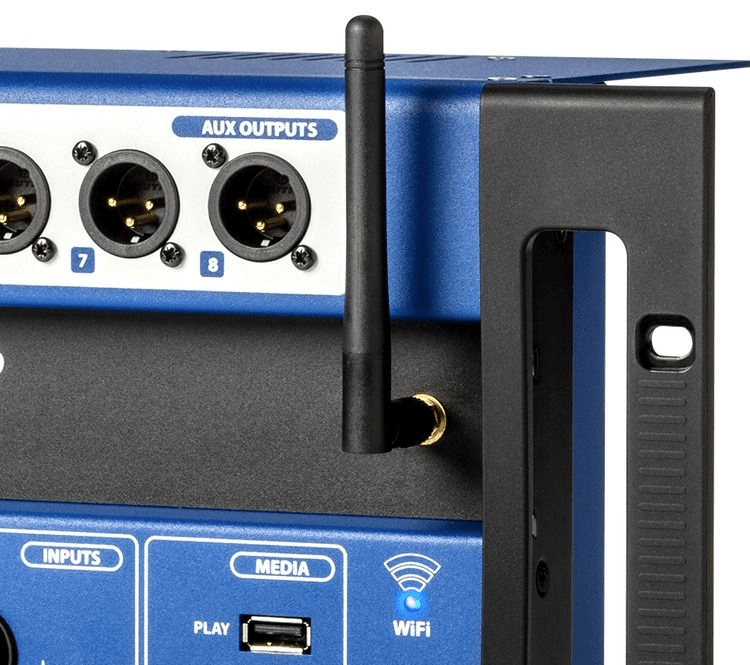
Soundcraft built Wi-Fi into the portable and compact Ui24R digital mixer. You don't need a router or other fancy device — this mixer has it all. Any device that can connect via Wi-Fi and has a browser can connect to the Ui24R. That's right, no apps, no worrying about OS issues, just connect and take control. Use your phone, tablet, laptop, or desktop computer. Soundcraft's Ui24R can connect up to 10 devices at the same time, so the band can take control of their own mixes and volumes. The Ui24R's software gives you full input and output processing on each channel. You also get control of the effects parameters, buses, Shows/Snapshots, and much more. A handy Ethernet port lets you take wired control of this digital mixer via your computer or laptop. The Soundcraft Ui24R makes connecting to and taking control of your mix easier than ever!

Powerful onboard signal processing gives you a professional sound

Soundcraft Ui24R digital mixers incorporate Lexicon effects, dbx signal processing, and DigiTech amp/stompbox modeling. Fully adjustable parameters mean you can tweak each effect to your heart's content. You get three dedicated effects buses that feature award-winning Lexicon effects including reverbs, delay, and chorus. Each channel has dbx compression, de-essing, and noise gating built-in and ready to use, plus a powerful real-time frequency analyzer (RTA). The two hi-Z inputs feature DigiTech's amp and stompbox modeling with tons of amp, cabinet, and effects options. Soundcraft's Ui24R rackmount digital mixer has all of the signal processing and effects you need to give your performance a professional sound.

The dbx AFS2 feedback system kills feedback dead

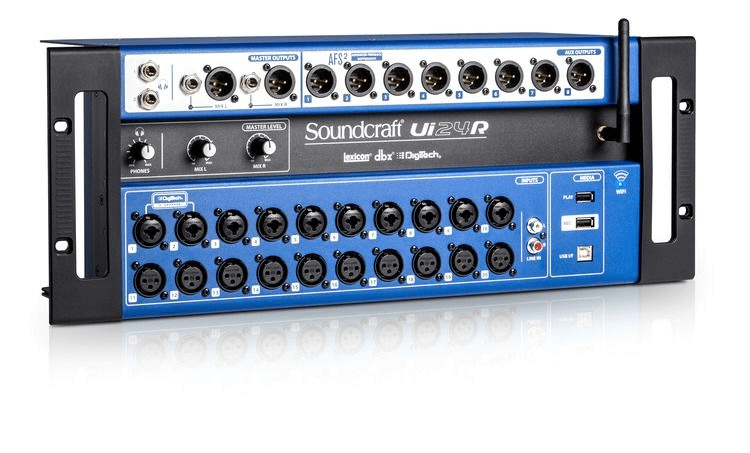
The Ui24R's dbx AFS2 feedback suppressor boasts dbx's updated Advanced Feedback Suppression algorithm. The AFS2 listens to the incoming signal and can anticipate problem frequencies before feedback even begins. You won't hear it working, and you won't notice any sonic difference with it in your signal chain. Live sound engineers at Sweetwater know that even if you're an expert at tuning your sound system, cramped stage conditions or careless performers always have the potential of introducing feedback. The built-in dbx AFS2 feedback suppressor system in the Soundcraft Ui24R is like getting sonic insurance for your live sound.

Capture full multitrack recordings

Besides being a top-shelf digital mixer, the Soundcraft Ui24R is also a superb recording tool. Its built-in audio interface makes integrating it with your recording rig a piece of cake. And it allows you to capture all 22 inputs and your stereo mix (24 channels total) onto a USB drive and your DAW simultaneously.

Soundcraft Ui24R Rackmount Digital Mixer Features:

  • Space-saving 24-channel digital mixer
  • Built-in dual-band Wi-Fi enables control with any HTML5-capable browser
  • 20 Studer-designed microphone preamps deliver top-notch recordings
  • Polish your mix with effects processing from Lexicon, dbx, and DigiTech
  • The dbx AFS2 feedback system eliminates unwanted feedback
  • Capture your performance to a USB drive or your DAW via built-in multitrack recorder
  • Built-in audio interface integrates easily into your recording rig

Warranty Info

Sweetwater's FREE 2-Year Total Confidence Coverage Warranty

Extra peace of mind at no extra cost.

  • Save money with FREE parts and labor
  • Get back to making music with the industry's fastest turnaround time
  • Fix it the first time with our award-winning, factory-certified Service Department
Learn More about Total Confidence Coverage
Back to navigation

Tech Specs

  • Type: Digital Remote-controlled Mixer
  • Channels: 24
  • Inputs - Mic Preamps: 10 x XLR-1/4" combo, 10 x XLR
  • Phantom Power: Yes
  • Inputs - Line: 1 x Dual RCA Stereo
  • Outputs - Main: 2 x XLR, 2 x 1/4"
  • Busses/Groups: 8 x XLR (aux outs)
  • Data I/O: 2 x Ethernet, 1 x HDMI
  • USB: 4 x Type A, 1 x Type B
  • Computer Connectivity: USB (24 x 24), Ethernet, Wi-Fi
  • Headphones: 2 x 1/4"
  • EQ Bands: 4-band parametric EQ, 31-band graphic EQ
  • Effects: Lexicon Reverb, Lexicon Delay, DigitTech guitar amp modeling
  • Signal Processing: dbx compression, dbx AFS2 auto feedback suppression, noise gate, de-esser
  • Features: Built-in dual-band Wi-Fi, real time frequency analyzer, 24 track recording to USB
  • Software: Remote control with iOS, Android, Windows, OS X and Linux
  • Rackmountable: Yes (4U)
  • Depth: 6.8"
  • Width: 19"
  • Weight: 22 lbs.
  • Manufacturer Part Number: SCR-5076585-01

What Makes Our Sales Engineers Great?

Sweetwater Sales Engineers are a world-class team of experts dedicated to you. Hand selected from across the globe, each brings a wealth of experience and expertise in the world of music gear to provide you with unparalleled service completely free of charge. Friendly relationships, real trust, and the right gear are only a call or a click away!

Back to navigation

Reviews

Good performance, intuitive menus
I had a lot of trepidation toward going digital. I ran a perfectly fine analog Mackie mixer for a decade and had this Soundcraft a year before I had the nerve to bring it out. I was worried about unexpected feedback and other issues and not being able to quickly fix them on the fly. I play keys, sing and run sound at the same time, I don't have time to search through a million screens.

There was no need to be so ridiculously conservative. This fits the bill perfectly for me. Once I got off my butt it really didn't take long to learn the system. At this point I'm just using the standard stock EQ and other settings for the different instruments. I'm sure at some point I'll dig in and tweak those but they work fine. All the digital mixers including this one have a reputation for bad internal WIFI connection, but with the little external router I can have 5 guys connected with no connection issues. Setting up people's devices for running their own monitor is easy. I rarely have to search through screens while playing. I pretty much set the gains, help the guys set their monitor levels, do a souncheck for mains levels, and off we go. I'll sometimes hand the tablet to someone I know in the crowd to adjust the mains, but mostly I just listen to FOH through the headphone jack and run it from the stage. So far this has been a really good buy!
Music background: 30 year veteran of local band performance. Keys, vocals, sound.
Big D Desktop Control A Nice Bonus
I absolutely love the Big D desktop control option with the Ui24R. It provides a big (thus the name) and very flexible control surface that makes the device a compelling replacement for a medium format hardware mixer. And it still permits other simultaneous controls such as a tablet and/or direct-connect HDMI monitor and keyboard. I put together this video to demonstrate a method for implementing the Big D interface.
Music background: decades of playing and recording
Oh boy!
This is a step up for me from the UI16.
Great new features and more channels!
Received it in 2 days after ordering!
Great mixer!!! You have to follow instructions!!
FOLLOW THESE INSTRUCTIONS AND IT WILL WORK GREAT!
1st
DO NOT use internal Hotspot. Get a cheap external router.

2nd
DO NOT plug directly into the USB ports for recording and play back. Get a POWERED USB hub to use for USB.

3rd
Keep the main volume knobs on the front of the mixer at the two o'clock position while using. Watch the mixer for clip on individual channels. If you have your gain too high and it is consistently clipping all the time you need to turn down the gain.

4th
Make sure to export the mixer settings in whatever tablet or phone you're going to use to control it and save them in case your tablet or phone ever breaks.

5th
For the thumb drive/ssd hardrive, for audio playback and recording, get at least a usb3 high speed thumb drive. The faster the better. If you cheap out and get a slower one or a cheap one, it will overheat and stop working.
Make sure you format it as a fat32,(not exfat), and make sure to PARTITION IT AS A MBR PARTITION, AND NOT GPT (which macOS likes and is newer). New thumb drives have the newer gpt partition with NTFS file system for windows loaded from factory, and it will not work. I have a 256gb fat32 samsung usb3 mbr partition thumb drive and a 512gb ssd gdrive that reads perfectly well on my ui24r. Only format it on a windows system. You will have to use a specialized format/partition software to format it since windows will not format to fat32 unless the thumb drive already has fat32 on it, it will try to format it as exfat. MacOS will always crap out the format and cause it not to work in the ui24r every time for some reason.

6th
NEVER PLUG OR UNPLUG A MIC OR INSTRUMENT IF PHANTOM POWER IS ON THAT CHANNEL UNLESS YOU WANT THAT CHANNEL TO QUIT WORKING.

7TH
AIRSPACE!!!! Give it plenty of airspace. Don't block the vents. Do not put it in direct sunlight, put a shade or something in front of it to keep it out of direct sunlight. It will overheat.

8th
There is a separate gain area for the multitrack recording levels to the right of the regular gain section, but remember that this gain also affects the main channel gain also. You must be viewing all tracks to see the recording gain section in the gain window.

9th
Look into removing and replacing the thermal paste on the processor. Add cooling fan at the same time. Many videos on YT for this.
Warning!! Will void warranty
Music background: Audio Producer, Recording Engineer
Still the King
I've owned multiple brands and formats of mixers through the years; settled on a Ui24 eight years ago that with the use of an external router (a small travel router designed for business roadwarriors, powered by the USB on the side of the mixer) has been stellar in 75-100 events per year use, and just bought a new Ui24 to link with my old one when more inputs are needed (goodbye submixer!) and to use as my primary mixer with the old one as backup. While the exterior of the mixer looks the same, I feel certain that SoundCraft has utilized updated components, as this new unit sounds noticeably more audiophile (improved preamps and output transformers?), feels more fluid in response, and the internal wifi router works great using the 5Ghz channel option - and this is all using the same QSC K.2 mains, monitors and subs, same iPad controller, same cables and mics - same everything. To my ears, the effects are a bit better too - not that we had any complaints whatsoever with the old unit; always seemed absolutely top shelf in sound. We've dabbled with other top brand units that required apps, and suffered through the pre-show realizations that someone's app needed updated, or that someone's phone had updates to a new OS that the current app version didn't like; with the SoundCraft Ui interface, if someone's tablet or phone can access the internet, then they're good to go interfacing with the mixer and controlling the main mix or their own monitor mix.

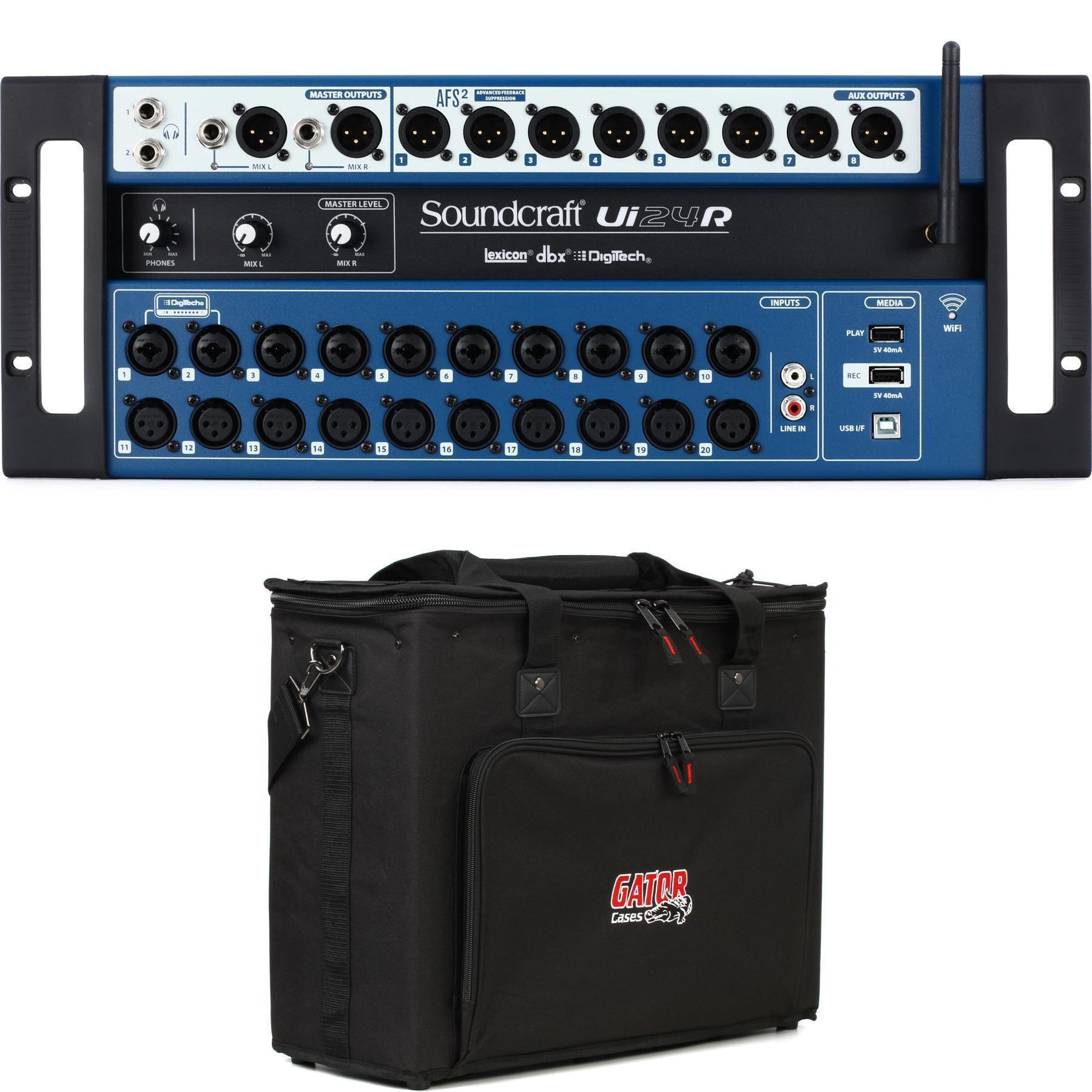
Sweetwater also sells the Gator G-PRO-4U-13 Pro Series Shallow Rack Case that is a perfect match for this mixer, and provides some room in the back to transport cables or a small "just in case" backup router.

Shoutout to Nick for his outstanding assistance, as always!
Music background: Keyboard and vocal performance since the 70's