

The One DAW That Does It All
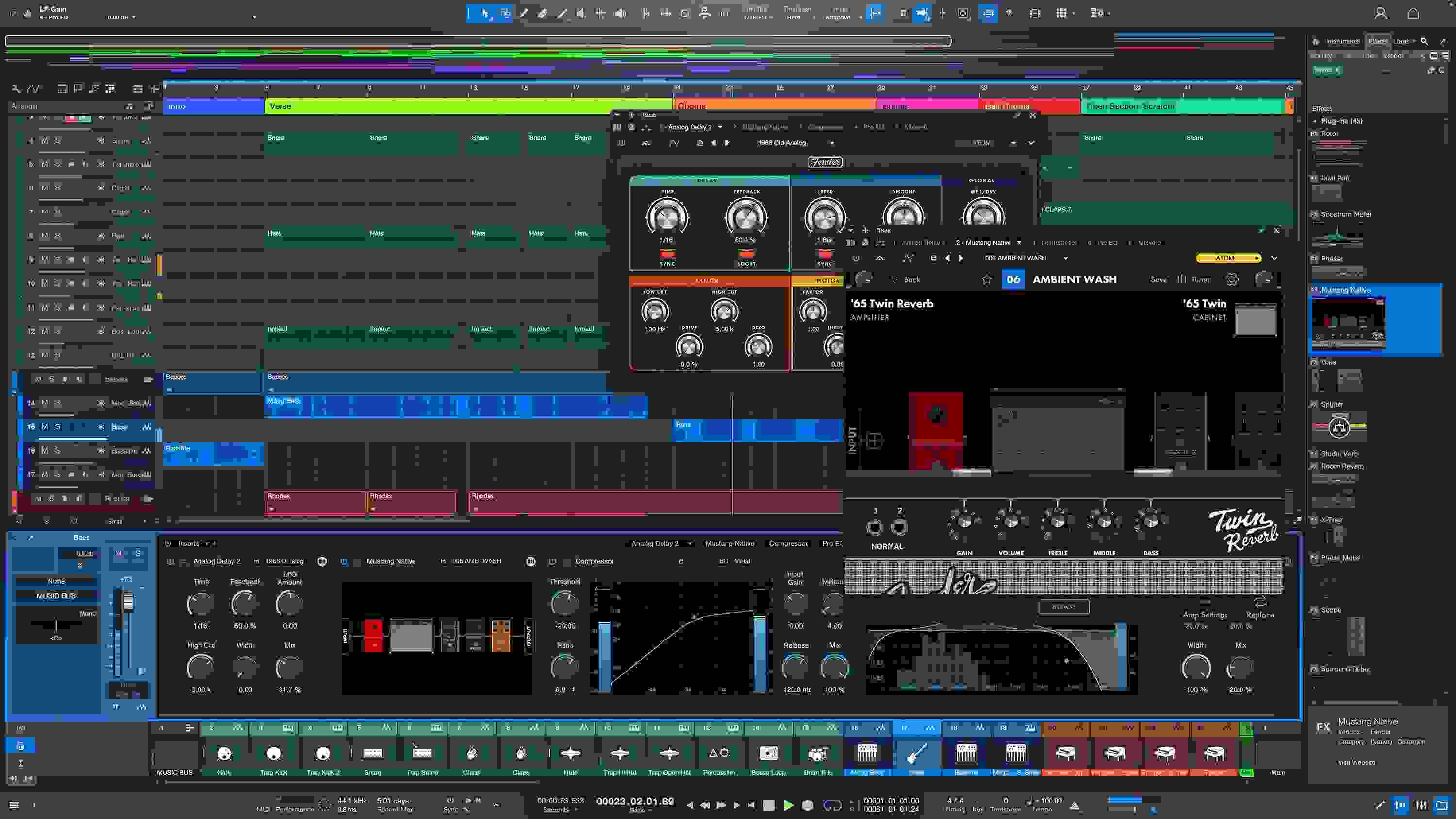
Fender Studio Pro leverages cutting-edge integrations and creativity-enhancing features to bring your productions to life. It flaunts an effortless drag-and-drop workflow, making it the preferred one-stop shop for countless music makers, along with a bevy of exciting state-of-the-art features, such as AI-powered stem separation, an integrated Launcher, a Deep Flight One virtual instrument, Impact integration for the Note Editor, native Splice integration, and authentic Fender Mustang Guitar and Rumble Bass tones. Moreover, Studio Pro enables you to experiment with chord progressions, and it includes built-in pattern editing and live looping, along with integrated immersive audio support and Apple Spatial Audio monitoring. You also get industry-leading metadata handling, formidable audio-for-video capabilities, award-winning notation tools, and a fully integrated mastering workflow that’s second to none. Additionally, Studio Pro is jam-packed with native effects plug-ins and virtual instruments, and it brandishes a deeply customizable user interface. Whether you’re recording, producing, mixing, mastering, or performing, Fender Studio Pro is an essential tool for the modern audio, music, or multimedia creator.
Related Videos: Pro DAW Software - Perpetual License
Brimming with cutting-edge features
Here at Sweetwater, we consider Fender Studio Pro to be one of the most feature-packed DAWs around, boasting numerous cutting-edge additions that are guaranteed to turbocharge your creativity. First of all, you get AI-powered stem separation, which enables you to split a combined recording into its individual components, including drums, bass, vocals, and other elements. An integrated Launcher lets you audition arrangements, experiment with loops and patterns, and then drag-and-drop them into your Timeline when you’re done tweaking. The Deep Flight One virtual instrument is tailor-made for crafting evolving soundscapes and atmospheric textures, and it includes an ear-grabbing cache of presets to get you started. Impact integration for Note Editor enables you to create patterns, adjust parameters, and edit your virtual drum sounds — all from a single window. Studio Pro also includes streamlined Splice integration, which allows you to access the company’s extensive sample libraries straight from your DAW and import them, all perfectly synced to your production’s beat, key, and tempo.
A one-stop shop for multimedia creation
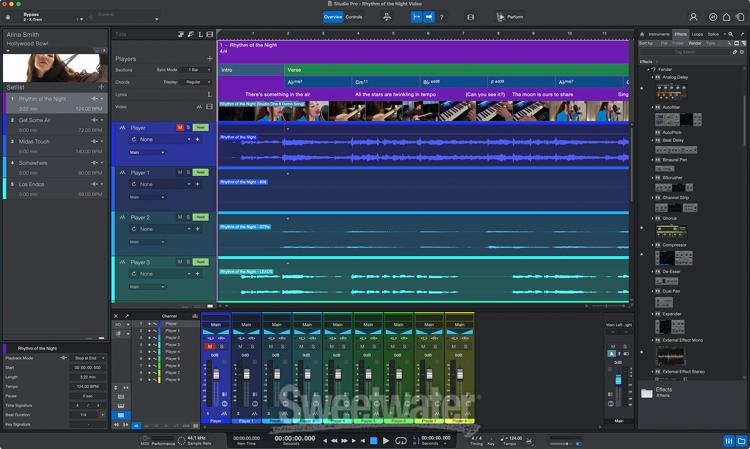
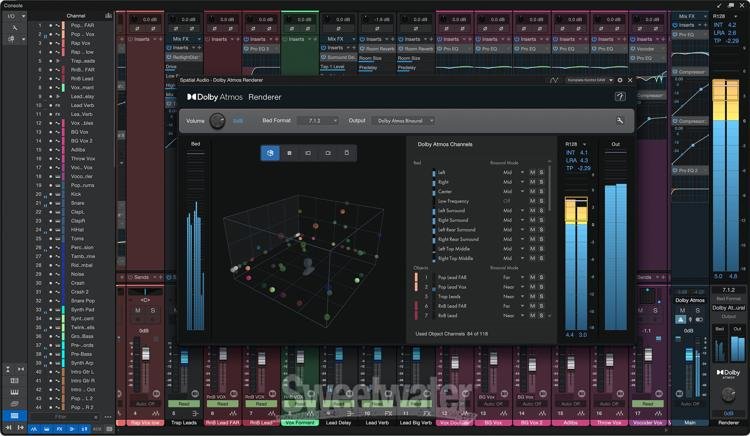
Creating in Fender Studio Pro is both intuitive and inspiring, thanks to its pioneering drag-and-drop workflow and lightning-fast comping. It offers extensive, end-to-end support for immersive audio, whether you’re tracking with multichannel microphones, processing tracks with the included immersive-capable plug-ins, or mixing for Apple Spatial Audio using your AirPods. Chord Track enables you to experiment with new chord progressions, while integrated pattern editing and live looping make beat creation fast and easy. With the Lyrics Track, you can add lyrics to your audio or MIDI productions and use the words to navigate your session. You can also edit audio files directly to video and even use Studio Pro for live performances in real-time! You’ll also appreciate Studio Pro’s customizable user interface, which lets you work the way you want to work.
Unmatched flexibility and efficiency
One of the reasons for Studio Pro’s incredible popularity is how its features intuitively combine and transition seamlessly from one to another during the creative process. For example, its Arranger Track allows you to rearrange and preview new song structures using simple drag-and-drop gestures. Scratch Pads make capturing random ideas easy, all without affecting your current arrangement. You also get straightforward step sequencing, harmonic editing for both audio and MIDI, and a range of multitrack tools for transient detection, slicing, and time stretching.
Top-notch composition tools
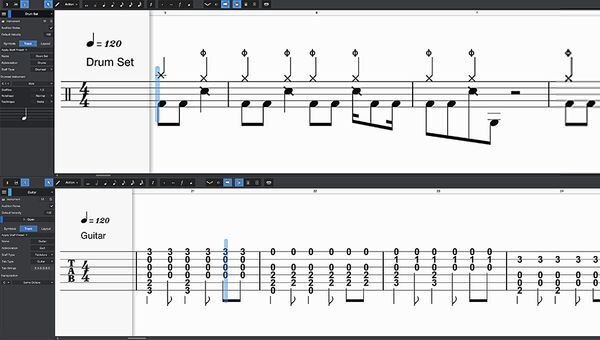
Fender Studio Pro borrows many advanced notation features from the award-winning Notion software, making it a prime choice for composers. Not only does Studio Pro support traditional, drum, and tablature notation, but it also allows you to trigger Sound Variations by placing their musical symbols onto the Score View — managing complex articulations has never been simpler! You can toggle effortlessly between Score View, Drum View, and Piano View. Lastly, Studio Pro’s notation integrates flawlessly with the Lyrics Track, allowing you to assign whole words or syllables to musical notes.
Unparalleled integrated mastering
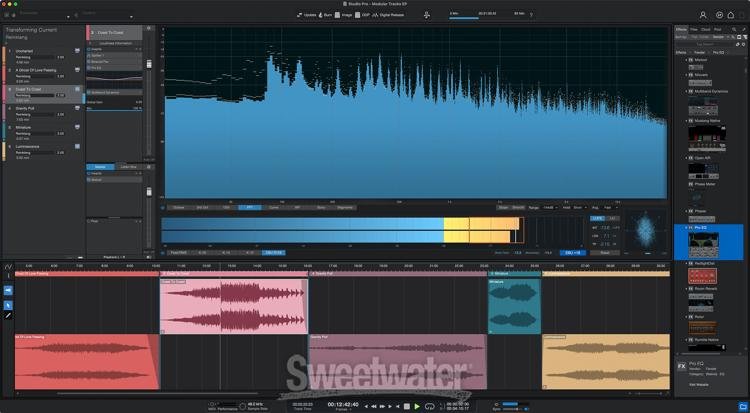
Studio Pro’s integrated mastering capabilities link your Songs and Mastering Projects, enabling you to seamlessly go back and tweak your mix without affecting your master. You can apply Studio Pro’s included plug-ins, third-party plug-ins, and external hardware to your master with equal assurance, enabling you to achieve a polished, professional sound. You have access to numerous Target Loudness options, ensuring compliance with Apple Music, YouTube, Spotify, and other digital services. You can also upload your songs and albums directly to SoundCloud, TuneCore, and popular social and streaming platforms straight from Studio Pro. Studio Pro supports sample rates up to 786kHz, and you can export in WAV, MP3, FLAC, and DDP with a single click. Finally, the Listen Bus feature enables you to deploy calibration plug-ins to tune your studio monitors without affecting your main mix.
Fender Studio Pro Features:
- An accessible, easy-to-use DAW that lets you compose, record, produce, mix, master, and perform
- Intuitive 1-window environment with simple drag-and-drop functionality and multi-touch support
- Unlimited audio and instrument tracks, advanced automation features, virtual instruments, buses, and FX channels
- Jam-packed with 30+ native FX plug-ins and virtual instruments
- AI-powered stem separation splits a combined recording into drums, bass, vocals, and other elements
- Integrated Launcher lets you make changes and then drag-and-drop them into your Timeline when you’re done tweaking
- Impact integration for Note Editor enables you to create patterns, adjust parameters, and edit your virtual drum sounds
- Streamlined Splice integration allows access to the company’s extensive sample libraries straight from your DAW
- Exclusive Mustang and Rumble plug-ins give you access to premium Fender-crafted guitar and bass tones
- Lyrics integration to add words to your next song, craft lead sheets, or sequence your next performance
- Global video track eradicates the need for a dedicated video application
- Track presets to easily save and recall every aspect of your track (or a selected number of channels) as a recall-able preset
- Advanced mixer controls and Fader Flip enhance your mixing experience
- Mixer channel overview gives you a quick and comprehensive view of all your channel parameters
- Smart templates provide you with all the tools you need for your next project right from the get-go
- Customizable user interface allows you to optimize your workflow and maximize efficiency
- Effortless integration with Dolby Atmos and Apple Spatial Audio
- Fender Studio mobile integration for 1-tap session transfer
- Jam Tracks for multitrack practice, writing, and experimentation
- Sidechain support for greater flexibility when using virtual instruments
- Alternative panning modes — balance, dual, or binaural — to give your listeners a more immersive audio experience
- Note controller support for Mai Tai, Sample One XT, and Presence XT
- Console Shaper emulates the sound of an analog console with control overdrive, noise, and even true channel crosstalk
- Arranger Track with innovative Scratch Pads
- Build unique sounds with Multi Instrument and Extended FX Chains
- Chord Track manipulates audio and note data of any or all tracks for Harmonic Editing and song prototyping
- Patterns allow for intuitive drum and melody composition via classic step sequencer UI
- VCA Faders that act as group faders for any number of tracks
- Pristine sound quality with native 64-bit resolution and support for up to 768kHz audio
- Integrated mastering suite includes automatic mix updating, DDP, Redbook CD burning, and digital release
- Use Pro Tools, Cubase, Sonar, and Logic shortcuts, or create your own
- Clip Gain Envelopes let you adjust volume dynamically on a clip-by-clip basis to avoid unnecessary compression or limiting
- Aux Channels allow external audio sources to be fed into the mixer without the need to create audio tracks
- Key Switches are filtered and excluded from any type of playback processing
- Note Controllers support and MIDI Polyphonic Expression