

Universal Audio: FREE Pro Plugins with A

Nektar Panorama P1 Control Surface

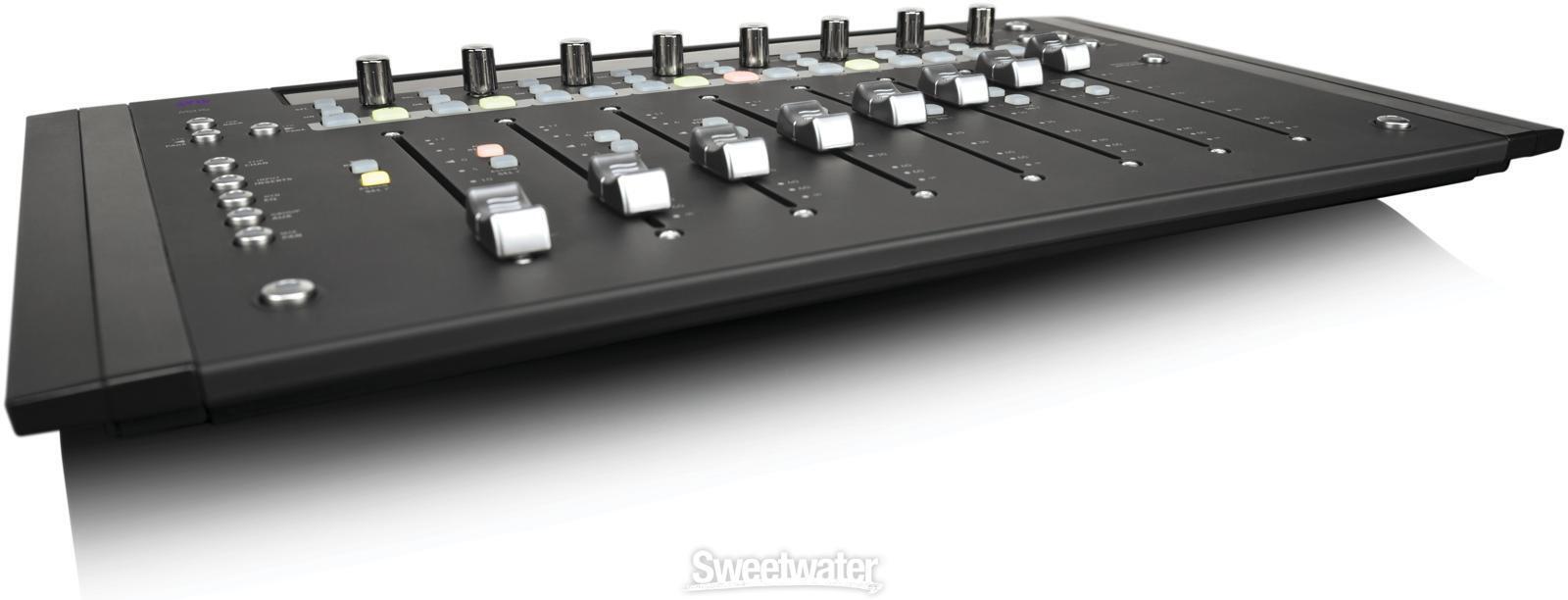
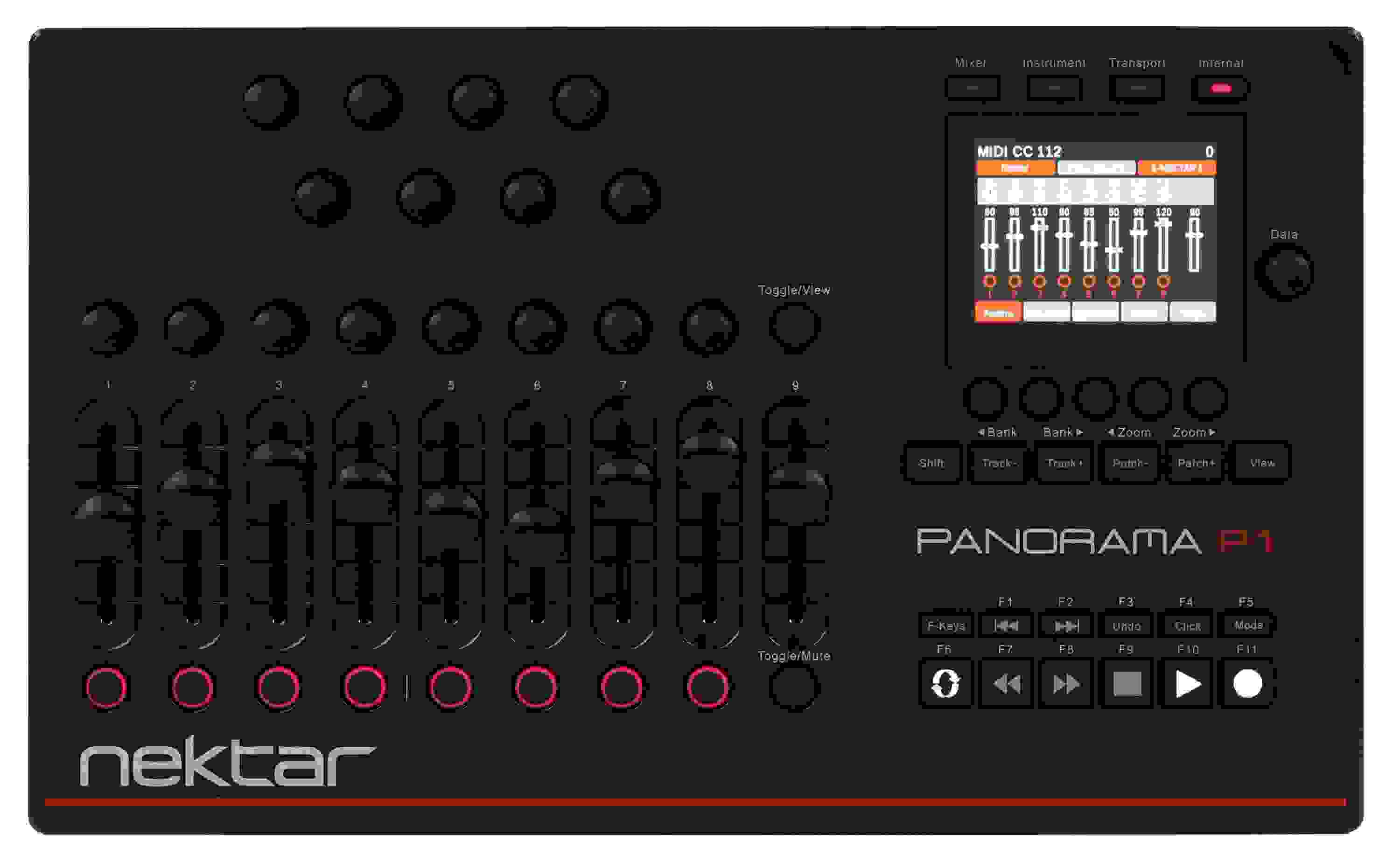
Control Surface with Deep Integration for Bitwig Studio, Cubase, Nuendo, Logic Pro, Reason, Main Stage, and Reaper with Nine Faders, 16 Encoders, 8 Buttons, 11 Transport/F-key Buttons, 22 Navigation Buttons, and Color TFT Display
Share
Item ID: PanoramaP1
Nektar Panorama P1 Control Surface
Price:$299 and 99 cents
$50.00 suggested monthly payments with 6 month financing‡ 36 month financing available* with $399.00 minimum purchase on one invoice.

2 Certified Open Box items available starting at $269 and 99 cents!
In Stock!

Only 4 left in stock! More on the way.
Add to Cart
Sales engineer photo
Ask An Expert

Our expertly trained Sales Engineers are ready to help!

What is a Sales Engineer?
Sweetwater Gear Exchange

Have one to sell?
Check out Sweetwater's Gear Exchange!
Learn More

Nektar Panorama P1 Control Surface
In Stock!
Price:$299 and 99 cents
Add to Cart
Add to list
Skip to Description
Most Popular Accessories & Related Items
Back to navigation

This article was Written By

Our Product Research Team

Get to know them!

The Control Surface That's Pre-mapped to Your DAW!

Take control of Bitwig Studio, Cubase, Nuendo, Logic Pro, Reason, Main Stage, and Reaper like never before with the tightly integrated hardware control that's only available from Nektar Panorama controllers. Because Nektar Panorama controllers are pre-mapped for these 5 DAWs, every control feature in your DAW software is accessible via the pads, faders, encoders, and buttons on this slick tabletop control surface. A large, clear TFT display even shows you what parameter you are controlling in real time.

Nektar Panorama P1 Control Surface at a Glance:
  • Command Bitwig Studio, Cubase, Nuendo, Logic Pro, Reason, Main Stage, or Reaper from a single device
  • Complete channel strip control
  • Software parameters being controlled are displayed on a large TFT display
Command Bitwig Studio, Cubase, Nuendo, Logic Pro, Reason, Main Stage, or Reaper from a single device

The Nektar Panorama P1 lets you say adios to your mouse. The P1 gives you iron-fisted hardware control over every aspect of five powerful DAWs (Bitwig Studio, Cubase, Nuendo, Logic Pro, Reason, Main Stage, and Reaper), and it's also a powerful generic MIDI controller. But unlike mere mortal generic controllers, the P1 sports Nektar's advanced custom communication protocols that interface with Bitwig Studio, Cubase, Nuendo, Logic Pro, Reason, Main Stage, or Reaper with hardware-like solidity.

Complete channel strip control

There's a lot going on in your DAW's channel strips, and Nektar's Panorama P1 gives you complete control. With the P1, you'll be on a total power trip with immediate access to dynamics, EQ, inserts, sends, and more. You don't even have to look at your computer screen if you don't want to. P1's large color TFT display lets you see what functions you are using and what the settings are in real time. Using the P1 with Bitwig Studio, Logic Pro X, Reason, Cubase, or Nuendo is pretty close to using a hardware console in terms of your workflow efficiency.

Panorama Series (P1, P4 and P6) Supports These DAWs:
  • Bitwig Studio
  • Cubase
  • Nuendo
  • Logic Pro
  • Reason
  • Main Stage
  • Reaper
Nektar Panorama P1 Control Surface Features:
  • Dedicated hardware controller for many DAWs
  • Speed up and streamline your workflow
  • Sophisticated mapping for popular VST plug-ins and Reason's instruments and rack extensions
  • QWERTY macros give you 1-key execution of any function you can do from your computer keyboard
  • Built-in LCD screen for real time display of controls and functions
  • It's also a powerful generic MIDI controller
  • Assignable footswitch socket
Take control of Bitwig Studio, Cubase, Nuendo, Logic Pro, Reason, Main Stage, and Reaper with the Nektar Panorama P1!

Resources

Warranty Info

Sweetwater's FREE 2-Year Total Confidence Coverage Warranty

Extra peace of mind at no extra cost.

  • Save money with FREE parts and labor
  • Get back to making music with the industry's fastest turnaround time
  • Fix it the first time with our award-winning, factory-certified Service Department
Learn More about Total Confidence Coverage
Back to navigation

Tech Specs

  • Type: Controller for Bitwig Studio, Logic Pro X, Reason, Cubase, and Nuendo
  • Faders: 9 x 45mm (Standard)
  • Transport Controls: Yes
  • Encoders/Pots: 16 x Rotary Encoders
  • Soft Keys: 11 (F-keys)
  • Computer Connectivity: USB
  • Other I/O: Footswitch input
  • Height: 1.75"
  • Width: 15.25"
  • Depth: 9.25"
  • Weight: 2.8 lbs.
  • Manufacturer Part Number: Panorama P1

What Makes Our Sales Engineers Great?

Sweetwater Sales Engineers are a world-class team of experts dedicated to you. Hand selected from across the globe, each brings a wealth of experience and expertise in the world of music gear to provide you with unparalleled service completely free of charge. Friendly relationships, real trust, and the right gear are only a call or a click away!

Back to navigation

Reviews

Exquisite Control and Integration
I'll add my voice to the chorus of users who find the P1 to be a fabulous tool. The integration of this control surface with Reaper is stunning. It's as though Nektar and Reaper were one company developing a single product. The P1 has sped up my work flow. Couldn't be happier with the P1.
Music background: producer, engineer, artist
Perfect with Reaper
After installing the proper driver/template (easy to do), the P1 worked seemlessly with Reaper. Reaper integration is deep, as advertised. I love the super clear TFTdisplay. The components are plasticy, but at this price I don't care. The unit feels solid and well-built nonetheless. And since it can access up to 64 tracks, there's no need for a giant, room-filling mixer.

If you have Reaper, I highly recommend the P1.
Music background: Guitar 30 years, music theorist and composer for 30 years, project studio recording and production for 15 years
Logic Pro + P1 + iX61 = Perfect
I purchased this controller about 6 months ago, and later added their iX61 keyboard.(nice) I went this route , separate keyboard and separate controller, as it is more in line with my workflow ... which is more post production. And as of Sept/2015 .... this setup is a godsend with their release of 'full' Logic Pro X integration.. No one has done a tighter/deeper integration with Logic than these lads. And it is all natively tied together. No VST wrapper. No AutoMap! No middleware. It is VERY tight. - It's stupid simple to use. Well designed. Looks great on my work table. Layout is very intuitive.

I must also give Nektar high praise for it's excellent and personal support. Funny, smart, dedicated. A top notch team.

If I was allowed one complaint ..... it's the glossy black finish. We all know why glossy black should never be on something you need to touch all the time. --- And .... No ... 'flesh tone' is not the answer.

Buy 1 ... and make some music ..... without the same droning 4/4 drum beat ... please. Thank you.
Amazing product, awesome company!
Their support is stellar! They are very responsive, the owner of the company contacted me personally to answer my questions. Works AMAZING with Cubase 8 Pro and almost every one of my VSTi plugins, the ones it didn't support out of the box were fairly simple to create a profile for. I love it.
Excellent Controller!
I had read great reviews of the P1 and Panorama series, and decided to give the P1 a try to move beyond more basic fader/pad controllers I've used in the past. Without a doubt this is one of the best, if not the best programmable desktop fader, transport, knob controllers. My first P1 had a defective LCD that failed in the first week, but Sweetwater support replaced it quickly and was great to work with. Nektar support has also been excellent (thanks to both companies for the great service!). Second unit is working perfectly. The ability to program Internal mode to QWERTY commands (or CC, note, etc) is a huge plus for this unit. It is deep in capabilities and works very well with Cubase/Nuendo. Faders and knobs are smooth. The unit is well designed and build. The fader caps are a bit loose compared to Akai faders, but that is rather trivial by comparison. The LCD is clear and programming really is easy - it just takes a few minutes to learn the layout and screen options. All in all this is an excellent controller.
Music background: Composer, Producer and Music Supervisor
Hear from a Sales Engineer
What Do Our In-house Gear Experts Think?
Nektar is well known for their controller keyboards, which feature tight integration with software -- in particular, the Panorama family is tightly dialed in to control Propellerhead Reason. (See sidebar at right for more on Reason 7!) The newest family member, the Panorama P1 control surface, takes this further, offering dedicated control over Reason and Steinberg Cubase/Nuendo. Of course, you can also use the P1 as a MIDI control surface with other DAWs and set up custom programming. The P1 is a gorgeous control surface with a high-tech-looking, gloss-black finish with red accents. The P1 is set up out of the box to control just about all parameters in the software. There are faders for the mixer channels, knobs for pan and send levels, more knobs for EQ, dynamics, and other functions, channel select buttons, transport controls, function controls, a data encoder, and more. A beautiful color LCD shows exactly what you're working on at any given time. A View button toggles the computer screen to different parts of the mixer, between the mixer and the sequencer, and through the Reason Rack. The P1 can operate in four modes: mixer, instrument, transport, and internal, which is user programmable. In all the modes, and stepping through the different control functions (selected using soft buttons under the display), the P1's controls default to logical assignments. If you know your way around Reason or Cubase, you'll feel right at home on the P1. There's really no learning curve at all! Within just a few minutes, I was running the P1 without thinking about it. Controlling the mixer, selecting patches on synths, running the transport, selecting loop points, making EQ and compressor changes, and tons more. If you're a Reason, Cubase, or Nuendo user, you need to check out the P1 -- and give it a close look if you use another DAW, too! It will put your hands on your software and let you get away from making music with a mouse. I enjoyed using it on my laptop, especially. With the P1 connected, there's almost no more reaching for the computer keyboard. You can do it all from the control surface, no muss, no fuss, and no hassles.
read more