


Reshape Your Sonic Spectrum
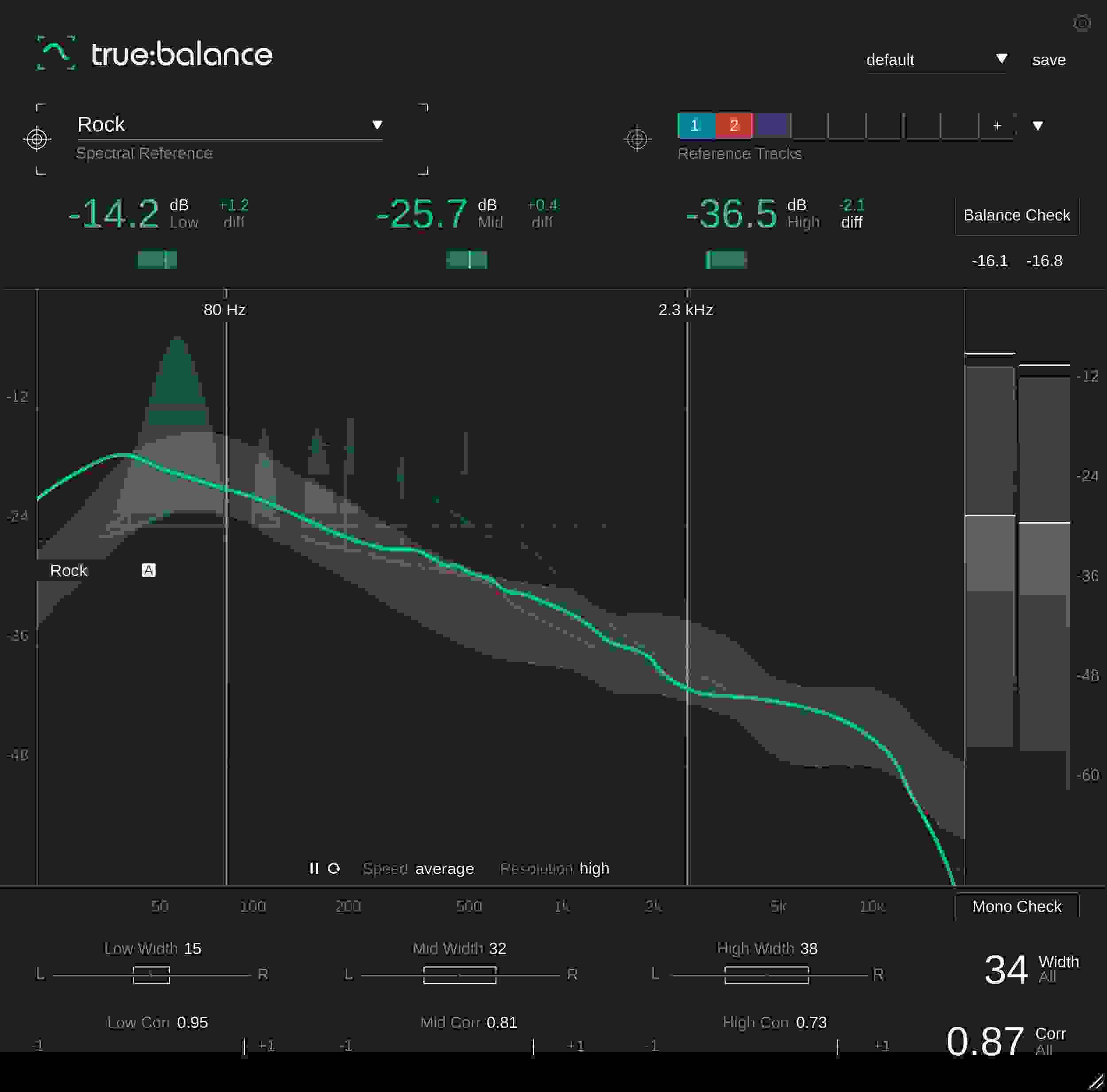
Sonible’s true:balance spectrum analyzer plug-in is an exceptionally powerful tool for the modern producer, providing a wealth of information and guidance on how to take your mix to the next level. This plug-in offers both real-time spectrum analysis and average spectrum over time to deliver a clear, concise understanding of your signal via visualizations and displayed readouts. While this is a useful enough feature in its own right, true:balance also provides spectral overlays for direct visual comparison of your signal against the reference, allowing you to fine-tune your mix to genre-specific standards or your own reference tracks — there’s even a Balance Check mode that provides personalized suggestions for what actions to take to better conform your track to the reference! To top it all off, a handy Channel Data section contains insightful info into the proportions of your left and right channels to ensure your mix is mono compatible.
Related Videos: true:balance Spectrum Analyzer Plug-in
Genre-specific reference guides
No matter what you’re producing, Sonible’s true:balance plug-in has you covered with a wide variety of genre-specific reference templates. These references are clearly placed on the spectrum for direct 1:1 comparison between your track and the reference — an exceptionally useful feature for musicians who prefer an incisive visual representation to work from. Sweetwater producers are especially impressed by true:balance’s ability to import your own tracks to use as reference guides, making it a breeze to achieve a consistent sound across an album or even borrow a few sonic suggestions from one of your own favorite producers!
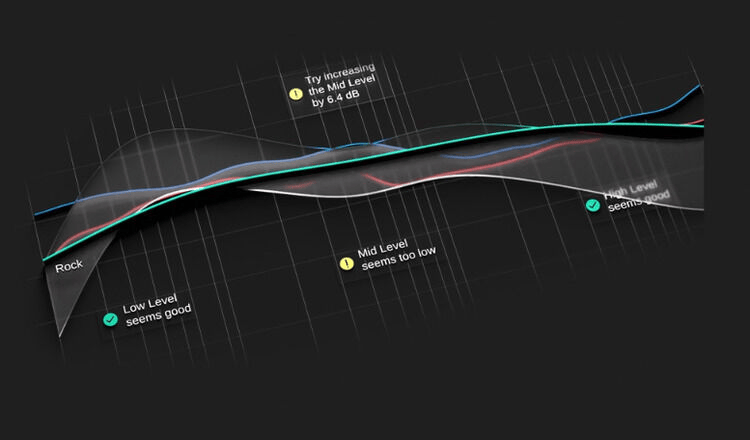
Sonible true:balance Spectrum Analyzer Plug-in Features:
- Adjustable spectrum analyzer provides all the necessary information and guidance to enhance the quality of your mix
- Spectrum analyzer displays both real-time spectrum analysis and the average spectrum over time
- Allows for the comparison of spectral distribution of a signal to Sonible's mix references and custom reference tracks
- Channel data section offers essential info concerning stereo width and correlation values — a must-have when checking mono compatibility
- Clean, intuitive, and easy-to-read UI