


End-to-end Mastering for Every Production
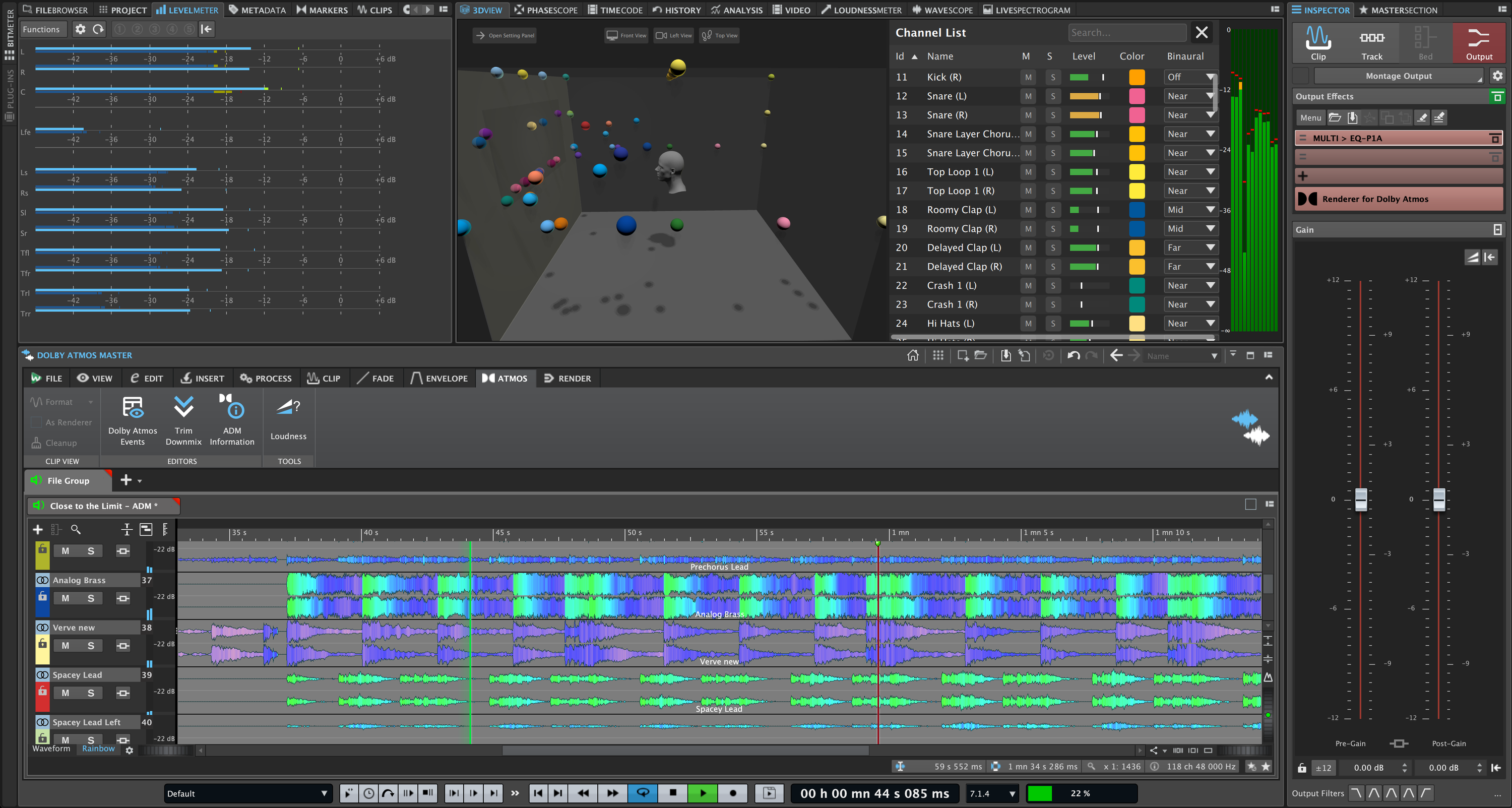
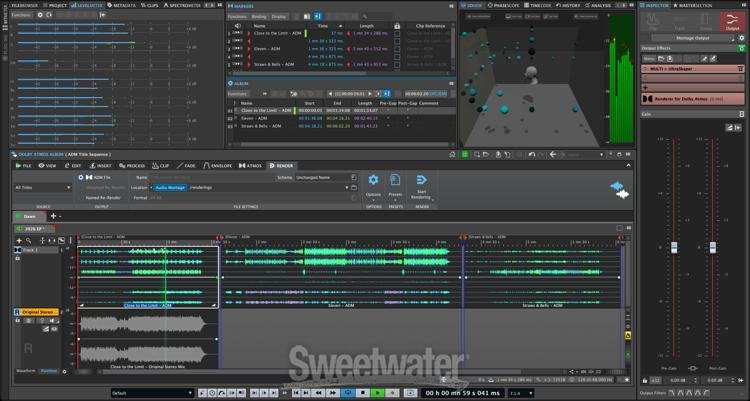
Among the most comprehensive professional mastering and audio software solutions available, Steinberg WaveLab Pro 13 supports myriad distribution formats, including digital, CD, vinyl, and immersive. It provides you with top-caliber editing, restoration, metering, and album assembly in a flexible, modular environment, with lock-tight integration with your external hardware. Moreover, WaveLab Pro 13 introduces a massive array of major-league updates, such as Dolby Atmos mastering, a next-generation MasterRig 2 plug‑in suite, new creative plug‑ins, sidechain support, and more than 15 invaluable Audio Montage enhancements. You also get important usability upgrades, including tab‑synchronized playback, improved high‑resolution waveform displays, user‑defined plug‑in scaling, and enhanced color management, along with multicore rendering for faster performance. Engineers searching for a complete mastering tool kit will get endless mileage out of WaveLab Pro 13 — it contains everything you’ll need to cover your workflow from conception to completion.
Note: This is a special offer for users of Steinberg WaveLab Pro 10 or earlier to upgrade to WaveLab Pro 13 at a reduced cost. Please contact your Sweetwater Sales Engineer if you have questions.
WaveLab Pro 13 raises the mastering bar again
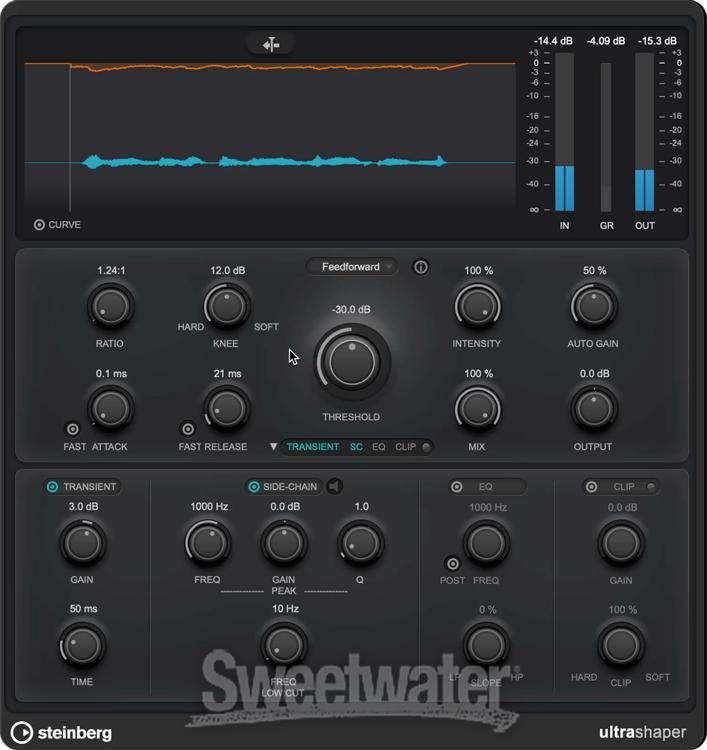
Many of the WaveLab Pro users here at Sweetwater have been ardent devotees of the software for the past 25 years. As such, WaveLab Pro 13's significant feature updates have suitably impressed us. For starters, it introduces an advanced yet amazingly intuitive workflow for Dolby Atmos mastering, making it simple and efficient to put the final release-ready polish on immersive audio productions. The next-generation MasterRig 2 plug-in suite has undergone a number of compelling functional and graphical improvements, adding even more value to WaveLab Pro’s already robust processing tool kit. Moreover, you also get several new creative plug-ins, including VocalChain, Underwater, and UltraShaper, among others. Additionally, WaveLab Pro 13 features sidechain support, enabling advanced workflows for ducking and rhythmic processing. Finally, more than 15 new Audio Montage features, ranging from plug-in chain handling to new color and visualization options, equip you to handle any mastering task that comes your way with maximum confidence.
Maximum efficiency at all levels
Steinberg WaveLab Pro 13 brings a bevy of key usability upgrades. To start, tab-synchronized playback enables full A/B comparison of audio files and clips through a powerful multi-tab interface. Users with high-resolution screens will appreciate WaveLab 13’s refined waveform outlines, which offer greater clarity and precision optimized for your high-res screen. Moreover, all stock plug-ins now support user-defined interface scaling, allowing you to resize your windows to better suit your individual workflow. You also get improved color management, bolstering your project overview for maximum results. Lastly, WaveLab 13 features multicore rendering, delivering dramatically faster workflows and unparalleled efficiency, which are must-haves for complex projects.
Steinberg WaveLab Pro 13 Features:
- The definitive software for mastering
- Dolby Atmos mastering makes putting the final release-ready polish on immersive audio productions both simple and efficient
- Next-gen MasterRig 2 plug-in suite with compelling functional and graphical improvements
- New creative plug-ins, including VocalChain, Underwater, and UltraShaper, among others
- Sidechain support provides advanced workflows for ducking and rhythmic processing
- 15+ new Audio Montage features, ranging from plug-in chain handling to new color and visualization options
- Use WaveLab’s powerful Audio Editor as an ARA plug-in within your DAW
- Drag-and-drop any audio selection (with or without FX) from WaveLab and its ARA extension to any other application
- Loudness Analysis and Reporting generates detailed reports about loudness and peak level information
- Match the loudness of your Audio Montage output to your reference tracks for immediate and accurate A/B comparisons
- Automatic transient markers provide visual aid for instantly snapping selections to transient and release points
- Entire projects can be saved as consolidated folders or ZIP archives
- Null Test Track audio measurement method provides enhanced quality assurance
- Optional Crossfades for all standard editing actions reduce editing time and increase productivity
- Automatically zoom to waveform peaks for more speed when editing adjacent loud and quiet sections
- Tab-synchronized playback enables full A/B comparison of audio files and clips through a powerful multi-tab interface
- Refined waveform outlines offer elevated clarity and precision, optimized for high-res displays
- All stock plug-ins support user-defined interface scaling
- Improved color management
- Multicore rendering delivers dramatically faster workflows and unparalleled efficiency