

Fantastic Utility Plug-in for Finding Space in Your Mixes
Balancing mix elements so that every instrument and vocal track can be heard clearly and distinctly is the bane of many a mix engineer’s existence. Thanks to Sonible’s pure:unmask spectral frequency unmasking plug-in, life just got a lot easier. Sonible’s pure:unmask is an AI-driven powerhouse that’s dedicated to one thing and one thing only: finding space within your mixes. With only four intuitive main controls, pure:unmask takes two clashing parts of a mix — say, kick drum and bass — and blends them harmoniously. Best of all, it does this without introducing any unwanted pumping artifacts! Simply put, Sweetwater mix engineers highly recommend the pure:unmask spectral frequency unmasking plug-in from Sonible to anyone having trouble getting elements to sit just right in their mixes.
Related Videos: pure:unmask Spectral Frequency Unmasking Plug-in
Unmask the true potential of your mixes
To start, set up the pure:unmask plug-in like you would a typical sidechain: Instantiate pure:unmask on the channel that you want to shape, and then route your sidechain input from the channel that you want to be unmasked. Once everything is correct, pure:unmask analyzes both sources, and then its dynamic duo of artificial intelligence and spectral processing creates space and distinction between the two tracks — all without introducing any artifacts.
Four on the (noise) floor
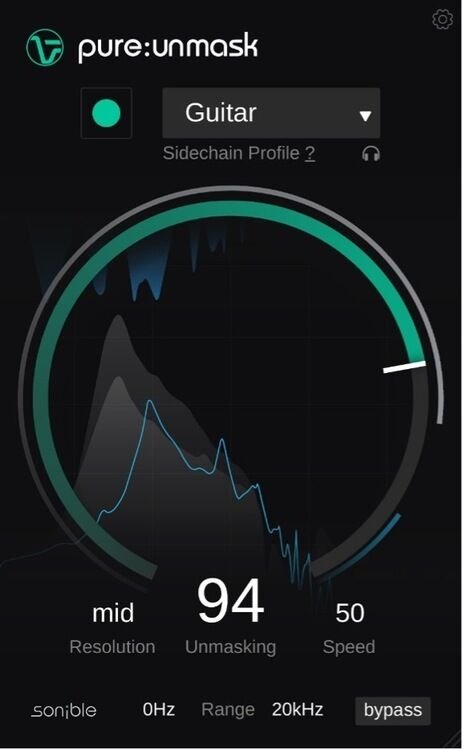
Sonible’s pure:unmask only needs four controls to work its unmasking magic. First, Resolution assigns the range of the spectral processing bands to be shaped and unmasked, and you’ll see level and gain reduction visual feedback for both the track with the plug-in instance and the sidechain input. Next, the Speed control allows you to shorten/lengthen both attack and release times, thus adjusting the overall effect to best suit whatever harmonic or rhythmic content you’re working with. (e.g., piano vs. guitar or kick drum vs. bass). Then, the Range control effectively limits the unmasking process to operate within your selected low frequency and high frequency cutoff points. Finally, the Unmasking control is designated by the prominent central knob, and turning this will increase or decrease the overall unmasking effect.
Sonible pure:unmask Spectral Frequency Unmasking Plug-in Features:
- Fantastic utility plug-in that uses AI plus spectral processing to analyze and create space between 2 mix elements
- Incredibly intuitive, with only 4 controls in total: Resolution, Speed, Range, and Unmasking
- Easy to set up in a typical sidechain routing configuration
- Won’t introducing “pumping” effects or any other unwanted audio artifacts into your mixes
- Can be adjusted to shape slower, harmonic content (e.g., piano vs. guitar) or rhythmic content with faster transients (e.g., kick drum vs. bass)
- Creates more clarity and balance in your mixes within seconds