



Unleash Your Untapped Musical Potential
Revamped to match the needs of modern music creators, programmers, and producers alike, Cycling ’74 Max 9 is a veritable playground for multimedia wizards who want unlimited creativity. Boasting numerous performance improvements, a streamlined interface designed for speed, and a collection of new, robust tools to realize your ideas faster than ever, Max 9 lets you easily create your own sound generators, effects processors, video manipulators, and sequencers. If you can imagine it, you can probably create it within Max 9. With its integrated tutorials and documentation, plus a searchable database of objects and examples, Max 9 is easy to get started with. Take it from Sweetwater — Cycling ’74 Max 9 is for you if you enjoy the creative possibilities of designing your own audio effects processors, synthesizers, and multimedia.
Note: This version of Max 9 is a perpetual license for active students and teachers, which requires authorization in order to purchase. Please contact your Sweetwater Sales Engineer with any questions.
Related Videos: Max 9 Music Programming Software - Student Download
What's new in Max 9
- ABL Max objects based on Ableton's audio library supply endless creative experimentation and sound design
- Expanded codebox operation with new objects for advanced patching potential
- Onboard jit.fx objects for real-time visual effects possibilities
- Jitter Geometry system with 3D mesh manipulation
- JavaScript V8 integration for seamless integration with your workflow
- Compatibility with Cycling ’74 RNBO add-on software (sold separately)
- Compatibility improvements for working with shell plug-ins, multichannel audio file formats, Mac and Windows OS, and more
Object-based creation with Max
The Max 9 environment lets you create a chain or matrix of different "objects," each of which performs a specific function. You don't need to know anything about coding to use Max, and the included tutorials help you get up to speed fast by showing you how to make commonly used devices like a polyphonic synth or an LFO. There are over 150 objects to play with, and the potential is only limited by your imagination.
Control complex soundscapes with MC
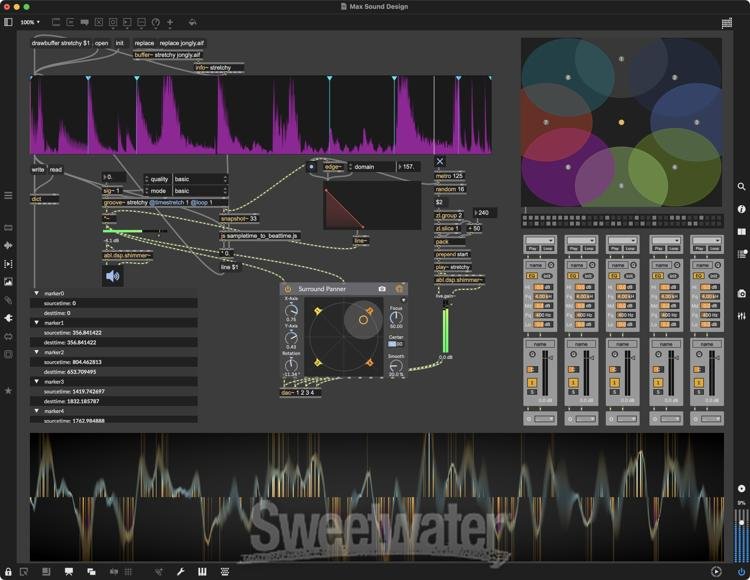
MC will transform how you think about sound design, effects processing, and mixing. MC builds on how you already work with Max. Simply type "mc." before the name of any MSP object. Connect MC objects with multichannel patch cords and mix to any number of audio outputs. With MC, objects and patch cords contain multiple audio channels, which means you can easily apply controls across a range of audio channels and patches with dozens of audio channels, and it will look as simple as those with a single channel. Max's ability to manipulate so many audio channels and operations with so few objects will open up a new universe of ideas.
Unlimited sonic potential with MSP
MSP is a set of tools within Max 9 specifically designed for audio processing. You can build your own custom synthesizer, then design an interface you can use to control it with any type of controller you can connect to your computer — even a video game controller. Create your own effects processors — delays, filters, and modulators are just the beginning. Or create a chain of processors to split your audio signal into 473 different bands, phase-invert every odd-numbered band, then multiply the even-numbered bands by pi to create a … we're not sure what that would create actually, but if you want to, you can do it in Max 9!
Powerful video creativity with Jitter
Jitter lets you create and manipulate video and graphics directly within Max 9. You can bet that, with tools such as spatial warping and color space conversion, you'll be coming up with video effects that are more interesting than sepia! And since Jitter works within the Max environment, you can use your audio to affect your video or use your video to manipulate your audio effect parameters, or even convert audio and video streams directly into geometry data to render kaleidoscopic 3D graphics. Plus, Max 9's new Jitter Geometry system enables 3D mesh manipulation for even more creative potential when designing your setup. Seriously amazing, and seriously addictive.
Cycling ’74 Max 9 Features:
- High-performance visual programming environment for musicians packed with powerful new features and streamlined workflow enhancements
- Implement onboard DSP tools, ABL objects, MC objects, and more to build personal effects, instruments, utilities, and much more
- Flexible object-based environment lets you unleash your creative potential
- Create your own audio effects processors and sound generators
- Codebox operation for advanced control over every aspect of your projects
- Download Max patches created by other users, and share your creations with the Max community
- Support for external live instrumentation ensures maximum control onstage and in the studio
- Updated JavaScript V8 integration
- Create devices that let you use any computer peripheral as a control device for your Max creations
- Create stunning, interactive combinations of audio, video, and graphics