
$13K Live Sound Giveaway: Enter to Win!

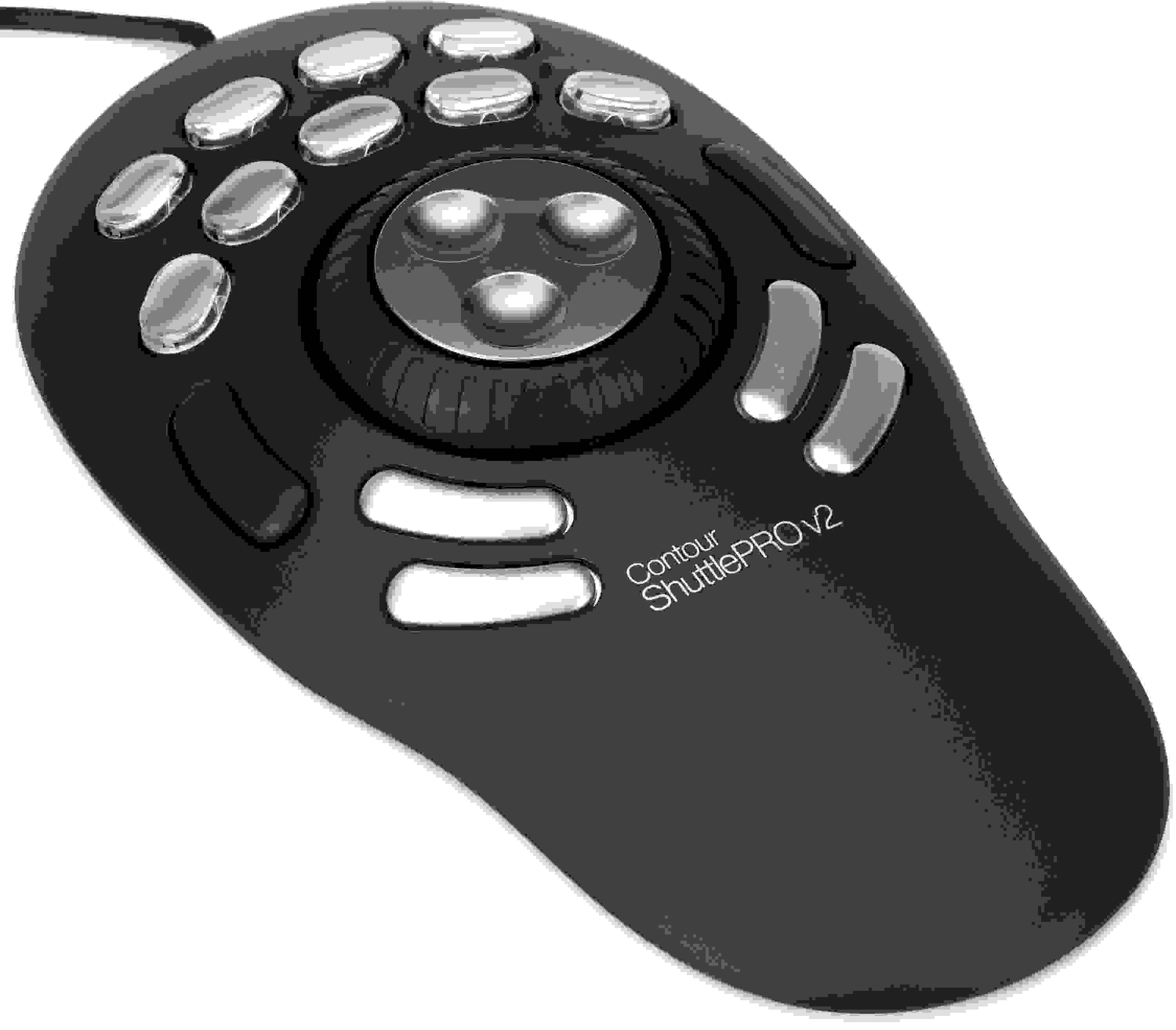
Contour ShuttlePRO V.2 15-Button Jog/Shuttle Controller
Item ID: ShuttlePro2
Contour ShuttlePRO V.2 15-Button Jog/Shuttle Controller
Reviews for

Contour ShuttlePRO V.2 15-Button Jog/Shuttle Controller Reviews

USB Multi-button Jog & Shuttle Multimedia Control Surface

Sleek innovative design, pre-configured for many of today's popular applications, advanced programmability, and ease of use... in short, the perfect marriage of form and function.

More Details
Price:$109 and 00 cents
$19.00 suggested monthly payments with 6 month financing double dagger
Add to Cart
In Stock!

Only 1 left in stock! Order Soon!
Page 1 of 1
Rated 5 out of 5 stars January 30, 2021

Came back to this after 12 years!

By Grant from Texas
Music Background: Sound Designer, Mixer and Composer

I had one 12 years ago and got rid of it after getting a Euphonix Artist Control. Just added it back for use in DaVinci Resolve, and found it to be great in Nuendo and Logic Pro X as well. It's a smoother wheel than the one on my Icon controller and the proximity of the buttons allows me 2 handed editing workflow. The wheel has a better feel than I remembered. I would buy it again!

Rated 3.5 out of 5 stars May 19, 2020

Not exactly a cure-all

By Ian G. from Seattle, WA
Music Background: Podcasting & online content creation

I've been working to get used to this for the past week or so. It helps, not immensely. It basically pretends to be a keyboard, so that puts pretty severe limitations on the amount of awesome it can achieve - for instance, you might need to add a button to bring focus to the timeline before the wheel will scrub correctly. It also means you'll need to put in tons of legwork to both get used to it and then subsequently tune it top your workstyle - it took me maybe a day of config and forced use to get enough of the basics down to where it was a wash in terms of productivity, although I trust it'll pay off more as I put more time into it.

On the upside, while it's not integrated particularly well with any piece of software, it does come with a solid number of built-in profiles - so there's a good chance you'll at least have a starting point regardless of the software you intend to use it with (although at least the config for Audition looks like it was made by someone who uses the platform very, very differently than me, if at all).

Likewise, while the shuttle wheel is limited in it's precision to what you can achieve with the keyboard or similar (which can cause some lag since it can pump out quite a significant number of keystrokes per second) it does at least feel pretty high quality. Better would be if you could modify what the wheel does based on what button your pressing. This would allow for things like controlling scrubbing normally, and zooming in/out slash sliding the view left/right when holding down one of the side buttons. I guess might be buried somewhere in the config tool, but I couldn't find it if it was - alas.

Read More
Rated 5 out of 5 stars January 28, 2020

Indispensable tool for all editing

By Michael R. from Irvine, CA

I had the original five-button shuttle and decided to upgrade to this model when work was paying for it. I quickly bought a second one for home. It does take some set-up to assign buttons the way that works best for you, but once you do, it's a complete timesaver. I use it on Pro Tools, Adobe Audition, After Effects and Premiere. I've set up the buttons in a way that my workflow translates from app to app. I've set it up so all my keystrokes are programmed into the Contour & I hardly have to touch my keyboard editing.

The only downside is the plastic buttons are cheap and break easy. I contacted the company about purchasing some new ones & they sent me a bag of replacements at no cost.

Rated 5 out of 5 stars August 19, 2019

Can't Get By Without It!

By Sweetwater Customer

Anything you can do with keyboard shortcuts, this will do. You can also make macros inside its control software like stop, rewind, delete and record again. Real time saver when you start automating your regular tasks.
Main thing this does for me is move my timeline where I want it with the jog wheel. I have it set up to move by measures. That and to the left and right of the jog wheel are buttons that are perfect for setting the loop locators.

Rated 4.5 out of 5 stars June 13, 2018

Customer

By Sweetwater Customer

Easy to set up for video and music

Rated 5 out of 5 stars March 25, 2014

Makes video editing fun

By Ken S.
Music Background: Home video editor

I was delighted to get my Shuttle PRO from Sweetwater while visiting the USA. It makes video editing more productive and more fun. It's really easy to use and well designed. I installed it on my Windows laptop and it was up and running in not time at all. Great product.

Rated 4 out of 5 stars November 28, 2013

ShuttlrPro v2 - Great Unit

By Scott G. from Boston, MA
Music Background: Creative Force

Nicely constructed. Sturdy and good sized. The only drawback is that it is hard wired and not backlit. If you use other editing software, you have to chase down the keyboard shortcut for programming. Great deal for the money!!

Rated 4.5 out of 5 stars June 4, 2012

Great if you don't mind taking the time to set it up

By Sweetwater Customer
Music Background: Pro musician, Hobbyist home studio

This thing is very handy, and more affordable by far than control surfaces. Besides controlling DAW software (which it does very well), you can use it with anything if you are handy with AutoHotkey. You have to be willing to spend a lot of time getting it all set up. For example, I use it with VLC when I am transcribing music. I use 4 of the buttons to change the resolution of the jump and I use the jog wheel to quickly jump back and forward in the music. This has probably doubled the speed that I transcribe at. Rather than reaching for a mouse and having to grab a tiny slider, I can just flick my hands one way or the other and change the size of that flick without even thinking. By the way, if you're like me and you have so much crap on your desk that you can't fit this on there, you might like what I did. I had some extra Sanus wood speaker stands lying around. I used one of those to put this right next to my keyboard tray when it is extended, and you can run the cable down through a cable channel.

Read More
Rated 4.5 out of 5 stars April 28, 2011

Great Controller

By Sweetwater Customer

Buttons and wheels feel great. Took a bit of work to get setup because I had to find the right Cubase preset in it's software.
Btw I funtions via keyboard shortcuts and not midi.

Rated 1 out of 5 stars April 14, 2011

Contour Shuttlepro

By Fredrick C. from Houston, Texas
Music Background: Hobbist

I have had two of these things. Version 1 and version 2. It takes me a while to learn.
Pros: Good idea
Cons: Doesn't work. At all. And no support on the Contour Design website. You can't even find the Shuttle listed amoung their products.

of

Have Questions About the ShuttlePRO V.2 15-Button Jog/Shuttle Controller?

Or call us at (800) 222-4700

Questions about the Contour ShuttlePRO V.2 15-Button Jog/Shuttle...?

Sweetwater's Sales Engineers are regarded as the most experienced and knowledgeable professionals in the music industry, with extensive music backgrounds and intense training on the latest products and technologies. They are available to offer you personalized product advice any time you need it.

Type your question below or call us at (800) 222-4700
Thank You!