

Softube Console 1 Channel Mk III Control Surface
Softube Console 1 Channel Mk III Control Surface Reviews
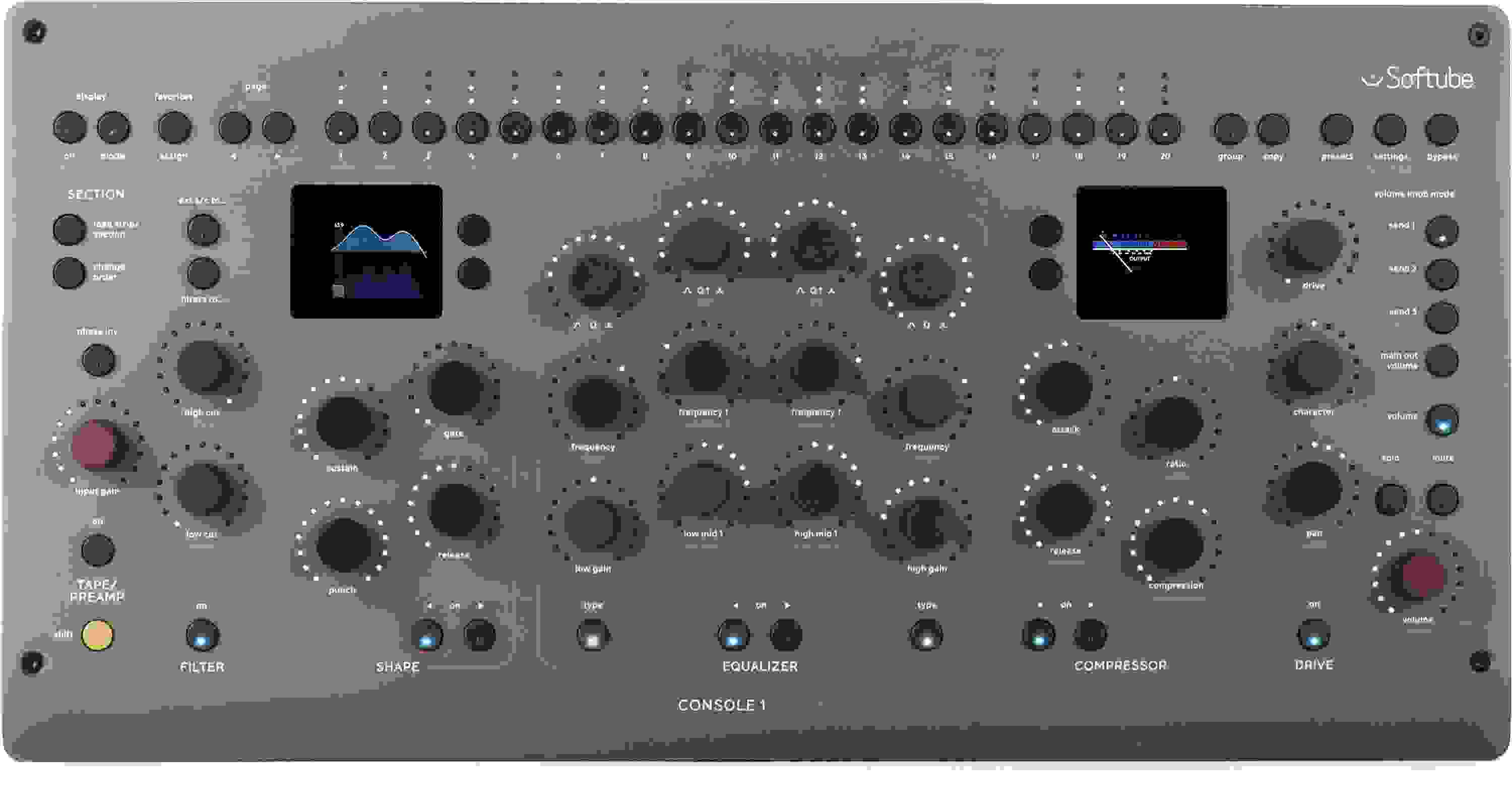
Softube's Console 1 Channel Mk III infuses your computer-based studio with the sound and feel of a large-scale production space. This mixing control surface gives you hands-on control over an entire Softube-powered channel strip via 27 touch-sensitive potentiometers and dual high-resolution smart screens. You'll appreciate Console 1 Channel Mk III's one-knob-per-function design, which enables you to replicate an analog studio workflow. In other words, you can put your mouse down, take your eyes off your computer screen, and put your focus where it belongs. Console 1 Channel Mk III comes with Softube's Core Mixing Suite, which includes the company's Tape, FET Compressor Mk II, and Bus Processor effects — and more — all organized into dedicated Tape/Preamp, Filter, Shape, Equalizer, Compressor, and Drive sections on the control surface. Console 1 Channel Mk III boasts dual USB-C ports for easy daisy-chaining, VESA and 19-inch rackmounting options, and a premium bead-blasted aluminum finish.
Worth the upgrade so far
I've owned the MKII version since 2018, and now had the MKIII for a few weeks. It has taken a little time to get used to, but so far the upgrade has been worth it. The build quality is rock solid, and I really appreciate the touch sensitive dials, although I have inadvertently reset a few settings (did I mention taking time to get used to it?). There have been a few quirks with Reaper but this morning I think I figured out what might have been happening (multiple instances of OSC support?).
The Core mixing suite and in particular the Core Panner have become very handy, I've made use of the panner without sacrificing my previous 4000E settings in my ongoing projects I'm trying to finish. The panner really has made a difference in providing depth for my mixes, and my recently purchased UAD plugins can be inserted in their respective sections easily.
The MKIII has definitely had an impact on reducing mouse interaction and even enabling the on-screen display. I'm finding I don't need to rely on it as much, a good thing as I have gone from two monitors to one, instead using my iPad Pro for a second monitor if I absolutely need it.
For those interested, I did not bother with the more expensive solutions for angling the console 1 It worked for the MKII and it works fine for the MKIII. The nice thing about this particular stand is the ledge at the bottom that prevents the MKIII from slipping off is just large enough to also hold my keyboard, providing a slight upward angle for easier typing.
One last thing: there is screen saving film on both of the small displays. Unfortunately in my case there was no way to tell they were there, and I thought both screens were scratched. The Sweetwater folks were very helpful in identifying this, but I had to work at finding an edge such that I could peel them off.
Read MoreExcellent Product
This unit works exactly as described. It controls the plugins from 3 parties very nicely too! Very high end build quality compared to other units I've used in the past. 10/10 for me.
A Great Fit
Love it. Changed my workflow for the better.
Amazing
This things was simple to set up and is an absolute joy to use. My UAD and FabFilter plugins work perfectly. So great to be able to get off the mouse and mix with a console-type feel. Beautifully built and laid out.
The plugin required to use the hardware freezes/crashes any DAW I try it in
For the love of God, do not buy this. I've tried opening the console 1 plugin in every DAW I have installed on my machine, and it freezes for a minute, before eventually killing each of them. You'd be better off putting $900 down at the roulette table.
Mixing as it should be
What an amazing piece of innovation giving us
past and present technology.
Mixing as it should be , paying close attention to listening and not having to worry about where your mouse is.
I haven't even scratched the surface yet, but right out of the box finishing mixing and mastering.
Every knob has an amazing real analog feel, the quality built is spectacular.
Can't wait for the next firmware update maybe they'll let us map out other third-party plug-ins, including mapping out anything.
Freedom and control mapping is what we want on the next firmware update.
Love it.
Really enjoying the Console 1 mkiii. I only wish it had an lcd scribble strip across the top to show track names. The color leds are okay but it's easier to just select the track in Studio One Daw when working with large numbers of tracks.
Simple and dead easy
Even a console challenged me who has never sat at an SSL or anything has seen the light here in this light hardware digital emulation that manages to give something extra. An oomph that my mouse cannot compete with. An insta-keeper. Load up everything that is Softube and it works. Almost deducted a star for not having UAD Native plugins working from the get go but I hear its in the pipeline. I am anxiously waiting for the UAD to be added. Still 5 stars and a game changer for me. expensive but a level up.
Huge Workflow Boost
This has done wonders to my workflow and overall mixes & my clients are happier than ever, couldn't ask for more.
Wildly good
I didn't have the previous version, but this thing is the truth. I've had it for two days and I'm already mixing up a storm. UAD-2 plug-in implementation is sweet and everything makes sense once you start to get a feel for the layout. Feels like an instant classic
Have Questions About the Console 1 Channel Mk III Control Surface?
Or call us at (800) 222-4700
Sweetwater's Sales Engineers are regarded as the most experienced and knowledgeable professionals in the music industry, with extensive music backgrounds and intense training on the latest products and technologies. They are available to offer you personalized product advice any time you need it.
