
How do I send custom offers?
A custom offer is a special price you can send directly to an interested buyer. When a buyer messages you about one of your listings, you can send them a custom offer right from the conversation. It’s a great way to negotiate and turn buyer interest into a sale.
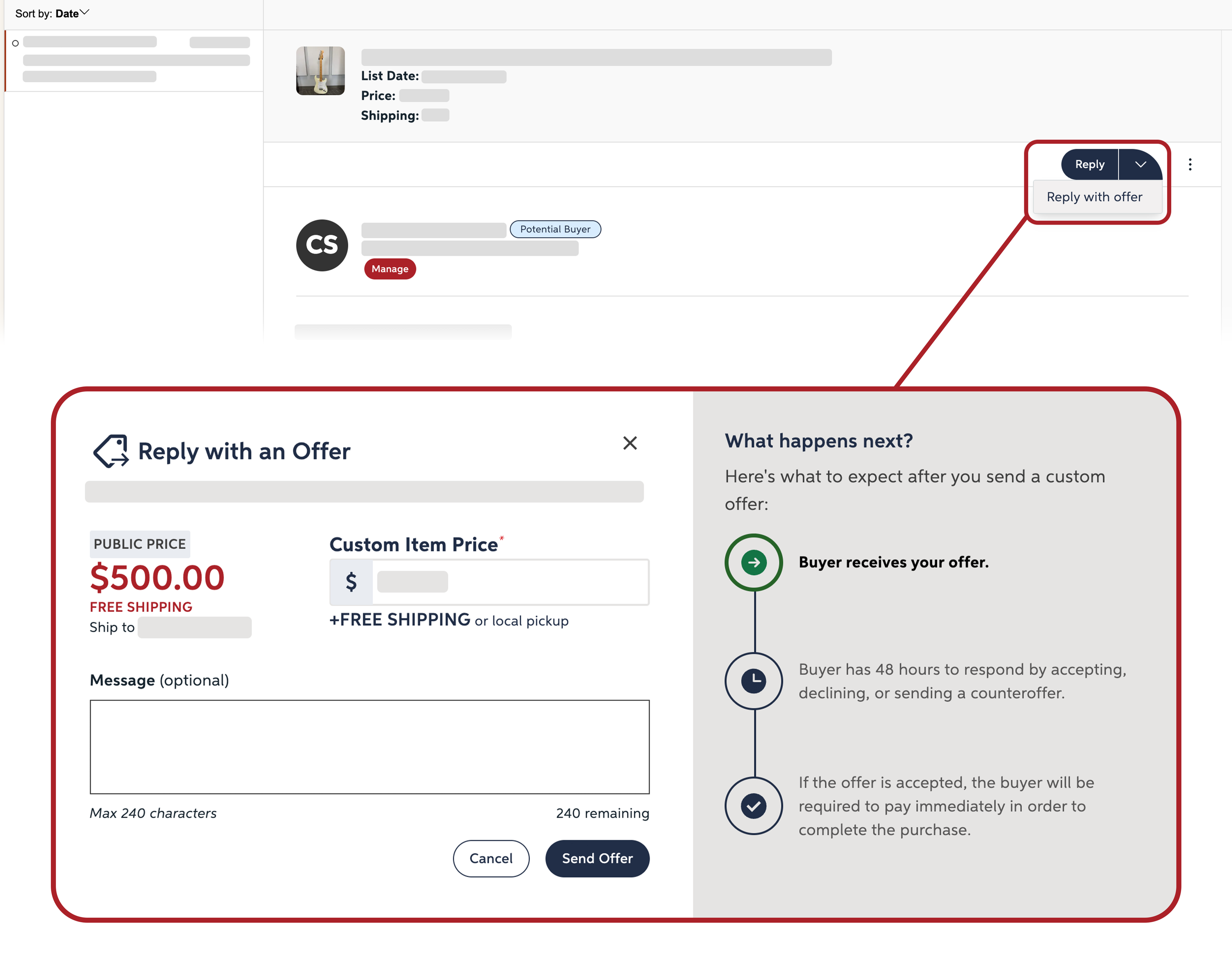
1
Open the buyer's message
2
Select "reply with offer" under the "reply" dropdown menu
3
Enter the "custom item price"
4
Press "send offer"
To send a custom offer, a buyer must first contact you about your listing. Be sure to regularly check your messages and enable push notifications so you don’t miss an opportunity to close a sale.
View your messages →
Enable mobile notifications →