
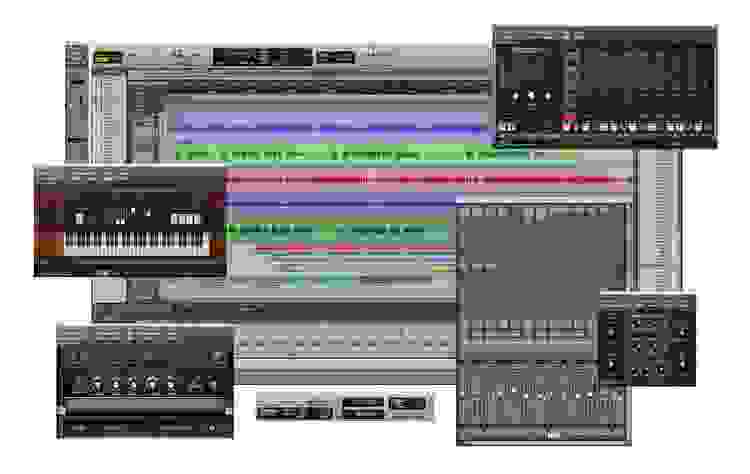

48 Tracks - Plus More Instruments and Plug-ins Than Ever!
Digidesign Pro Tools LE 8 is better than ever, featuring a gorgeous new interface, dozens of new plug-ins, five new virtual instruments, exciting new scoring and MIDI features, more editing and mixing capabilities, improved ease of use, and enhanced performance. Plus, Pro Tools LE 8 now comes standard with support for 48 mono or stereo tracks! Ultimately, you'll get the most comprehensive music- and sound-creation features and functionality in addition to the proven, dedicated platform for world-class audio production - all in a single application: Pro Tools LE 8.
Digidesign Pro Tools LE 8 at a Glance:- Stunning new look and interactivity
- A well-stocked studio
- More tracks than ever
- Score your music
- Complete MIDI production
- Transpose with Elastic Pitch
- Comp tracks to perfection
- New editing and mixing capabilities
- Expanded hardware control
Stunning new look and interactivity
With its sleek new look, Pro Tools LE 8 is as easy on the eyes as it is to use. All of the Pro Tools functionality you know and love is still in place but with some brilliant enhancements, more customizability, and easier access to editing options than ever before. Customize the toolbar the way you want. Tile or cascade your window arrangement. Change the color of your channel strips, tracks, regions, and more. Navigate through sessions quickly using the Universe view. And with the QuickStart dialog, you can jump right into an existing session, create a new session from scratch, or start from a session template.
A well-stocked studio
Pro Tools LE 8 comes packed with a huge, comprehensive collection of music-creation and sound-processing plug-ins, giving you a well-stocked studio right out of the box. Create and play music with groundbreaking new virtual instruments, including the Mini Grand piano, Boom drum machine, DB-33 tonewheel organ, and Vacuum and Xpand!2 synths. Dial up awesome guitar tone with Eleven Free and SansAmp. Add character to tracks with 20 new AIR effects. Make music with over 9 GB of high-quality loops. And with dozens of professional sound-processing plug-ins and tools at your disposal, you can fix, enhance, and polish your mixes with ease.
More tracks than ever
Get ready to create even larger mixes. Pro Tools LE 8 expands the power of your current hardware interface, allowing you to work with up to 48 mono or stereo audio tracks. Add Music Production Toolkit 2 or DV Toolkit 2 and you can create huge mixes, with up to 64 mono or stereo audio tracks. And with the new Complete Production Toolkit available, which combines both tool kits, you can work with up to 128 audio tracks and get 7.1 surround mixing capabilities, making it easier than ever to collaborate with Pro Tools|HD users.
Score your music
The new Score Editor lets you view, edit, arrange, and print MIDI data as music notation. Whether you want to compose music using the notation tools or transcribe MIDI data into notation, the Score Editor features everything you need and nothing you don't. Write parts on a single staff or grand staff. Place and edit notes, and edit the meter and key signature at will. Add chord symbols and chord diagrams to sessions. Transcribe MIDI parts in real time. Print out a score in its entirety or print only certain instrumental parts. You can even export sessions as Sibelius (.sib) files for further finessing in Sibelius.
Complete MIDI production
Pro Tools LE 8 features a comprehensive array of new MIDI tools. Gain extensive MIDI editing power through MIDI Editor windows, which can display MIDI and automation data for Instrument, MIDI, and Auxiliary Input tracks. Work with new features that let you separate, consolidate, and mute MIDI notes; scrub and shuttle through parts; view superimposed MIDI and Instrument tracks for easier arrangement editing; and audition velocity changes. Edit MIDI automation and continuous controller (CC) data through multiple Automation and Controller lanes. Even watch your musical handiwork scroll by in real time during playback.
Transpose with Elastic Pitch
As a complement to Pro Tools software's powerful Elastic Time tempo and time manipulating tool, Pro Tools LE 8 introduces Elastic Pitch, which allows you to effortlessly manipulate or correct the pitch of any audio region in real time. Easily transpose an entire audio region-up or down up to four octaves-without affecting its timing or tempo. Fix a less than perfect vocal performance by altering the pitch of individual notes. Or create cool sound effects by linking pitch changes with time compression/expansion using the Varispeed algorithm.
Comp Tracks to Perfection
Creating flawless performances is easier than ever. Pro Tools LE 8 features new track compositing workflows, enabling you to quickly and easily piece together the best possible version of a performance from multiple recording passes. Simply loop record multiple takes on an Audio track, view and audition the takes in Playlist view, select the best parts from the tracks' alternate playlists, and copy them to the main playlist with a single click. You can also rate regions to help identify which takes you like the most when compositing playlists.
New editing and mixing capabilities
Pro Tools LE 8 equips your system with even more editing and mixing capabilities. Lock regions to the timeline to prevent them from being inadvertently moved or edited. Use the Automation and Controller lanes to view and edit track automation (such as volume, pan, and plug-in automation) and MIDI CC data (such as velocity, pitch bend, and modulation) without changing track views. And with 10 inserts to play with per track, you can now use more plug-ins than ever before.
Expanded hardware control
Pro Tools LE 8 deepens its Digidesign control surface integration, enabling you to map plug-in parameter controls to almost any encoder on your controller and access each track's 10 inserts.
- Beautiful, redesigned interface with new enhancements and customizability
- Comprehensive collection of professional sound-processing plug-ins plus 20 new effects
- Expands Pro Tools LE systems to support up to 48 mono or stereo tracks
- Score Editor and MIDI Editor windows for comprehensive composing
- Transpose audio regions in real time with Elastic Pitch
- Create a flawless performance using new track compositing features
- Automation and Controller lanes provide easy editing access
- Check for Updates keeps Pro Tools and plug-ins up to date
- QuickTime HD support on Mac OS X-based systems
- Use more plug-ins than ever before, with access to 10 inserts per channel
- Lock regions to the timeline to prevent them from being moved or edited
- Supports files up to 4GB, allowing for sessions with longer files and higher sample rates