



Sweetwater offers more ways to pay than any other music retailer. Learn more »

Cart (800) 222-4700 Español (800) 222-4701

Sweetwater Exclusive

18 Months Interest Free Financing!

Here's your chance to pick up that coveted piece of Novation gear! From February 1, 2012 until April 30, 2012, use your Sweetwater Musician's All Access Platinum Card to purchase Novation products, and you'll pay NO INTEREST for 18 months! Minimum payments are required, and some restrictions apply. Click Here for full details.

Novation Launchpad

Item ID: Launchpad

USB MIDI Controller for Ableton Live with Backlit 64-button Grid, 8 Scene-launching Buttons, Bi-directional Ableton Live Communication, and Ableton Live 8 Launchpad Edition Software - Mac/PC

Yes, It's In Stock!

This item is available for immediate delivery. Our centrally-located warehouse ensures you the fastest delivery time in the industry. Order now by adding to your cart or call your Sales Engineer.

Get more value at Sweetwater

or make 3 easy payments

From Our Research Team:

Made for Ableton Live Triggering Mayhem!

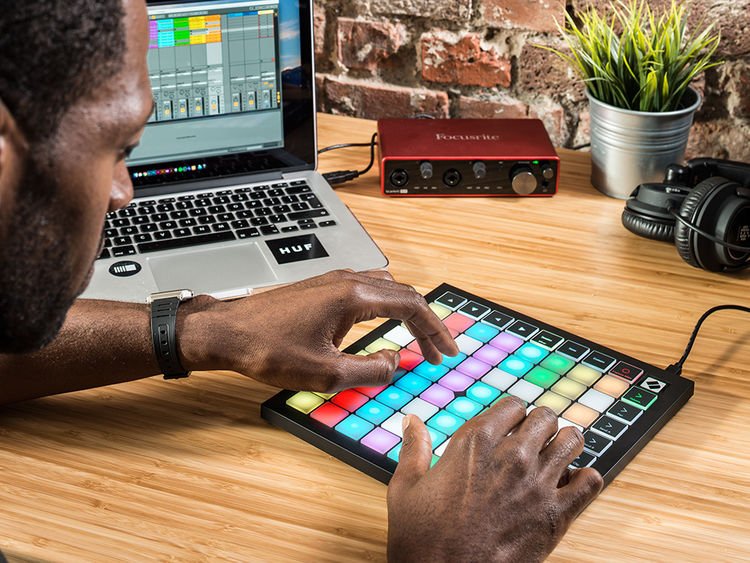
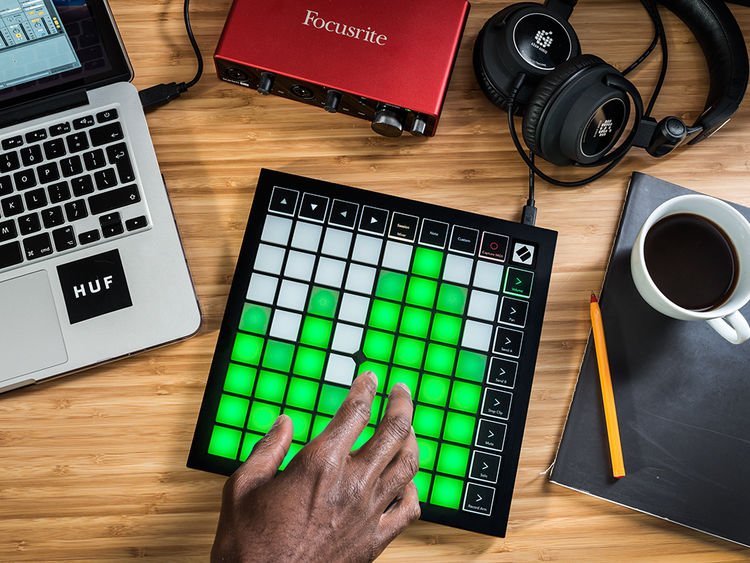
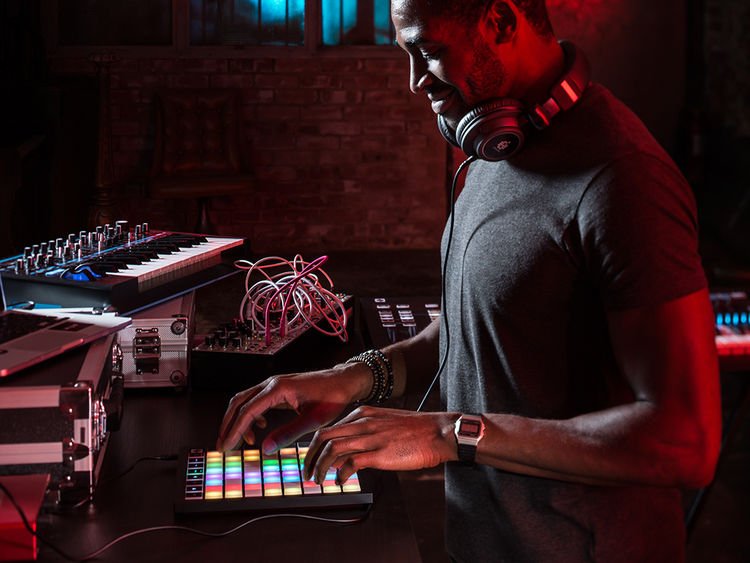
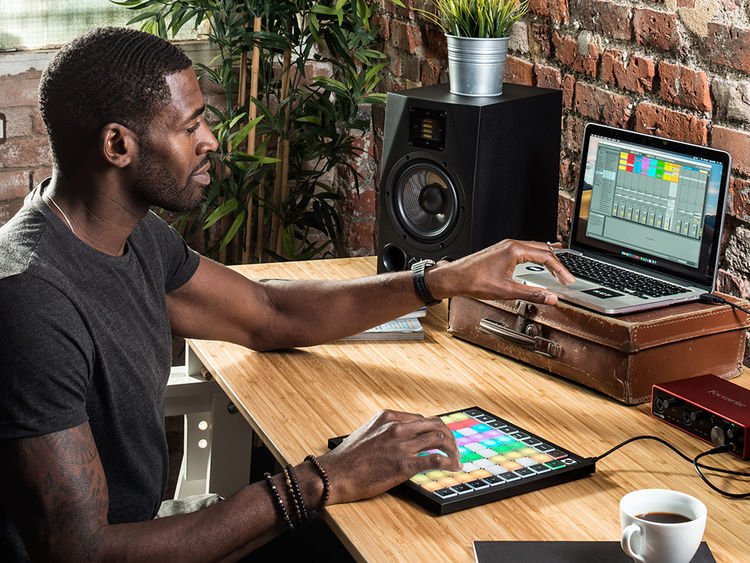
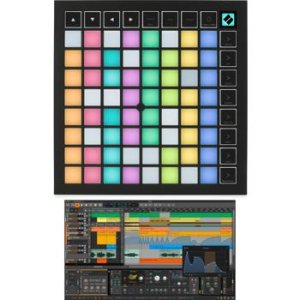
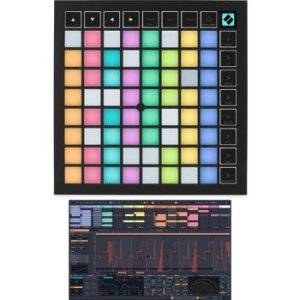
The Novation Launchpad is made for Ableton Live — but it's ready to change any MIDI-triggering world! This controller puts 72 trigger buttons under your reign, making it an amazing companion to Live's Session View. The Launchpad's buttons are even backlit, so you always know which clips are playing, loaded, or record enabled. You've also got dedicated buttons for launching scenes. If you don't use Live, go ahead and use Launchpad to map map out the controls however you want — it includes Novation's renowned AutoMap software. Feeling wild? Use up to six Novation Launchpads at once!


While the Novation Launchpad is a majorly cool tool for using Live's Session View, thanks to its massive clip-triggering section, you can also use it to control your mix. Take innovative control over your volume, pans, sends, record arming, soloing, and muting — use Launchpad's buttons to instantly jump to different levels across eight channels at once.

If you don't already own Ableton Live software, don't fret. Included, you get Ableton Live 8 Launchpad Edition, which is fully functional for performance and production. If you do have Ableton Live, your copy of Live 7 or Live 8 is already ready to go with the Novation Launchpad. What else? Another big Novation Launchpad bonus is that it's enabled to work with Novation's Automap software, so you can take instant, intelligent control over VST, AU, RTAS, and TDM plug-ins — as well as an increasing number of standalone samplers and step-sequencers. Automap provides a heads-up transparent display across your computer screen, so you've got at-a-glance recognition of what you're controlling. And you can assign and re-assign parameters with just a quick click and a tap.

Offering up major Ableton Live control over clips, scenes, and more — not to mention all-around MIDI-mappable mayhem — the Launchpad is a huge value at this low price. Thanks, Novation!

Novation Launchpad 72-button USB MIDI Controller Features:
  • Made to give you a premium level of Ableton Live control
  • 64-button clip-launching grid and 8 scene-launching buttons for Live's Session View
  • Backlit multicolored buttons display the status of each clip
  • Can also be MIDI-mapped to control other parameters in Live
  • Includes a copy of Ableton Live 8 Launchpad Edition software
  • Automap-enabled for RTAS, AU, VST, TDM plug-in control
  • Connects to your computer via USB
  • Works with both Mac and PC computers
  • Dimensions: W = 9.45" H = 0.79" D = 9.45"
  • Weight: 1.58 lbs.

The Novation Launchpad MIDI controller lets you navigate Ableton Live with a new level of control!

Launchpad Image Gallery

Specification Detail
Intended Use Ableton Live
Number of Faders 0
Fader Throw No faders
Fader Type No faders
Number of Knobs 0
Knob Type No knobs
Number of Performance Pads 64
Performance Pad Types Non-velocity sensitive
Number of Soft Keys 8 dedicated soft keys, 8 assignable soft keys
Other Controls No other controls
Transport Controls Yes
Audio Inputs No audio inputs
Audio Outputs No audio outputs
Computer Connectivity USB
Control I/O No Control I/O
Height 0.79"
Depth 9.45"
Width 9.45"
Weight 1.6 lbs.
Notes Up to 6 Launchpads can be used with Live simultaneously
Manufacturer Part Number Launchpad

Can We Help?

call toll-free (800) 222-4700 or E-mail us
to get personalized advice from a Sweetwater Sales Engineer.

Additional Online Resources:

More Recommended Accessories

Reviews

based on 6 reviews

From sparks to fireworks!

by Steve from West Islip, NY
January 7, 2012
Music Background: Recording Engineer, Remix Artist
Whether your mixing your own loops or remixing another's the design and approach of the launchpad coupled with Ableton Live makes the task fun and less daunting! Previously I would gather loops and mi... read more [+]x each of them one by one using a sequencer (time consuming and boring). Now I can just add all loops to project bin and mix them instantly, if they work then they stay, if not, they're removed and I go forward. When it comes to the initial planning of a mix this item is a must! Got a song already laid out? Use this to remix it! You'd be amazed at how much faster your creativity and projects are sparked! close [-]

Works incredibly well for live and studio

by DJ DualScreen from Red Lion, PA
January 6, 2012
Music Background: Hobby musician/DJ
I bought this product back in Aug/Sept 2011, and have been using it in my recording studio/bed room. This controller was specifically designed for Ableton Live, and it works so well with it. The dev... read more [+]ice is set up to control most basic features such as volume and pan, but can be configured to control other things as well. Ableton's Clip feature is terrific, and the Launchpad allows for easy launching and stopping when used as a DJ control surface. The only real improvement that can be made is the addition of transport controls and a crossfader, features that can be found on the Akai APC40. The real advantage of the Launchpad over the APC40 is it is bus powered, so you only need one cord. Overall, it is a must have if you want a simple control surface for the studio, or performing live close [-]

Neat Product

by TG from Jacksonville Beach, FL, USA
January 8, 2011
Music Background: Keyboardist, 24 years; Studio Engineer
I bought this a couple of months ago to use as a live triggering surface for Ableton clips and click for my band.

I'll be very honest about one important fact: the learning curve on t... read more [+]his is pretty steep. I'm extremely experienced in the areas of MIDI, interfacing hardware with DAWs, keyboards, etc. and the way it operates seems wildly confusing at first. That being said, once it's figured out, it is extremely usable and completely logical. To be sure, I do not use any of its default functions. I use only the custom user profiles and build everything from the ground up, but the depth and usability cannot be matched with anything else out there.

Akai makes some great surfaces that are definitely easier to use at the outset (plus they have faders and knobs, which many people prefer), but if you don't need those things (I don't), then this is a solid option. With the competing options, you sacrifice some depth of customizability in favor of simpler up-front operation. In my case, I value the ability to make it my own over ease-of-use.

Personally, after spending the time to get comfortable with the device, it'll take a remarkable product to get me to move it out of my live keyboard rig. I highly recommend it, but just be ready to spend a day or two figuring out how to make it fit best into your workflow. I've talked with other artists who use it and have yet to find two who use it in exactly the same way. That fact alone, to me, is the mark of a great product.

I currently use the Novation Launchpad in live performance with my MacBook Pro running Ableton Live 8, Reason 5 in Re-Wire, and about a half dozen other control surfaces. close [-]

Great product for the money

by from Central, Illinois
February 1, 2012
Music Background: Home recording hobbyist
I have both the Launchpad and the Akai APC40. If you don't need the knobs and sliders then the Launchpad is a great choice. If I had to choose over the two, the I would have to go with the Akai. I ... read more [+]wish the Akai had the same size & number of pads the Launchpad has. close [-]

Nifty, fun, well built, but would need two to work right.

by Cale McCollough from Eugene, OR
June 12, 2011
Music Background: Musician, Audio and Recording Enineer, Computer Enineer, Music Technology Expert, Student, Horn Player
I would have Given this a 5, but it lacks some elements of customization that, to me, were a show stopper. I eventually ended up selling it to get an APC 40, a move which I do not know if I regret. I'... read more [+]ll explain later. Overall, it is an awesome, rugged, less expensive solution to the APC series and don't let my decision discourage you from buying it, though it will give you valuable insight.
Pros:
Its much smaller and lighter then the APC 40, is easier to move around the recording environment and transport, and has more clip launch/rec buttons. This is really nifty if you record on several keyboards or other instruments. The APC 40 is big and stationary and you need a table to put it on. The Launchpad is really light so you can move it next to whatever your recording so you can use the clip record buttons to get your loop right and do some improve magic. Which leads to the potentially show stopping con...
Cons:
The stop clip buttons are not on the session page. You have to go to the mixer page to get to the rows of buttons that are stop clip/mute/solo/rec. This is OK if you have 2 Launchpads... in fact, this gives you 3 more rows of play/rec clip buttons then the APC 40, but doesn't help if your using it to perform the utility I described in the Pros sections. It would have been nice if they would have allowed you to customize this setting. I would have kept it despite this short coming. You can however get a product like the Korg nanoKontrol and manually MIDI map the stop clip buttons to that controller. This would be a good, low cost solution. I kind of wish I had done that, but its too late now. The APC 40 takes up a lot of space on my desk and isn't as powerful as several of these hooked together.
Also, it needs the Automap Pro software upgrade to work other Novation automap controllers, which costs $30. If you own one of their other keyboards, you should get the software that makes it work right for free. I just got an UltraNova, and Automap Pro came with it so I'm happy about that. I'm using that with a N.I. Machine and it's bad ***!!!
Another con could be that Novation has notoriously bad tech support. They make you leave a message on an answering machine and they call you back. They do call you back days later, but this is very unprofessional, but understandable. It costs a lot to pay someone to answer stupid peoples questions about how they didn't read the manual or actually try to read the on screen directions or find help on Google. But this product probably wont break on you because there isn't anything to break... you would be hard pressed to damage this unit. Its sturdy as a rock and doesn't have an knobs to break off. They are as prompt as any company through email though.
Overall, a combination of 2 of these and a Novation ZeRO SL MKII blows the APC 40 out of the water, but is more expensive. You can however get started for cheaper. Both setups are cool and have their ups and downs. close [-]
Read more reviews

Also popular

See Also: Mixer Controllers , Novation , Novation Other Control Surfaces , Novation Mixing Control Surfaces

Novation Launchpad

Today's Payment: $59.99
Includes $10 processing fee
Payment 2: $49.99
In approx. 30 days
Payment 3: $49.99
In approx. 60 days

Buy Today, Make

Sweetwater's Flexible Payment Plan is a convenient, interest-free way to buy gear now and stretch your purchase across three budget-friendly payments. Simply choose the "3 Easy Payments" option in your cart, and we'll divide your purchase amount into three convenient payments, billed to your current MasterCard, Visa, Discover, or American Express card. There is a $10 processing fee for using this service, and your billing address must be in the United States to be eligible. It's just another way we make shopping at Sweetwater easy and convenient!

Get your Novation Launchpad now and spread out the payments!

Our Customers Say...

When it came time to start from scratch with the studio, I had a lot of questions. The Sales Engineers I've worked with are really friendly and patient, and the guidance they provided was invaluable; they basically helped build the studio.
Joel Hurd, Canton, NY

Sweetwater Sound Inc.
5501 U.S. Hwy 30 W
Fort Wayne, IN 46818
Get Directions »

Toll Free (800) 222–4700
Español (800) 222–4701
Local (260) 432–8176
Fax (260) 432–1758
E-mail us

Phone & Retail Store Hours:
9–9 Monday–Thursday
9–8 Friday
9–7 Saturday
(All hours listed are
Eastern Standard Time.)

© 2012 Sweetwater Sound Inc. All rights reserved. Please read our Terms of Use and Privacy Policy. Links | Press Releases